1
WEILER E1250
1-4
General Information
1
OPERATOR STATION
OPERATOR STATION - LOCATION AND FEATURES
The operator station is located on the front upper platform. It
offers the operator control and visibility of all operating functions
and engine information needed in the operation of the machine.
The operator station pivots about the center of the platform to
allow the operator to drive the machine from either the left or
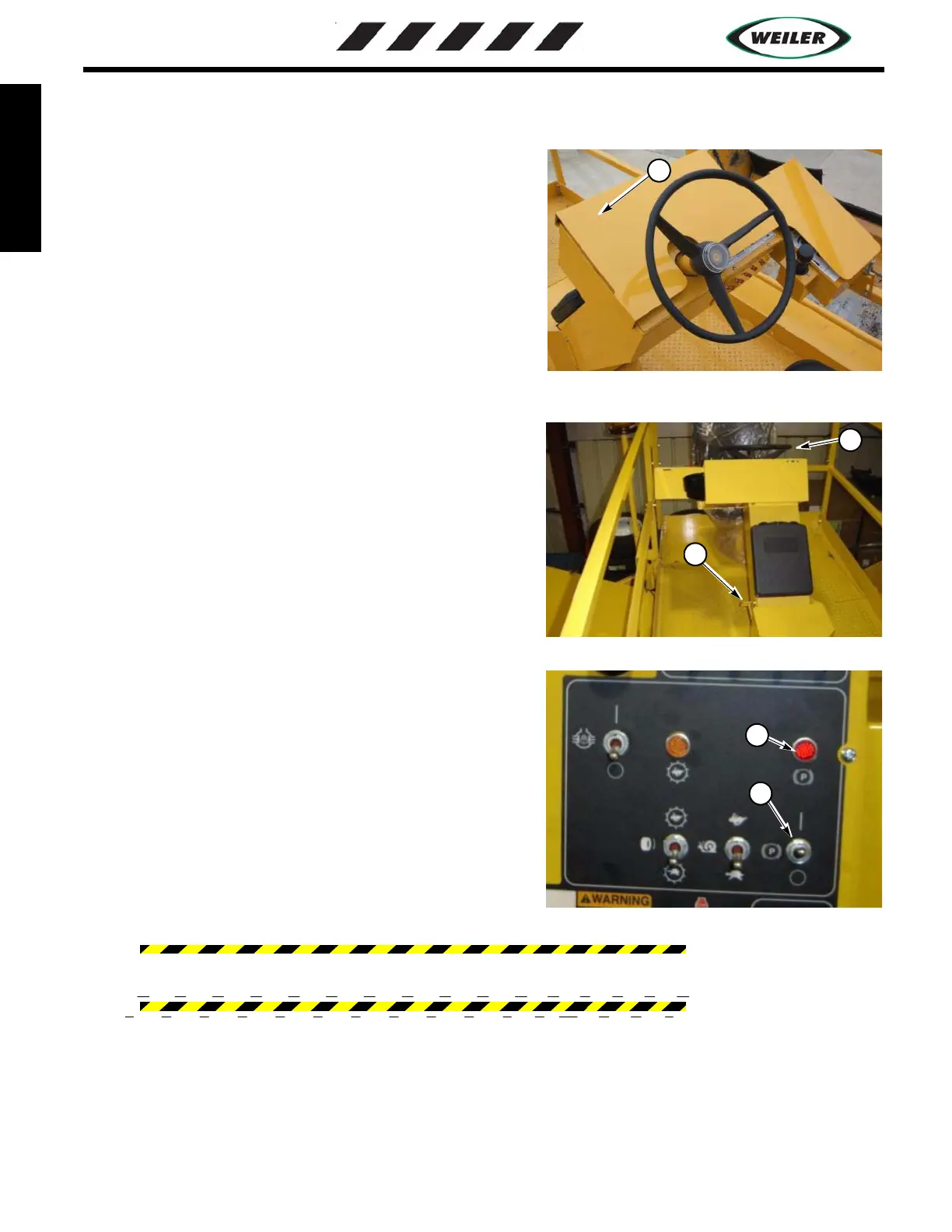
right hand side. A lockable vandal cover (1) is provided to
discourge vandalism to the guages, lights and switches.
OPERATOR STATION - GROUND DRIVE CONTROL
1. The Steering Wheel - A tilt steering wheel (2) is provided to
allow for operator comfort. The steering wheel is tilted by
pressing the foot pedal (3) and tilting the wheel to the desired
location. Releasing the pedal locks the steering wheel in place.
2. Park Brake Light and Park Brake Switch (4) - Spring applied -
hydraulic released park brake on all 4 wheels. Move up for brake
engagement and down for release. Park brake light (5) indicates
the park brake engagement.
NOTE: A brake override pump is supplied in the event of a
machine breakdown where moving the machine is necessary (see
Machine Towing section for instructions).
WARNING: DO NOT apply parking brake while machine is in motion. Brake application is
severe and may damage the park brakes or cause injury to the operator.
Vandal Cover Picture
and
Complete Platform Area Picture
1
Steering Wheel picture with Decal
Foot Pedal
2
3
Park Brake Switch and Light
4
5


 To Next Page