7113126.02 (3-08/13) 36
I N S TA L L E R S e c t i o n ( e n )
Electronically calibrate the gas valve as follows:
• connect the positive pressure test point of a pressure gauge, possibly water-operated, to the gas valve pressure test point (Pb);
• open the gas tap and switch the boiler to the Winter mode;
• open a hot water tap that can provide a ow rate of at least 10 litres a minute or make sure there is maximum heat demand;
• press buttons and together for 10 seconds. Press when "ON" appears on the display;
• press when "INF" appears on the display. The modulator current percentage ashes on the display;
• press when the pressure gauge measures an increase from 0.2 to 0.4 mbar with respect to the value indicated in the burner
pressure/injectors table (REDUCED POWER); the modulator current percentage appears on the display;
• press when the pressure measured by the pressure gauge reaches the value indicated in the burner pressure/injectors
table (NOMINAL HEATING OUTPUT);
• after calibration, "MEM" ashes on the display for 5 seconds.
If a pressure gauge is unavailable, the automatic gas valve calibration procedure can be performed as follows:
• open the gas tap and switch the boiler to the Winter mode;
• keep the front panel of the boiler closed;
• open a hot water tap that can provide a ow rate of at least 10 litres a minute or make sure there is maximum heat demand;
• press buttons and together for 10 seconds. Press when "ON" appears on the display;
• after calibration, "MEM" ashes on the display for 5 seconds.
If one of the following symbols: C01 – C02 – C03 – C04 – C05 appears after calibration, repeat the gas valve calibration
procedure.
Check the mechanical calibration of the gas valve pressure adjuster, as described in the GAS CONVERSION section, before
electronically calibrating the gas valve
13. VISUALISATION OF PARAMETERS ON THE DISPLAY ("INFO" FUNCTION)
Press for at least 6 seconds to display information concerning boiler operation.
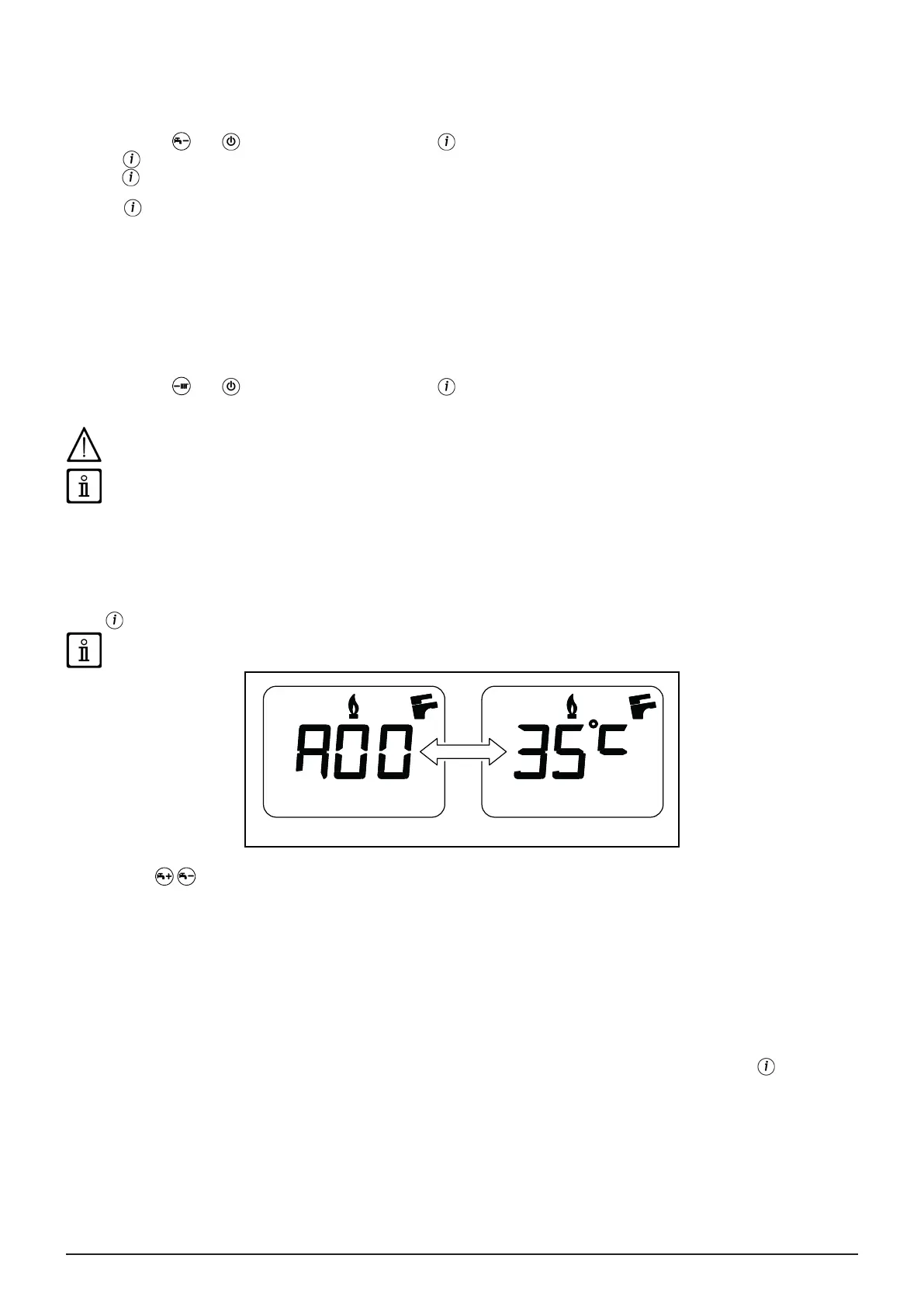
When the “INFO” function is enabled, the message “A00” alternating with the boiler delivery temperature, is shown on the
display:
CG_1808
Press buttons to display the following information:
A00: current heating delivery temperature (°C);
A01: current DHW temperature (°C);
A02: current external temperature (°C) (with external sensor connected);
A03: current fumes temperature (°C);
A04: instantaneous (%) value of the gas valve control signal;
A05: power range (%) (MAX CH);
A06: heating setpoint temperature (°C);
A07: DHW temperature setpoint (°C);
A08: last error that occurred in the boiler;
A09: not used;
A10: not used.
This function remains active for 3 minutes. It is possible to interrupt the “INFO” function in advance by pressing or turning off
the power to the boiler.


 To Next Page
 Loading...