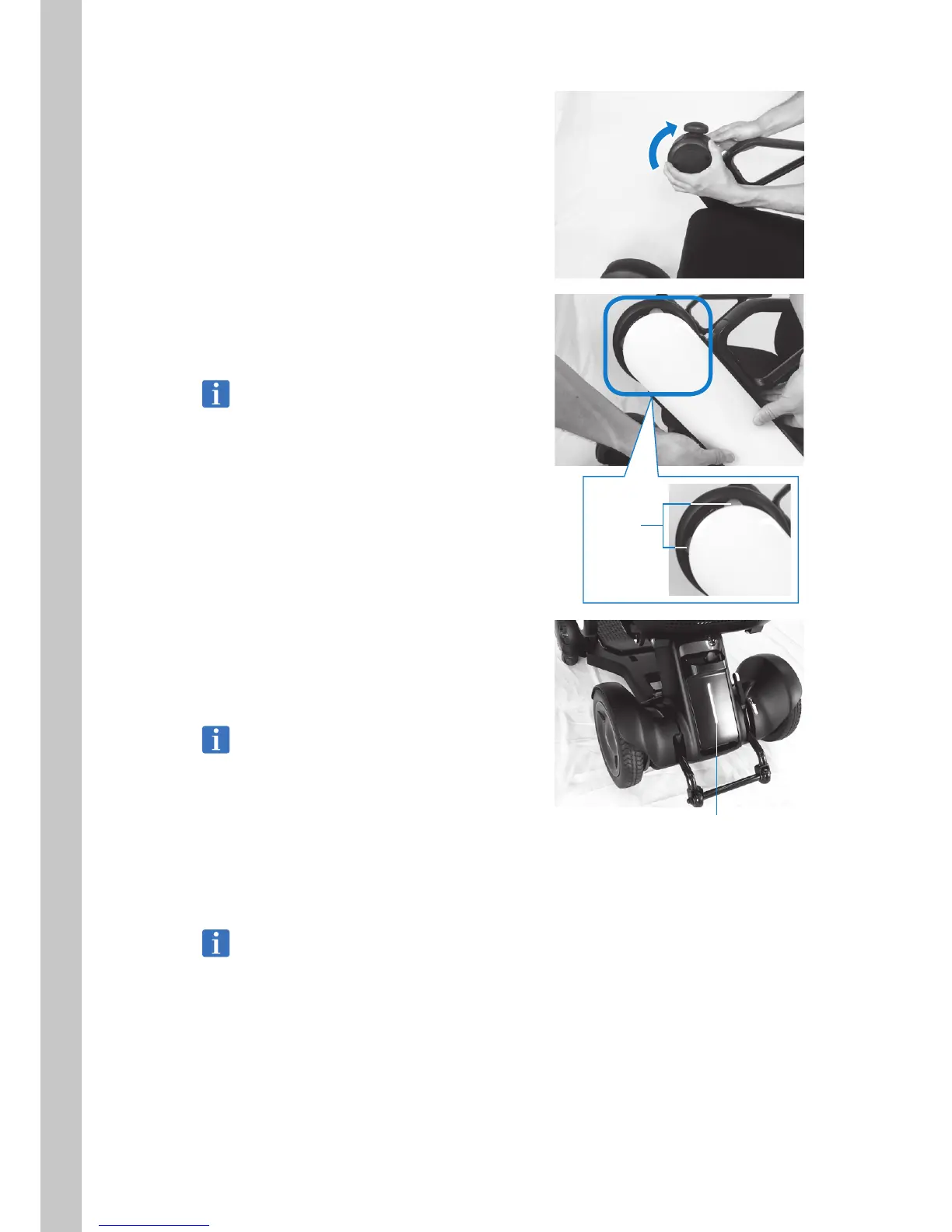
11. Rotate the inside cover clockwise to install
it.
Align the box “ | ” with the cover “
p
” and
rotate clockwise to fasten in place.
12. Install the arm cover.
Position the tabs on the front end and press
the arm cover into place.
Be careful that the cable and arm length
adjustment tab are not caught in the cover.
13. Install the battery and check that the rear
tail light illuminates for several seconds.
For the installation procedure, refer to “5.2.4
Installing the battery”.
If the rear tail light flashes, there may be a
problem with the battery connectors.
Check the connectors again.
14. Turn on the power and check that the
device moves forward, backward, left, and
right without problems.
If an error appears on the display, check “9.
Troubleshooting”. If the problem is still not
solved, contact your distributor or WHILL
Customer Support.
Tabs
Rear tail light



 To Next Page