the menu shows the Optical Loss measure by RX modules. It required to perform a calibration first
with a short patch as explained in the Optical Loss Calibration paragraph.
TX Link menu
From the Main screen, pushing the rotary knob, it’s possible to enter on the selection screen and then, pushing the upper right
button on the desiderate transmitter module, it’s possible to enter on the TX Link menu:
status of the transmitter (ON or OFF) [default ON]
working mode selection:
- ANT for remote antenna reception
- IFB for remote intercom for iso-frequency areas
NOTE: set the transmitter module and the receiver module with the same working mode (as in the
third configuration example)
(default ANT mode)
Type of RF filter (only for ANT mode)
There are 4 possible configurations:
- 150-840: to have a fixed 150-840 MHz band-pass filter
- 470-840: to have a fixed 470-840 MHz band-pass filter
- BPF: tunable Band-Pass Filter (only with MFL-BF1 option)
- EXTERN: to connect an external RF filter between IN and OUT BNC connectors
(default 470-840)
allows to set the center frequency of the 25MHz Band Pass filter.
It is selectable only if the optional tunable BP filter (opt: MFL-BF1) is mounted and the Filter selection
is set to the tunable Band-Pass Filter (BPF).
Allowed range: center frequency 404÷788, 1MHz step.
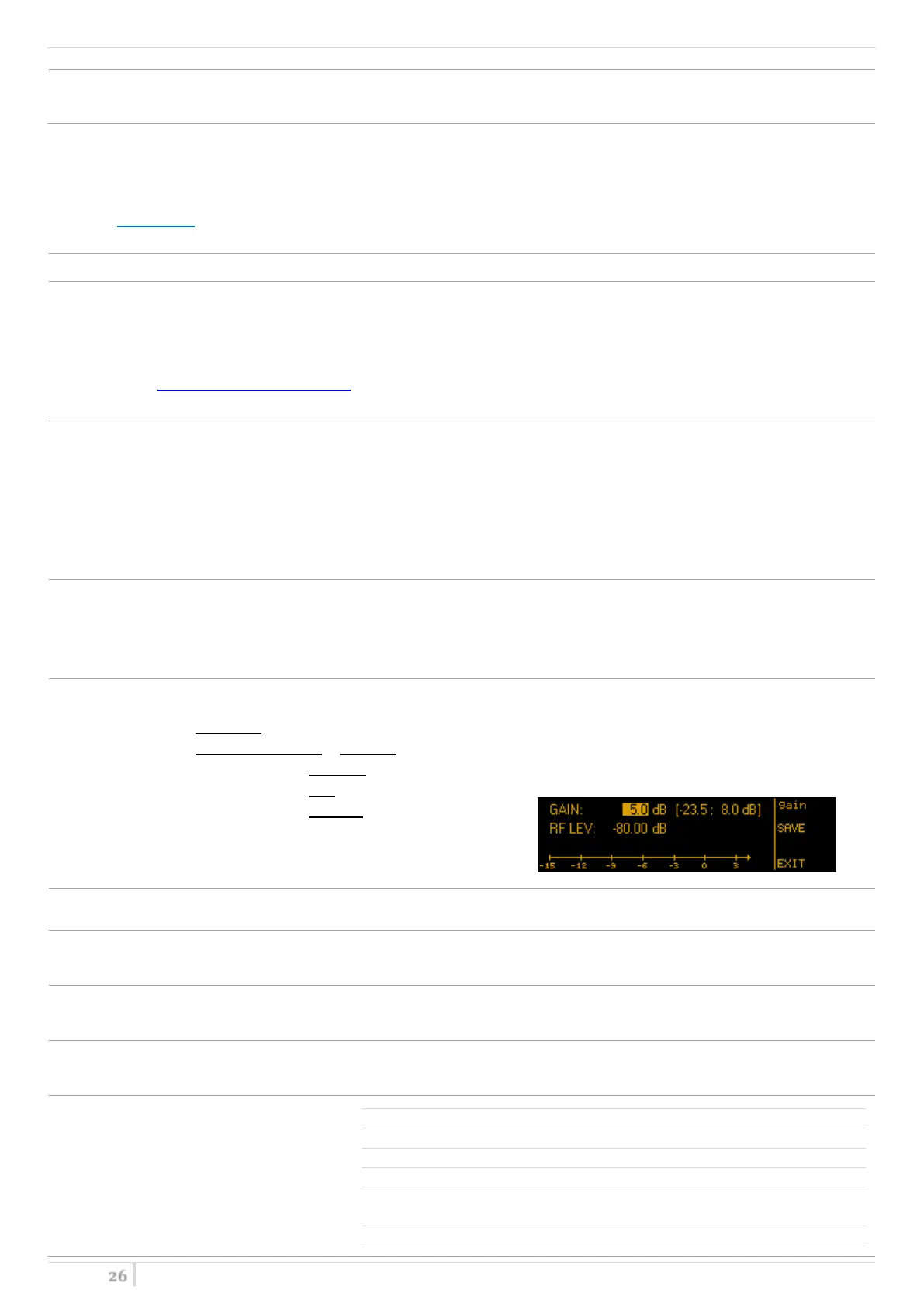
Settable gain with step of 0.5dB.
With IFB Mode: -23.5 ÷ 8.0 dB (typ.)
With ANT Mode & filter: - 150-840: -20.0 ÷ 11.5 dB (typ.)
- 470-840: -20.0 ÷ 11.5 dB (typ.)
- BPF: -28.0 ÷ 3.5 dB (typ.)
- EXTERN: -22.0 ÷ 9.5 dB (typ.)
(default 0.0dB)
To enable or disable the 12V boosting power (only for TX module in ANT mode)
(default disabled)
shows the voltage and current on the output connector, supplied with the booster option (only for TX
module in ANT mode & Booster set to enabled)
To enable or disable the Failsafe option
(default disabled)
Attenuation of the external filter, that can be set by user from 0.0 to 6.0dB with step of 0.5dB.
(default 2.0dB)
here it’s possible to see all
the Band-Pass filter
information:
Serial number of the RF filter
Application firmware version of the RF
filter


 To Next Page