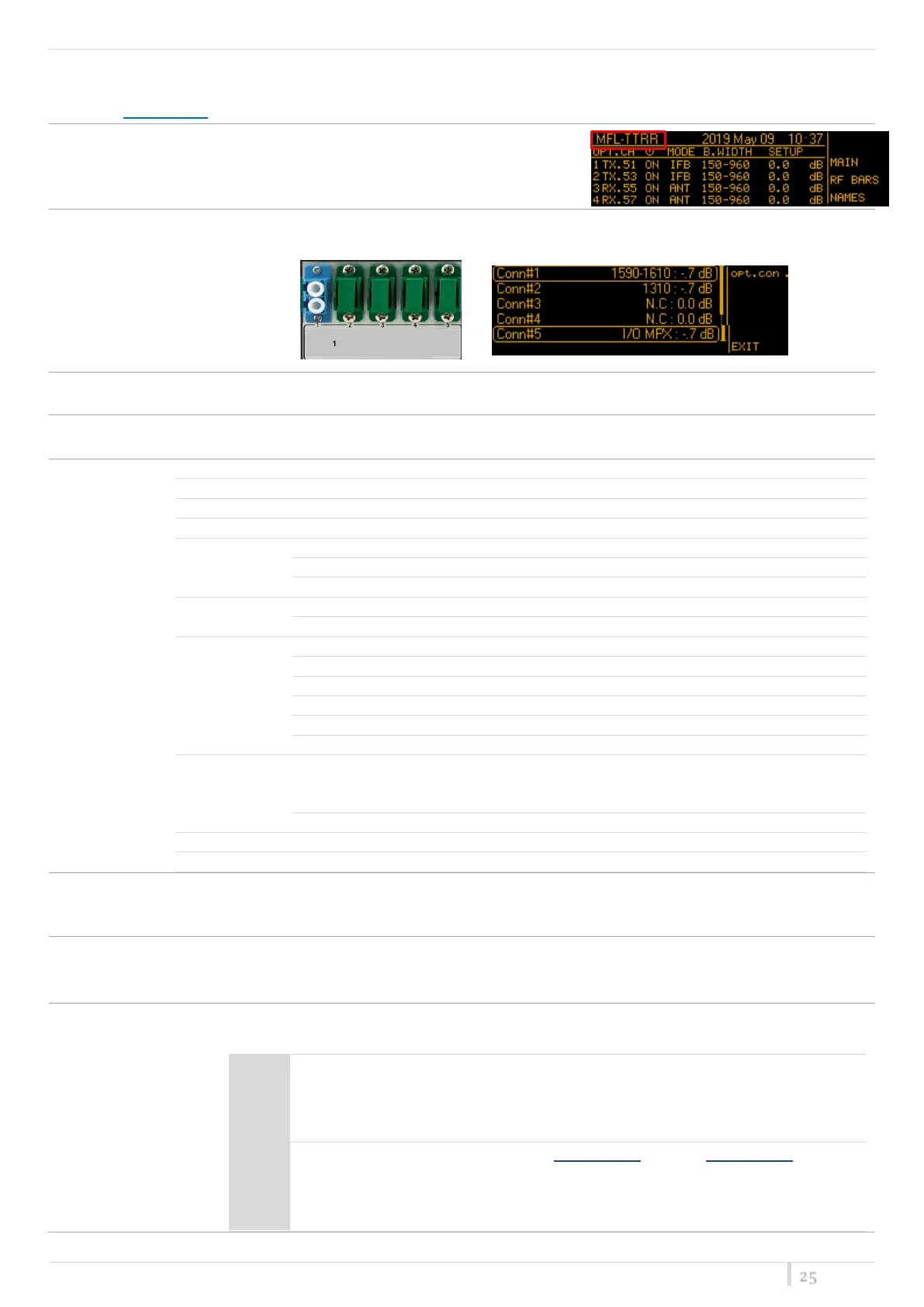
Main menu
From the Main screen, pushing the upper right button, it’s possible to enter on the main menu options:
to change the name of the MFL shown in the Main screen
12 alphanumeric characters (A-Z, a-z, 0-9, case-sensitive)
shows the configuration and the optical attenuation of the 5 optical connectors
to set the brightness of the OLED display. 0÷15 step 1 (default 0)
to set the display timeout before decrease the brightness of the OLED display and before returning
to Main screen (default 30 seconds)
The serial number composed by 1 letter + 7 numbers
Transmitter module temper.
Type of power supply (AC/DC)
Main RAW voltage measured
Main Digital voltage measured
Main Analog voltage measured
Current alarm list
(ENTER)
Number and type of alarms for the
general apparatus and for each
module
History alarm list (HIST)
this menu item allows to enable and set a threshold for the alarm of low external DC power supply.
If it is enabled, the threshold can be set from 10.0V to 28.0V with 0.1V step. (default OFF)
High optical
power alarm:
with this option it is possible to disable the alarm when the optical power on the RX modules is out
of the limits (see Receiver parameter > Opt, rx pwr limits range).
The alarm is enabled as default setting.
with this menu it’s possible to load a PRESET or a FACTORY configuration into the MFL .
The Factory configuration resets the following :
Display brightness: 0
Display timeout: 30 seconds
Ext. DC alarm threshold: OFF
High optical power alarm: enabled
Status: ON
Mode: ANT
Gain: 0.0dB
Failsafe: disabled
For TX Links:
Filter: 470-960
Booster: disable
Ext filter att.: 2.0dB
For RX Links:
Optical pwr. corr.: ON


 To Next Page