Use
17.10.2019 47 / 96
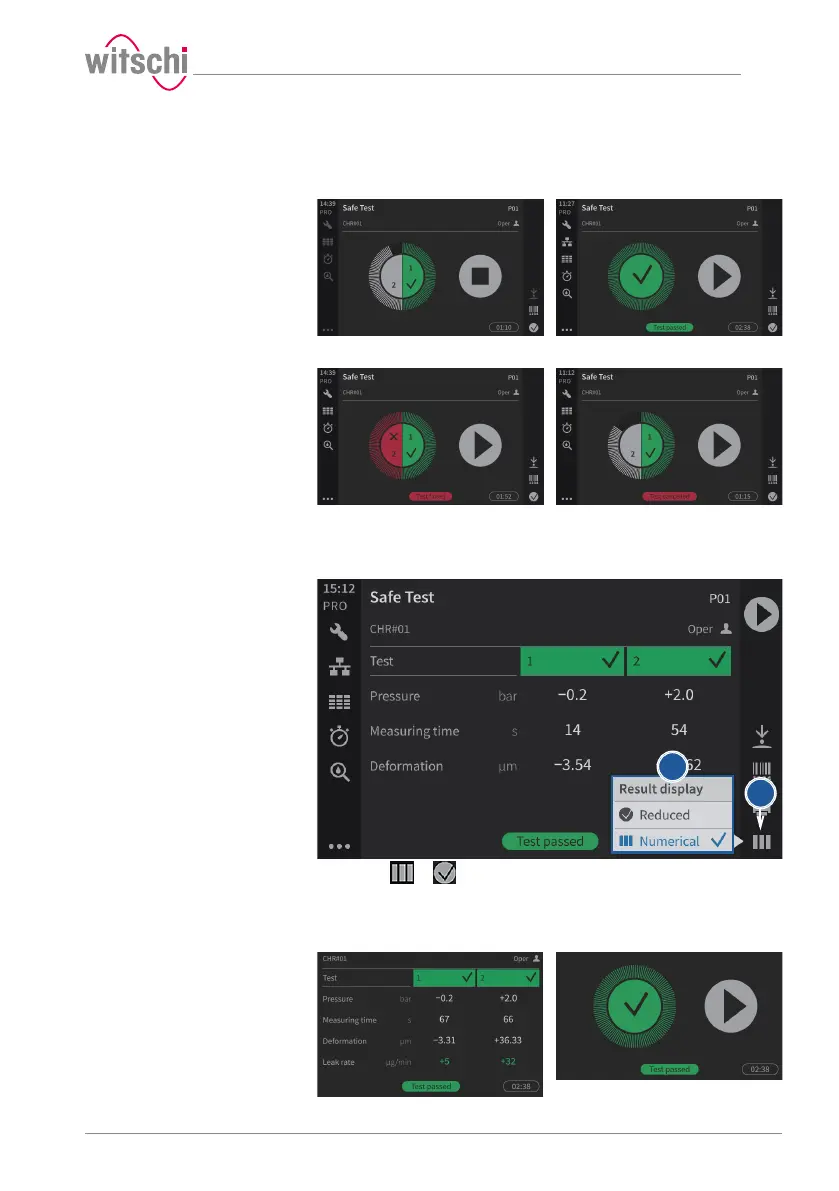
In the examples below, the first test is running, the second test result is
OK and the third test result is not OK.
Test rejected Test manually aborted
5.3.2 Selecting the results display
The results can be displayed in numeric or reduced form.
a) Press or (at the bottom right of the screen) to open the
display selection window. The icon changes according to the
selected display.



 To Next Page