Settings
17.10.2019 87 / 96
7.7 Network
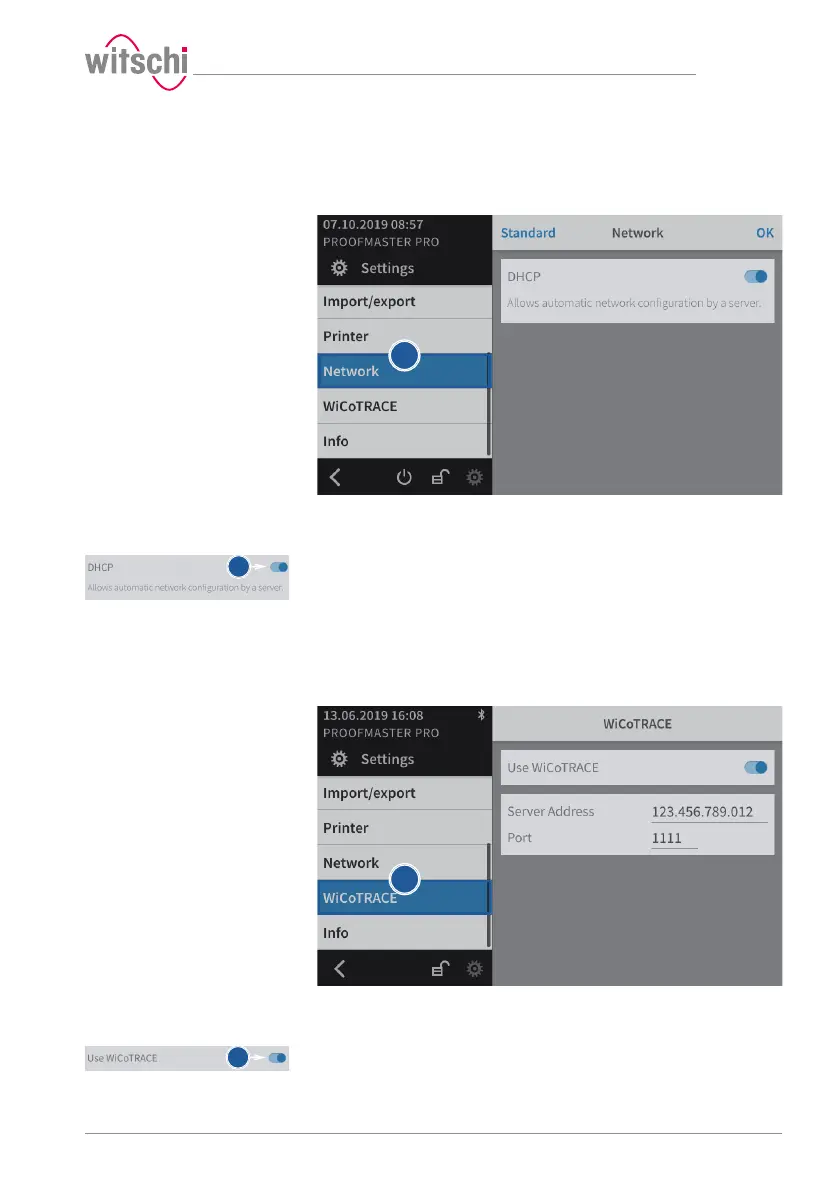
The connection option allows automatic configuration of the
ProofMaster with the help of a server.
a) Select Network from the list.
ð Network is highlighted in blue and the right window displays
the network options.
b) Enable or disable the network.
ð The button is blue when the function is enabled and grey
when it is not.
7.8 WiCoTRACE
The ProofMaster must be configured for use with the WiCoTRACE
software.
a) Select WiCoTRACE from the list.
ð WiCoTRACE is highlighted in blue and the right window
displays the options for WiCoTRACE.
b) Enable or disable the use of WiCoTRACE.
ð The button is blue when the function is enabled and grey
when it is not.



 To Next Page