Settings
88 / 96 17.10.2019
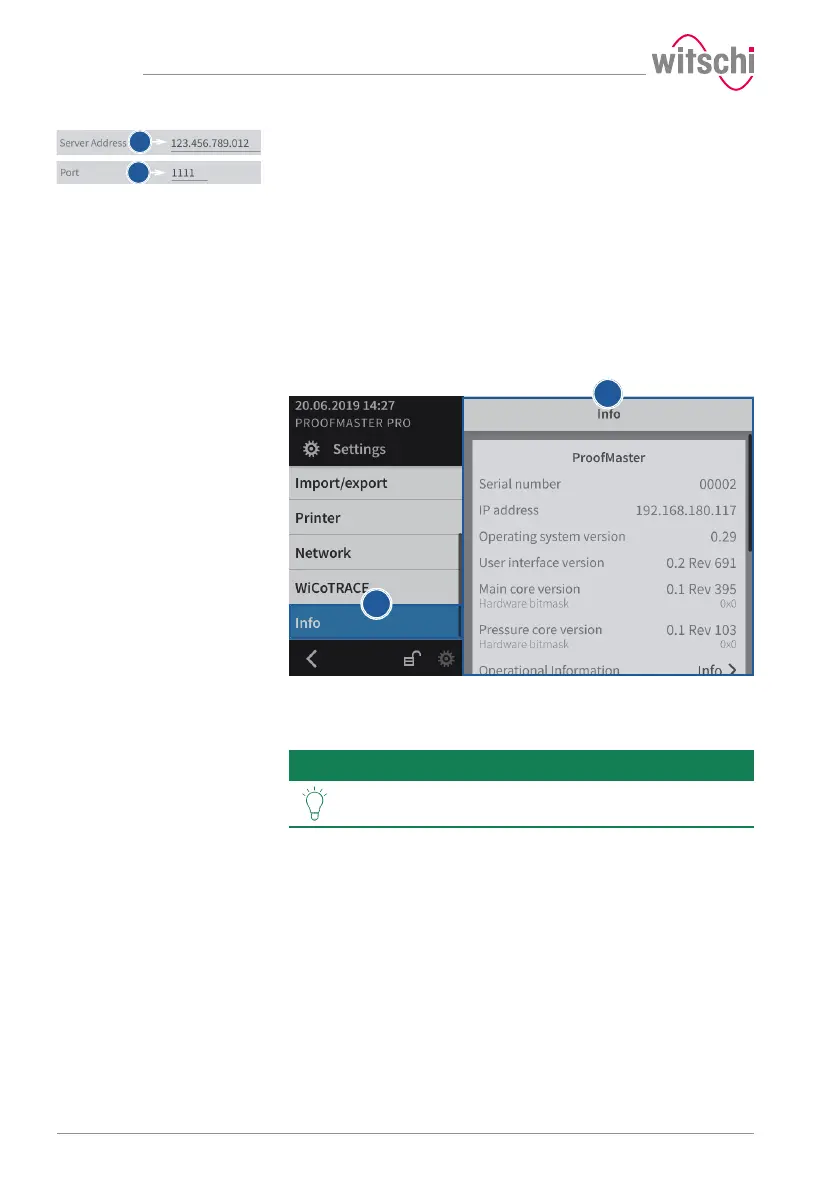
c) Enter the IP address of the server where WiCoTRACE is located.
d) Enter the port of the server where WiCoTRACE is located.
ð The ProofMaster is connected to the WiCoTRACE software.
7.9 System information
This menu displays the following information:
• Serial numbers
• IP address
• Versions of the different systems and programs
• Information on device operation (cycle counter, measuring counter, etc.)
• Last calibration
• Legal information (licenses)
a) Select Info from the list.
ð Info is highlighted in blue and the right window displays the
system information 1.
Tip
Use the scroll bar on the right side of the window to
display non-visible information.



 To Next Page