Settings
17.10.2019 81 / 96
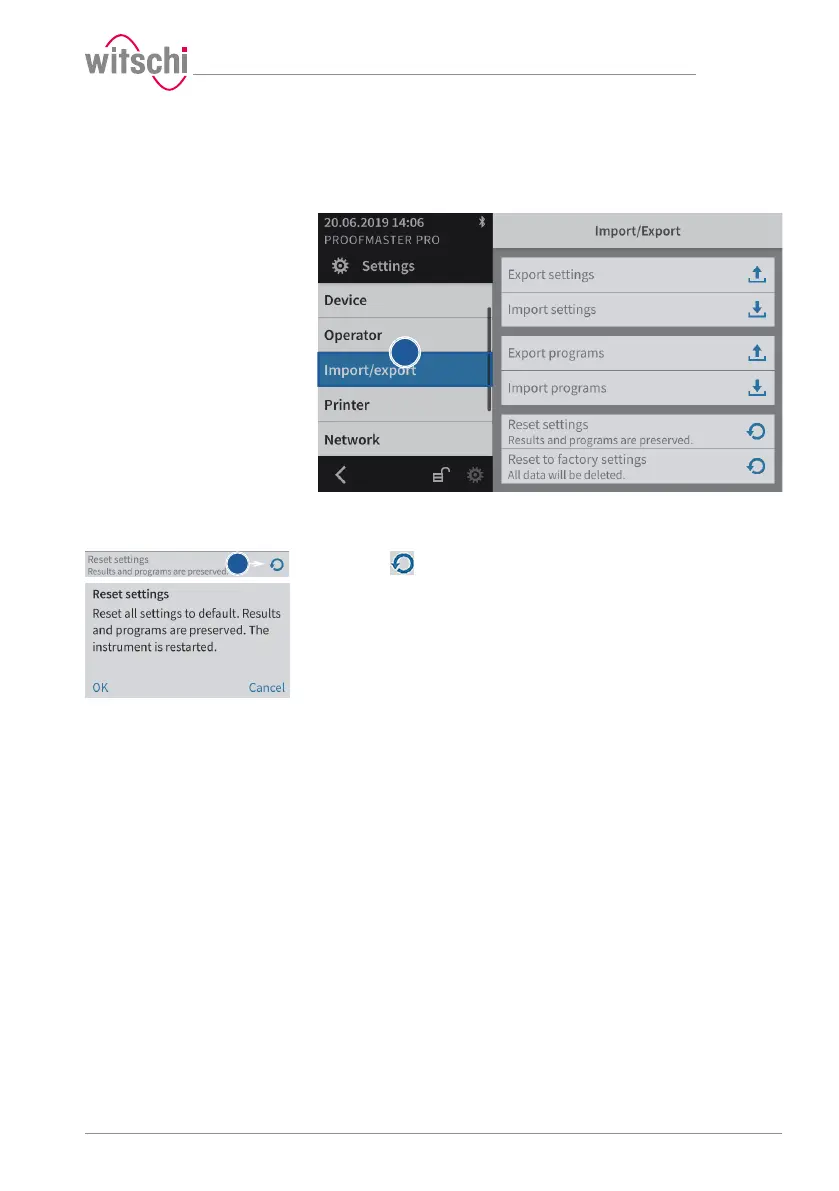
7.5.3 Resetting the device settings
This process restores the factory settings of the ProofMaster. The
programs and test results are retained.
a) Select Import/export from the list.
ð Import/export is highlighted in blue and the right window
displays the import, export and recovery options.
b) Press to reset the settings of the ProofMaster.
ð A confirmation window appears.
c) Press OK to confirm.
ð The ProofMaster restarts.



 To Next Page