Settings
17.10.2019 67 / 96
7 Settings
Mandatory
Programming is always done without running a test
sequence.
Info
All procedures in this section start with displaying the
Settings menu.
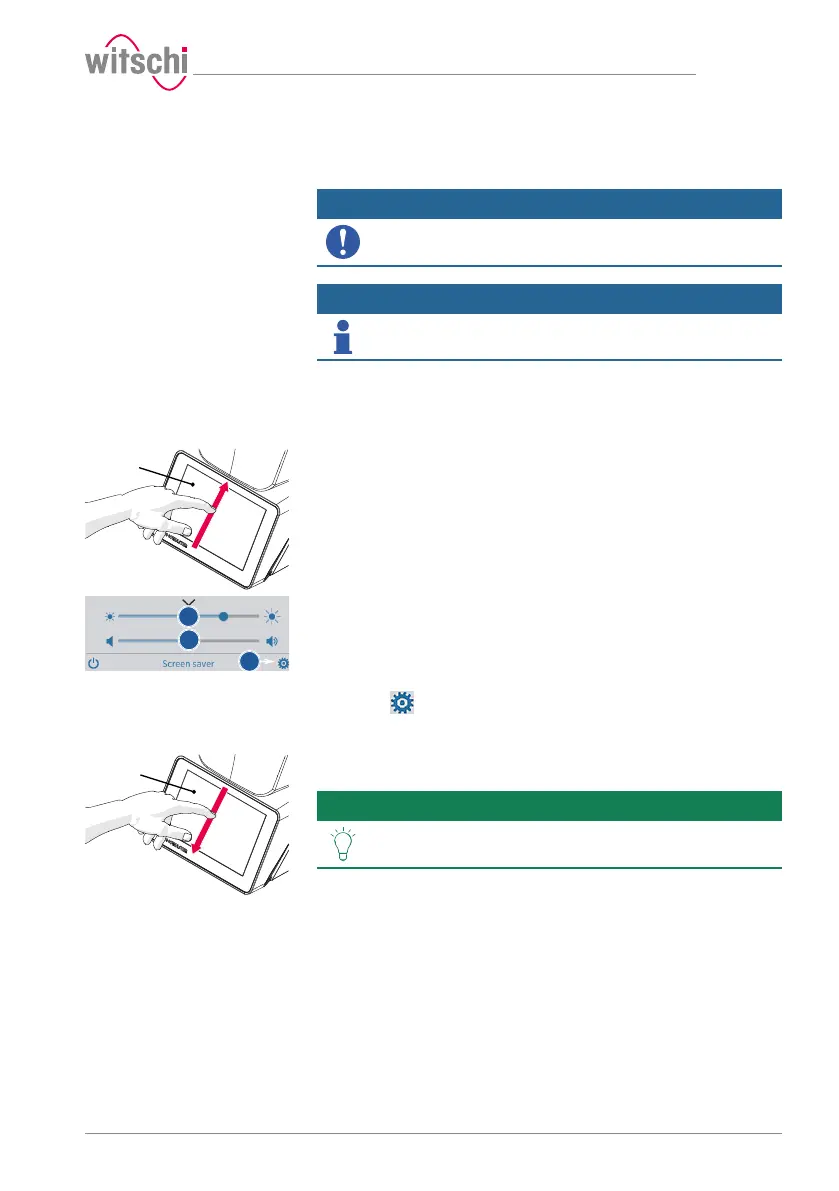
7.1 Quick settings menu
Opening the quick settings
ü The ProofMaster is switched on, see Switching on the
Proofmaster [}Page 34].
a) Swipe the touchscreen 1 with your finger in the direction of the
arrow.
ð The quick settings appear.
b) Move the cursor left to decrease the brightness and right to
increase the brightness.
c) Move the cursor left to decrease the volume and right to increase
the volume.
d) Press to open the Settings menu.
Closing the quick settings
a) Swipe the touchscreen 1 with your finger in the direction of the
arrow.
ð The settings window is closed.
Tip
Additional display and audio settings can be made.
See Display and audio settings [}Page 71].



 To Next Page