Use
17.10.2019 59 / 96
Advanced programming
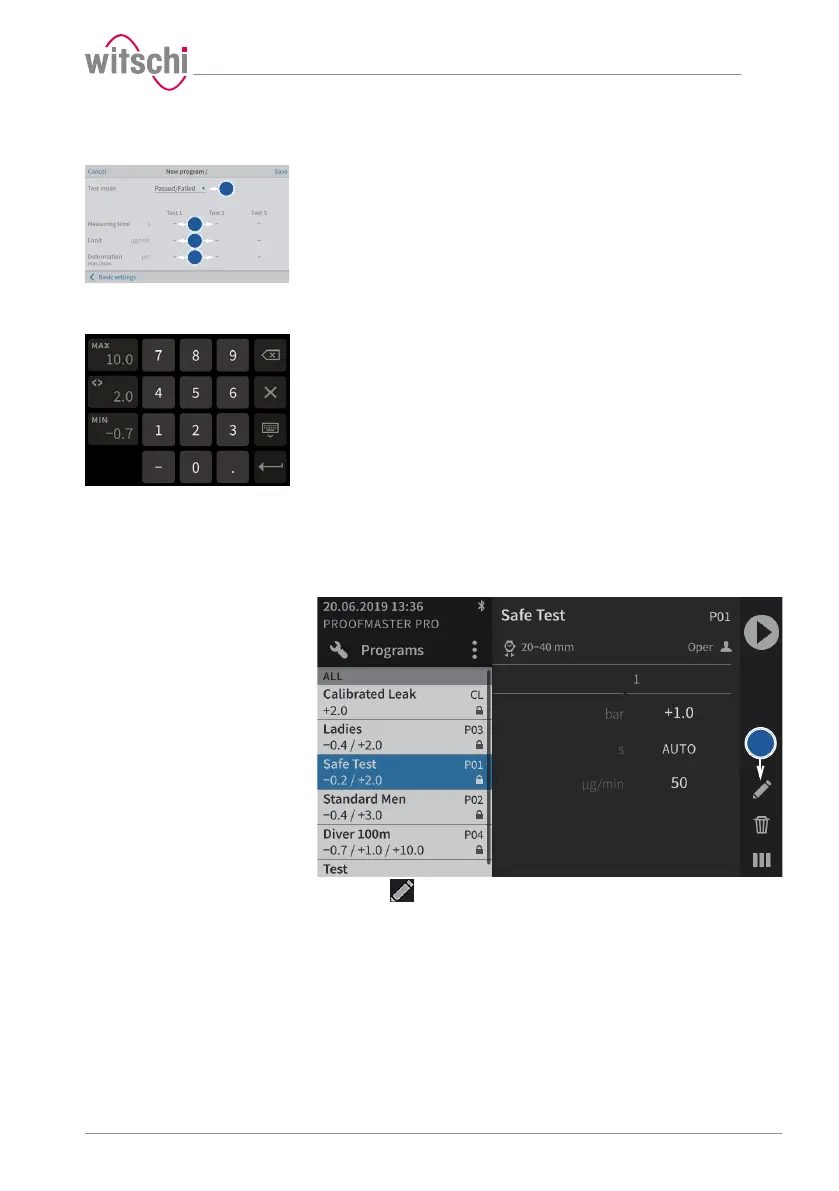
a) In test mode, select Precise to enable leak rate measurement.
ð In addition to the result of the leak test (OK or not OK), the
leak rate is displayed.
ð Displaying a leak rate in "Precise" test mode requires more
time for the measurement.
b) If necessary, set a test time for each test.
ð Entering a manually set measuring time may mean that the
measurement algorithm cannot identify enough measuring
points to produce a reliable measurement result. The user
must therefore ensure that the selected measuring time
enables the required test accuracy to be met.
ð A number field appears for entering the times.
c) If necessary, set a maximum leak rate test in µg/min for each test.
ð A number field appears for entering the leak rates.
d) If necessary, set the minimum and maximum deformation limit in
µm for each test.
ð A number field appears for entering the minimum and
maximum deformation.
e) Press Basic settings to enter the basic programming screen or
Save to save the program.
5.5.4 Editing a program
a) Select the user program to be edited.
ð See Selecting the program [}Page 40].
b) Press to display the user program configuration window.
c) Change and save the desired settings.
ð See the Basic programming and Advanced programming
sections of the Creating a program [}Page 57] procedure.



 To Next Page