Settings
86 / 96 17.10.2019
Selecting the results dis-
play
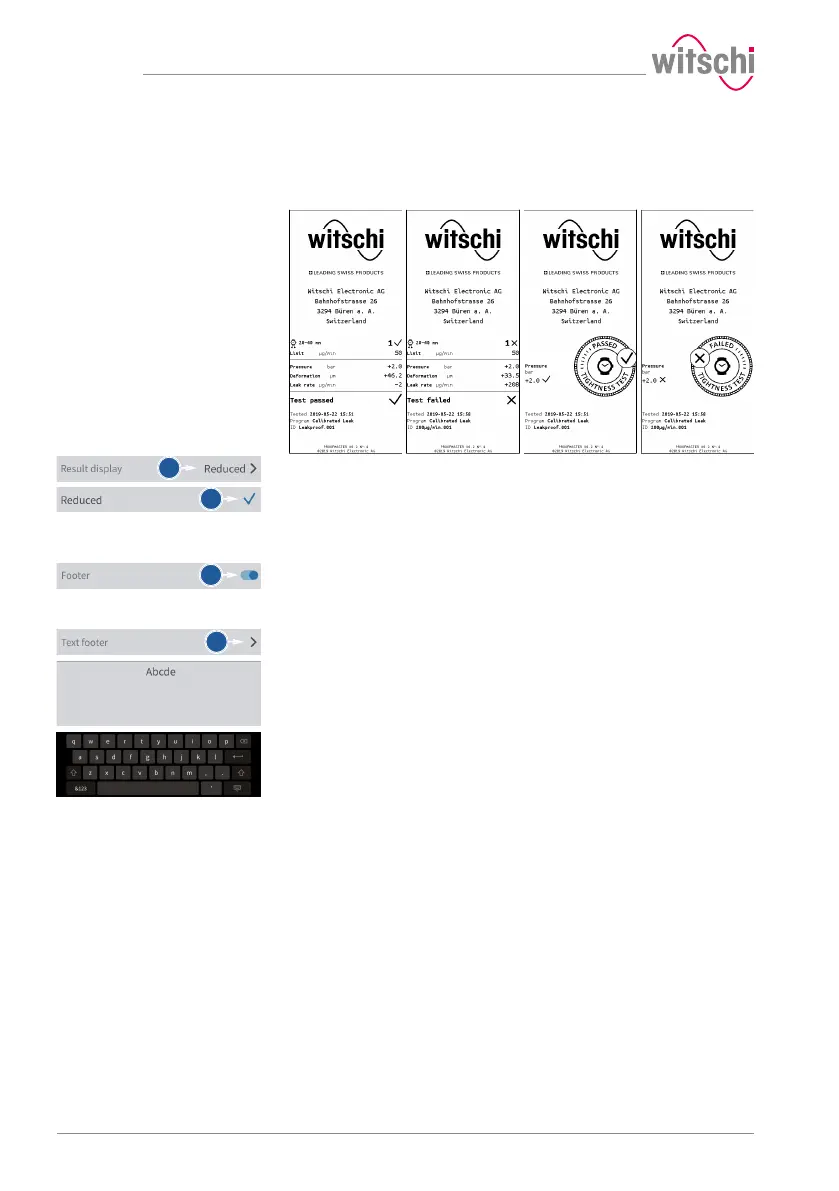
The measurement result can be displayed in numeric or reduced form.
See examples below.
Numeric format Reduced format
OK Not OK OK Not OK
a) Open the results display by tapping the displayed selection.
b) Select the desired display type.
ð In the above example, Reduced.
Printing the footer
a) Enable or disable the printing of the footer.
ð The button is blue when the function is enabled and grey
when it is not.
Configuring the footer
a) Open the footer configuration by tapping the beginning of the
displayed footer.
ð In the following example, no text is entered in the footer.
b) Tap on the text area to open the alphanumeric keypad.
c) Enter the footer using the alphanumeric keypad.
ð 4lines with maximum 30characters.
ð The entered footer is printed on the label.



 To Next Page