Test mode Additional information
Standard Mode for watches with Swiss anchor escapement.
T
o determine the amplitude of the watch, the lift
angle must be set.
Rate Mode for rate measurement of watches with cyl-
inder
, duplex or chronometer escapement, in addi-
tion to watches with unusual beat noise.
Special 1 (co-axial) Mode for watches with co-axial escapement.
Special 2 (AP) Mode for watches with AP escapement.
Determining the escapement type
Y
ou can find out the escapement type of the watch
that is to be tested by consulting the watch manu-
facturer.
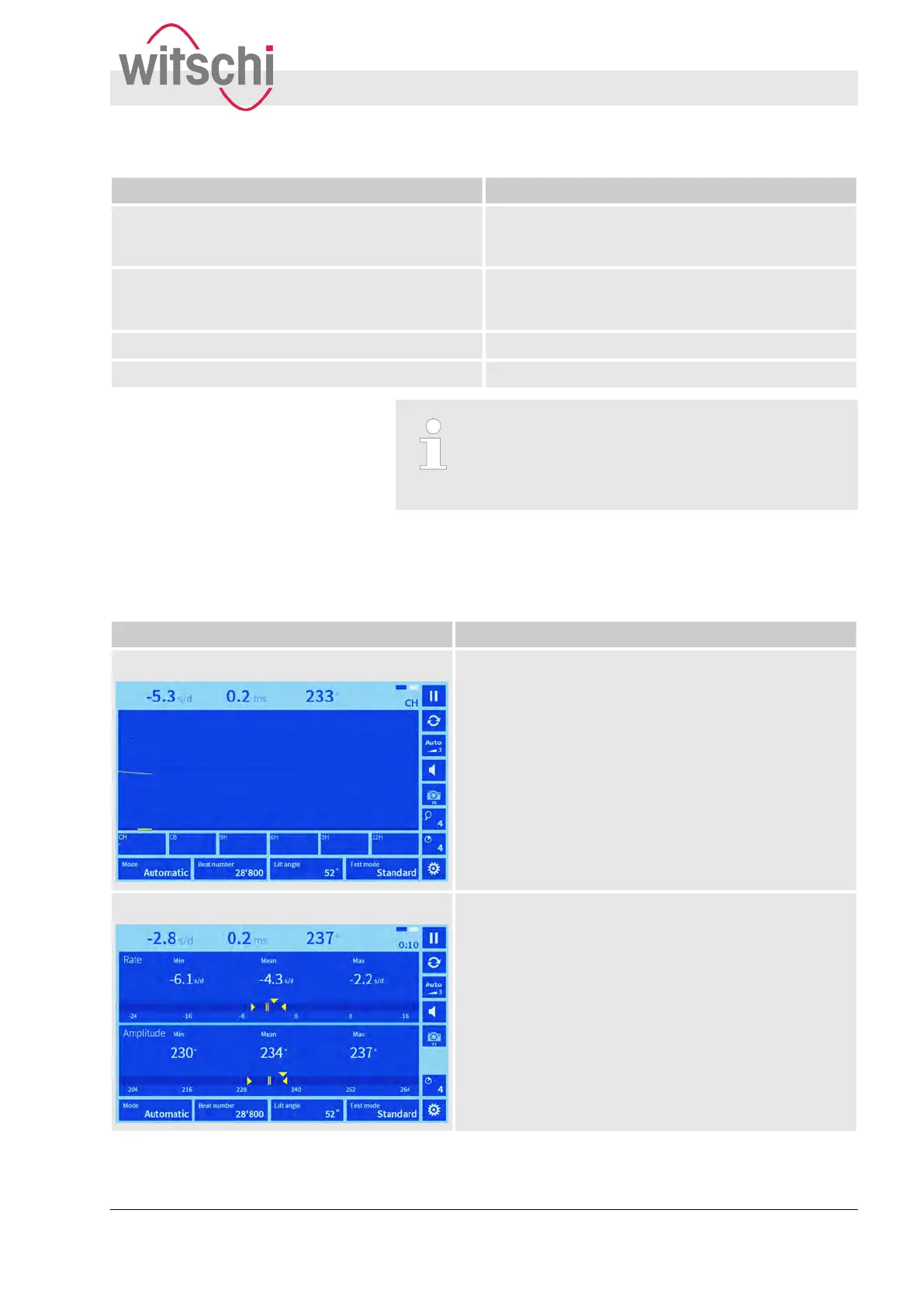
The Watch Expert provides two different display modes in which
various parameters are measured and displayed.
Appearance Function
Diagram
n Shows the rate deviation, the beat error and the
amplitude.
n During the measuring procedure, the measured
values are displayed as a diagram.
n It is possible to configure the diagram view
.
n The 6 position windows show the diagram as it
relates to the respective measuring position.
n If the measuring procedure has stopped, the meas-
ured values and the diagram can be shown in the
large display by tapping the small position windows.
VARIO
Visualises the rate stability and amplitude over a longer
period.
During the measuring procedure, the current measured
values, including the mean, are shown over the entire
measuring period, in addition to the minimum and max-
imum rate and amplitude values.
Overview of display modes
Product description
Modes
27.02.2018 Precision measuring device Watch ... 13



 To Next Page