5.4 Setting the integration time
The mean values of the measured results are calculated with the
aid of the integration time.
The integration time applies both to the Diagram view and the
V
ario view.
Under “Settings > Parameters > Integration time” ,
it is possible to set the integration times that are
shown in the main display under the
“Integration
time” touch button. The following integration times
can be selected: 4A, 2 s, 4 s, 6 s, 8 s, 10 s, 20 s,
30 s, 40 s, 60 s.
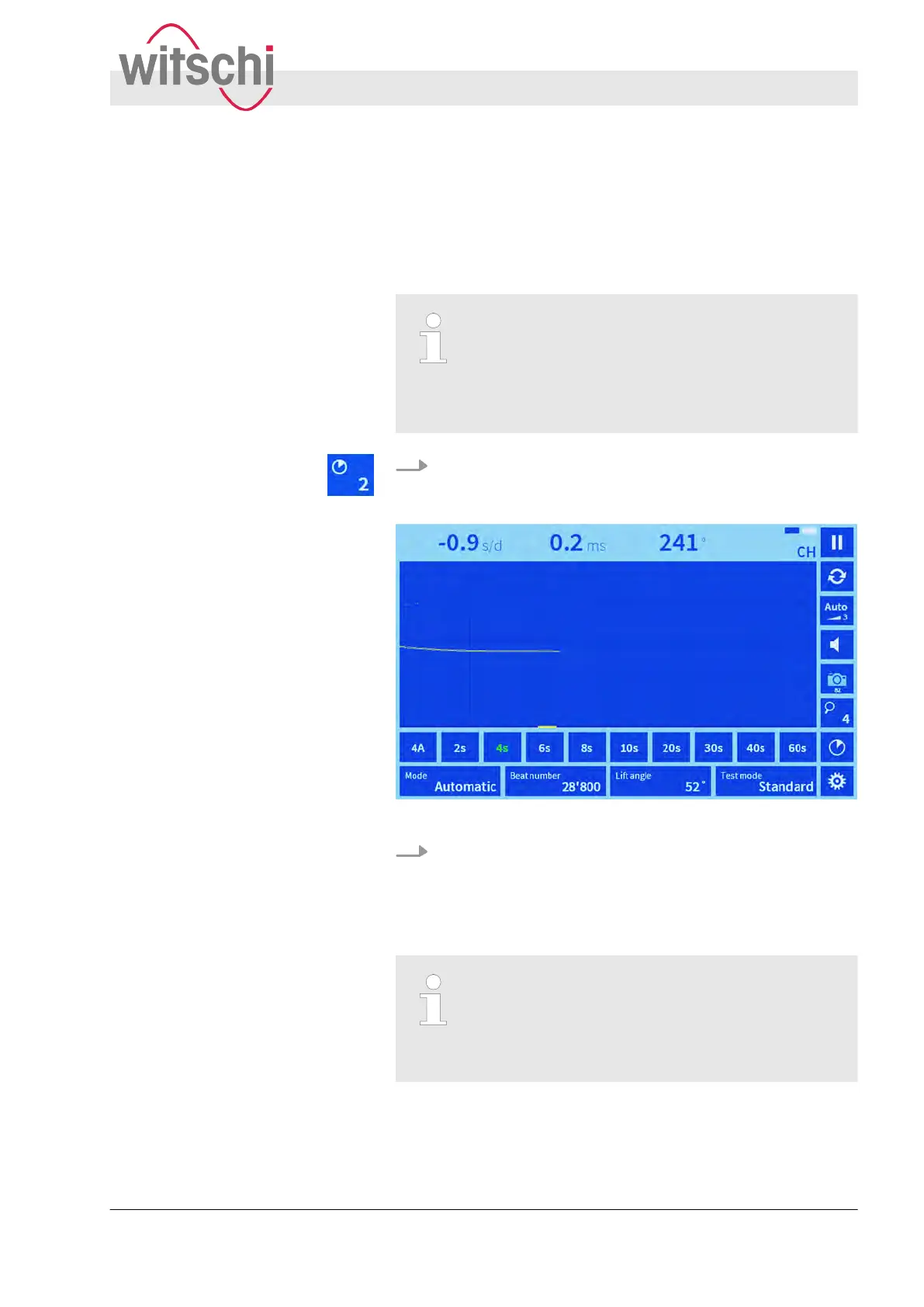
1. Press the “Integration time” touch button.
ð
A selection list with the available integration times is
shown.
Fig. 20: Selecting an integration time
2. Select the desired integration time.
ð
The selected integration time is highlighted green. Meas-
ured results are calculated and displayed for every four
half-vibrations.
Optimised representation of rate and amplitude
values
T
o display smaller oscillations in rate and ampli-
tude values in greater detail, we recommend
selecting shorter integration times.
Setting measuring parameters
Setting the integration time
27.02.2018 Precision measuring device Watch ... 43



 To Next Page