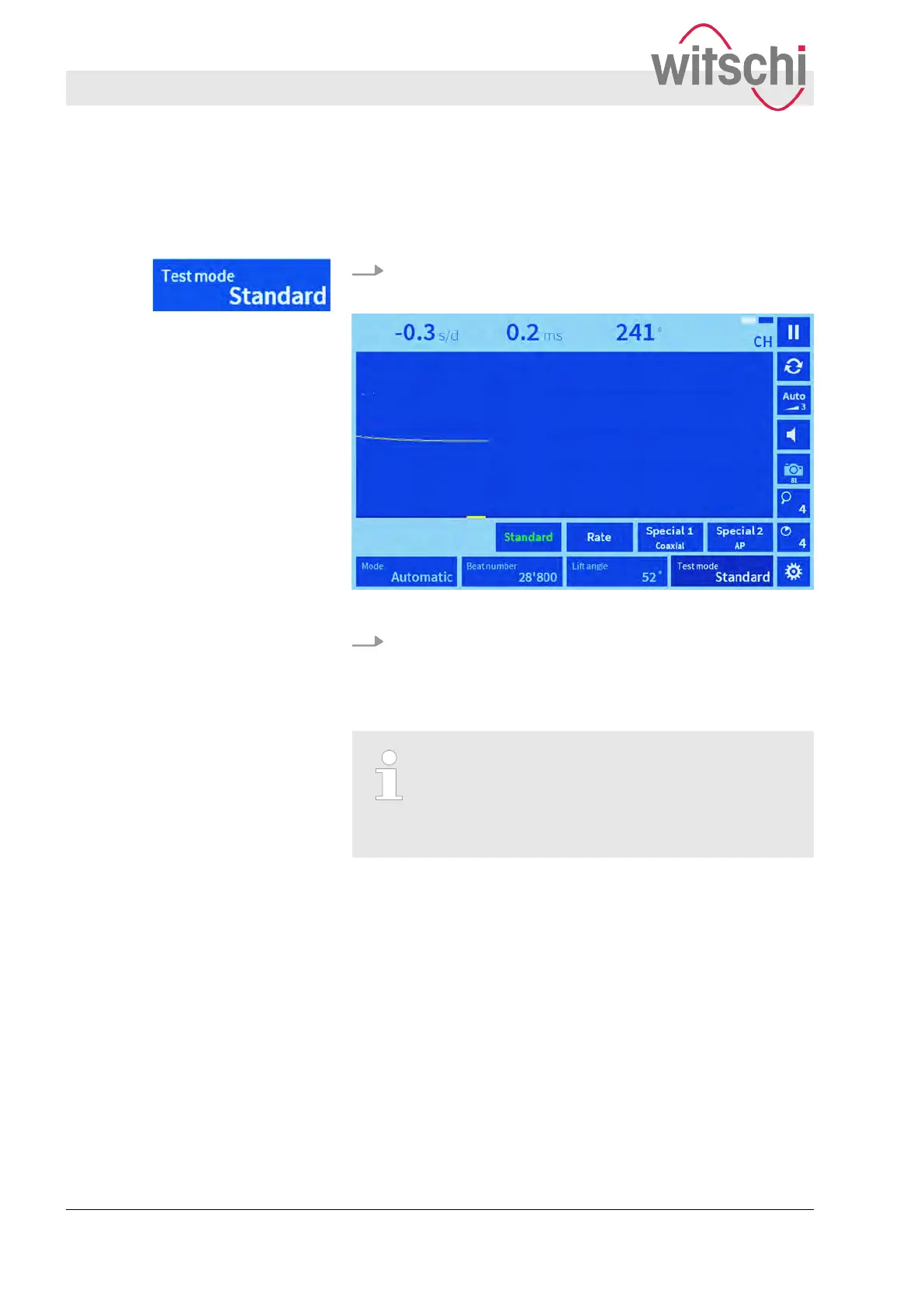
5.3 Setting test mode
The “T
est mode” touch button provides a list of options for setting
the type of escapement that is to be measured.
1. Press the “T
est mode” touch button.
ð
A submenu with four options appears (
Ä
page 12).
Fig. 19: Selecting test mode
2. Select a test mode in accordance with the watch manufactur-
er
’s specifications.
ð
The selected program is highlighted green.
Selecting a test mode in accordance with the
clockwork manufacturer
’s specifications
You can find out the escapement type of the watch
that is to be tested by consulting the watch manu-
facturer.
Setting measuring parameters
Setting test mode
27.02.2018Precision measuring device Watch ...42


 To Next Page