Only perform the following steps if you wish to use
a thermal printer
.
Personnel:
n
Operator
Materials:
n
Printer cable
1. Connect the printer cable to the thermal printer
.
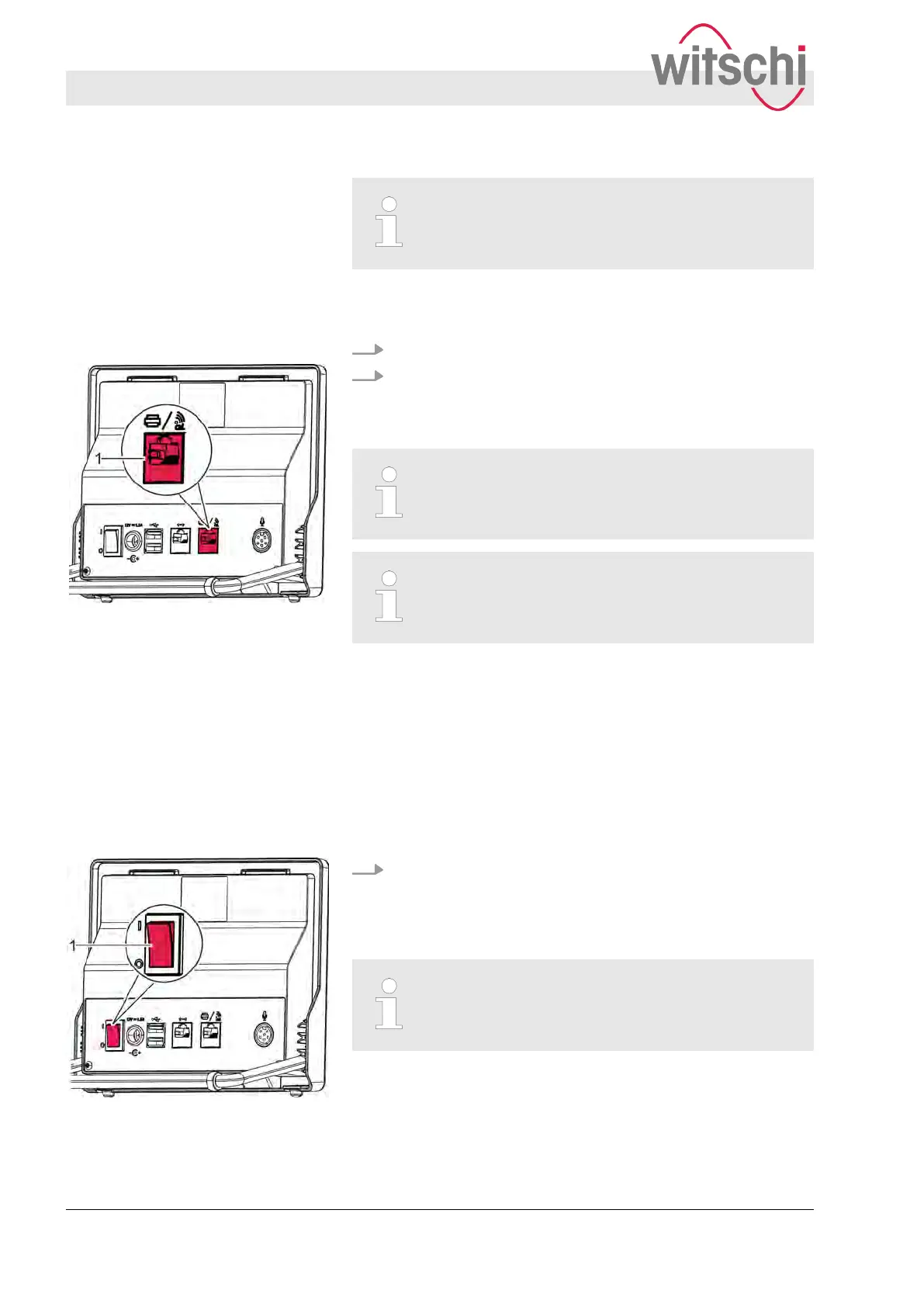
2. Insert the printer cable into the printer port (
Fig. 12/1).
ð
The thermal printer is now connected.
Consult the manufacturer’s documentation before
using the thermal printer
.
Another possibility is to connect the Watch Expert
to the printer via a Bluetooth connection using a
Bluetooth kit (T
ype no. 95.1510).
4.6 Switching the Watch Expert on/off
Personnel:
n
Operator
Requirement:
n The W
atch Expert has been commissioned correctly (
Ä
page
31).
Switch on the Watch Expert by setting the [I/O] switch
(Fig. 13/1) to [I].
ð
The welcome screen is displayed.
If the wrong language is set, set the language
(
Ä
page 62).
Fig. 12: Printer port
Switching on the Watch Expert
Fig. 13: Switching on the Watch
Expert
Commissioning the Watch Expert
Switching the Watch Expert on/off
27.02.2018Precision measuring device Watch ...34



 To Next Page