Adding a lift angle to the selection list
Under “Settings > Parameters > Lift angle”, it is
possible to set the lift angles that are shown in the
main display under the
“Lift angle” touch button.
Lifting angles between 10° and 90° can be
selected.
1. Press the “Lift angle” touch button.
ð
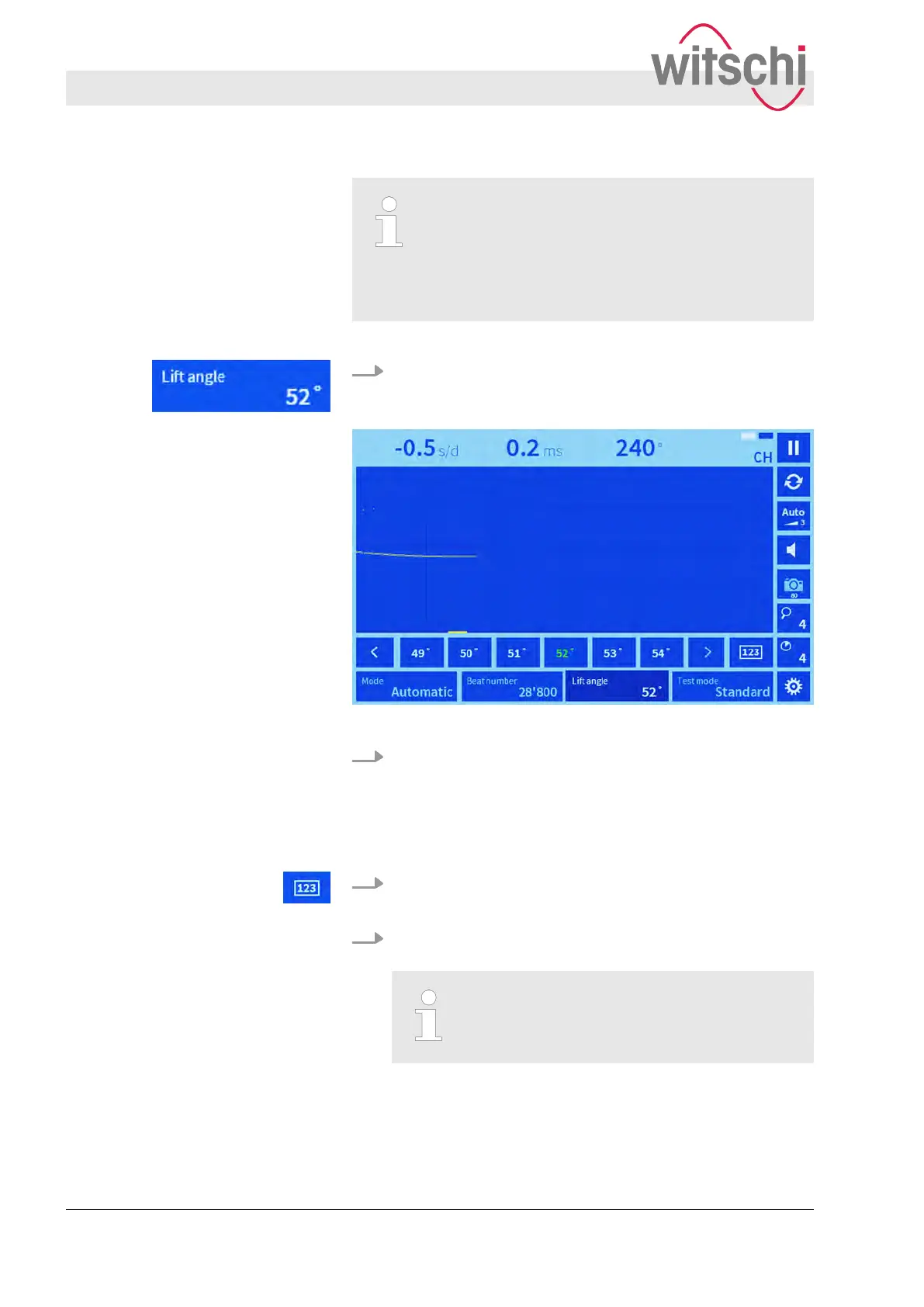
A list of the selected lift angles is shown, along with the
keypad symbol.
Fig. 17: Selecting a lift angle manually
2. Select the desired lift angle in accordance with the watch
manufacturer
’s specifications.
ð
The selected lift angle is highlighted green.
1. Press the “123” touch button.
ð
A keypad appears.
2. Enter the desired lift angle in accordance with the watch
manufacturer
’s specifications.
Entering values with decimal places
It is also possible to enter lift angle values
with decimal places.
Selecting a lift angle manually
Entering a lift angle manually
Setting measuring parameters
Setting the lift angle
27.02.2018Precision measuring device Watch ...40



 To Next Page