25
User Manual WMF9000 S +
Operation | Switch off the coffee machine
3.14 Switch off the coffee machine
Take care to work hygienically
• Germs that are hazardous to health can grow
in the coffee machine.
> Perform daily cleaning before switching off
the coffee machine.
Follow the manual
• If this is not followed, the liability is
invalidated in the event of any resultant
damage.
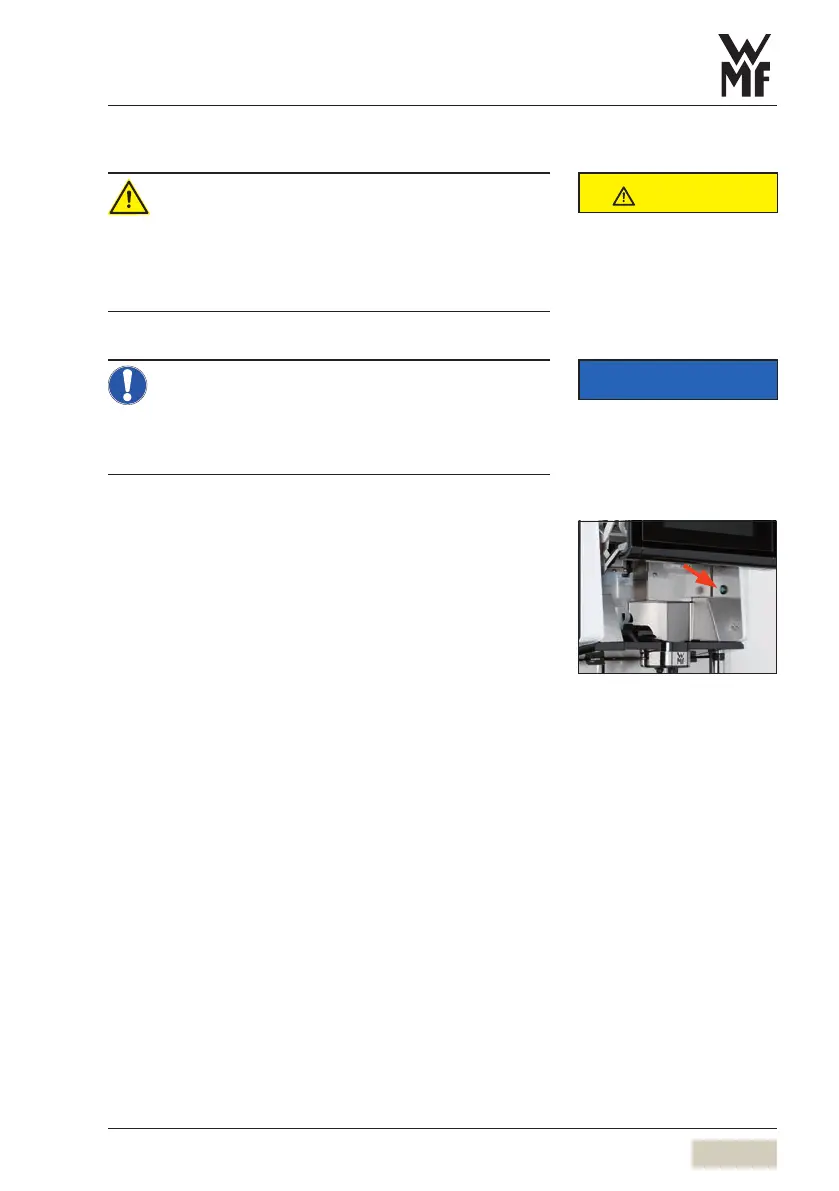
Slide the operating panel upward
The ON/OFF switch is on the right side, behind the
operating panel.
Press the ON/OFF button briefly until asignal sounds
Coffee machine switches off.
Disconnect mains plug
Turn off water mains tap
CAUTION
Follow the Safety chapter
wstarting on page 6
Clean the coffee machine as shown
in the instructions.
Care
wstarting on page 63
IMPORTANT
Follow the Warranty chapter
wstarting on page 87
PIN access control
wPIN rights
page 50



 To Next Page