39
User Manual WMF9000 S +
Software | Beverages
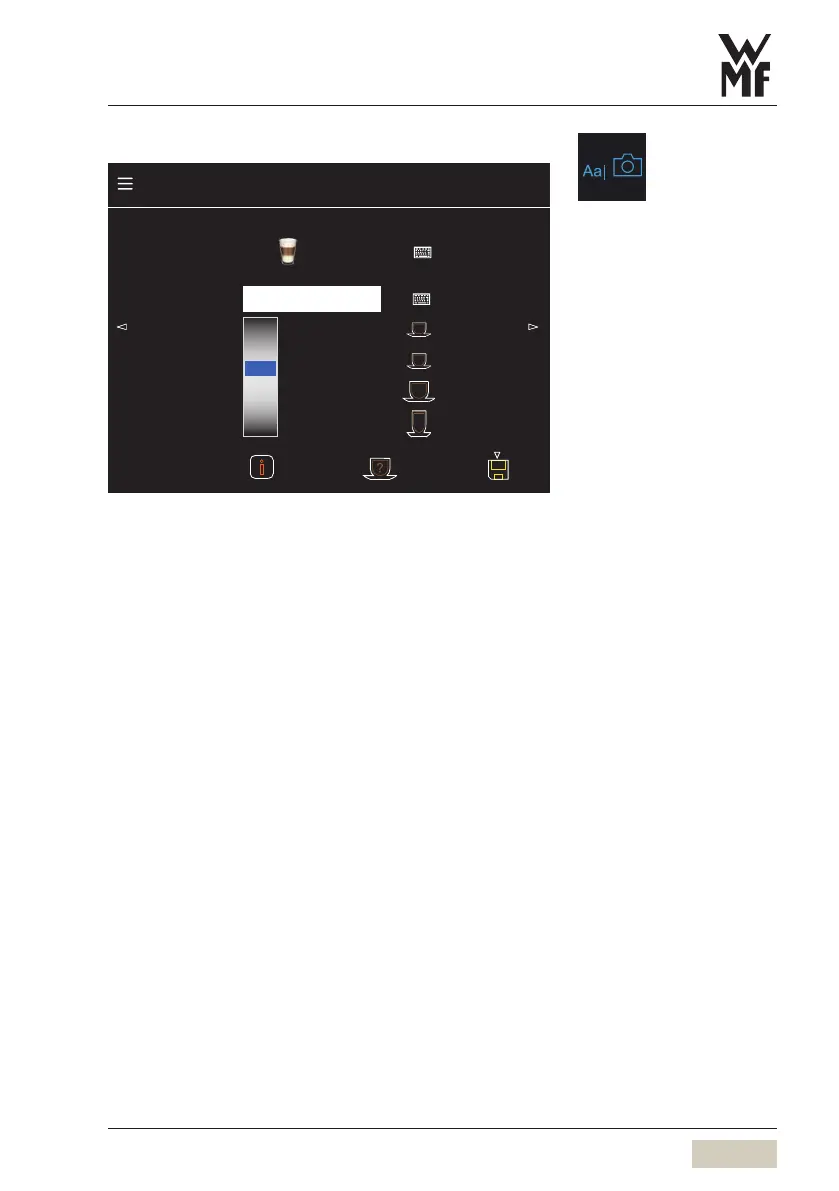
Text, picture, and cup height
Cup height
130
135
140
145
150
155
160
165
mm
75
55
95
145
Recipe number 92 Factory: 92
Note Macch., long pause
Text + picture
Latte Macchiato
Beverage settings latte macchiato
Change text + picture
Test
Basic settings
Text and picture
The beverage name and photo of abeverage button
are adjusted here.
Activate the keyboard by touching the keyboard pad.
Note
A note about the beverage can be saved here.
Cup height
with automatic cup table.
The cup height for the beverage is set here.
The cup symbols on the right side can be assigned
to acup height. These heights are saved by briefly
touching the symbol.
Menu control pads
wOverview
page 27
Load custom beverage pictures
wUSB
page 61
For size “S” and “L” beverages,
the size must be selected prior to
selecting the beverage button.



 To Next Page