71
User Manual WMF9000 S +
Care | Manual cleaning
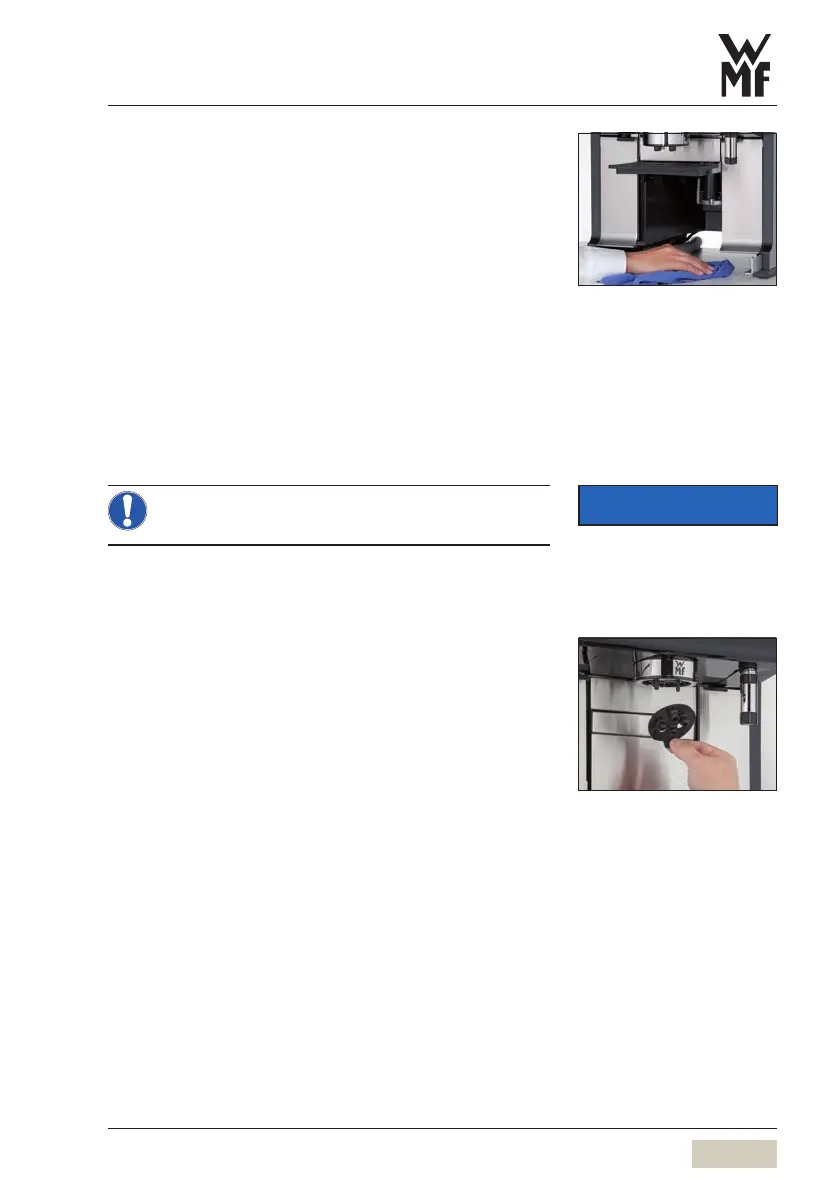
5.4.5 Clean the catch pan
Remove and clean the catch pan regularly.
A small quantity of water in the catch pan does not
indicate aleak; it is due to the system.
The catch pan is below the coffee grounds container.
Clean the drip tray as needed.
Remove grounds container
Remove the catch pan and clean it thoroughly with
clear drinking water
Dry and replace the catch pan
Replace the grounds container
5.4.6 Clean the combi spout manually
The combi spout and foamer must not be
disassembled.
Regularly clean the outside of the combi spout with
adamp cloth and clean the dispensing openings with
the appropriate brushes.
The silicone cap must be cleaned as needed.
Remove the silicone cap from the combi spout
Thoroughly clean the silicone cap under running
water
Replace the silicone cap
IMPORTANT
Follow the Warranty chapter
wstarting on page 87
Instructions
wMain menu
wCare
wInstructions



 To Next Page