AUXILIARY CONTROLS
There are options on the UIM Home screen and in cooking modes that allow for convenient control of the unit.
AUXILIARY CONTROLS
Symbol Location Function Special Functions
Lock Home screen Lock or unlock UIM.
Probe Cooking modes
Measure the internal
temperature of a food.
Most used in Gourmet recipes.
Timed Cook Cooking modes Start and stop oven operation.
Use together to turn on and off the
oven at a preset time.
Timer 1 Home screen and cooking modes Timed countdown. Useable when oven is not running.
Timer 2 Home screen and cooking modes Timed countdown. Useable when oven is not running.
Light Home screen and cooking modes Turn the oven light on or off.
Set on or off for the length of
Sabbath.
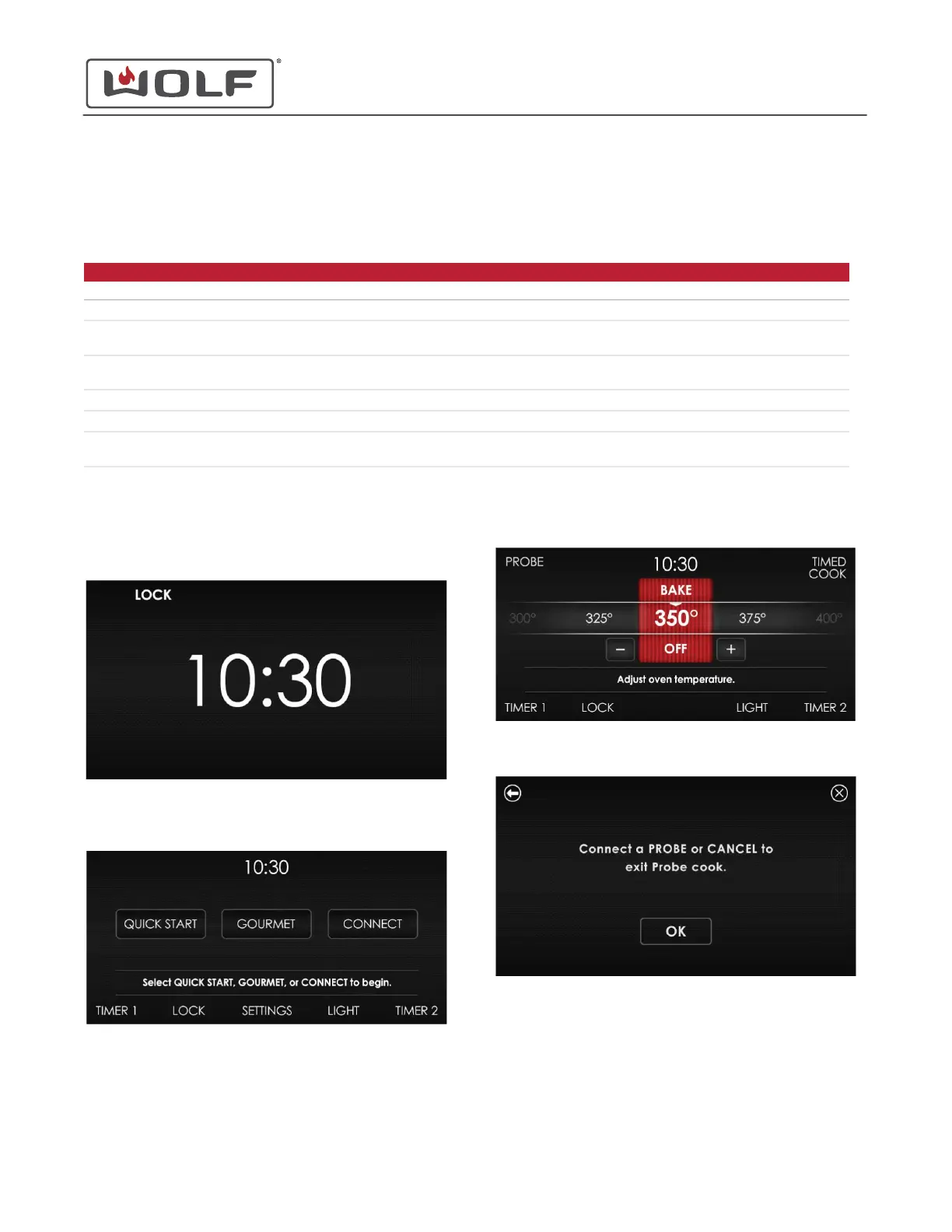
LOCK
1 On the time display of the UIM, Lock in bold means that the
UIM is locked.
2 Touch and hold Lock for 3 seconds. The Home screen
appears.
• Lock the UIM from the Home screen by touching and
holding Lock for 3 seconds.
PROBE
1 From a cooking mode or recipe, touch Probe.
2 The Probe instruction screen appears.
30" and 36" Induction Range
Auxilary Controls
AUXILARY CONTROLS
service.subzero.com
829191 REVA
27



 To Next Page