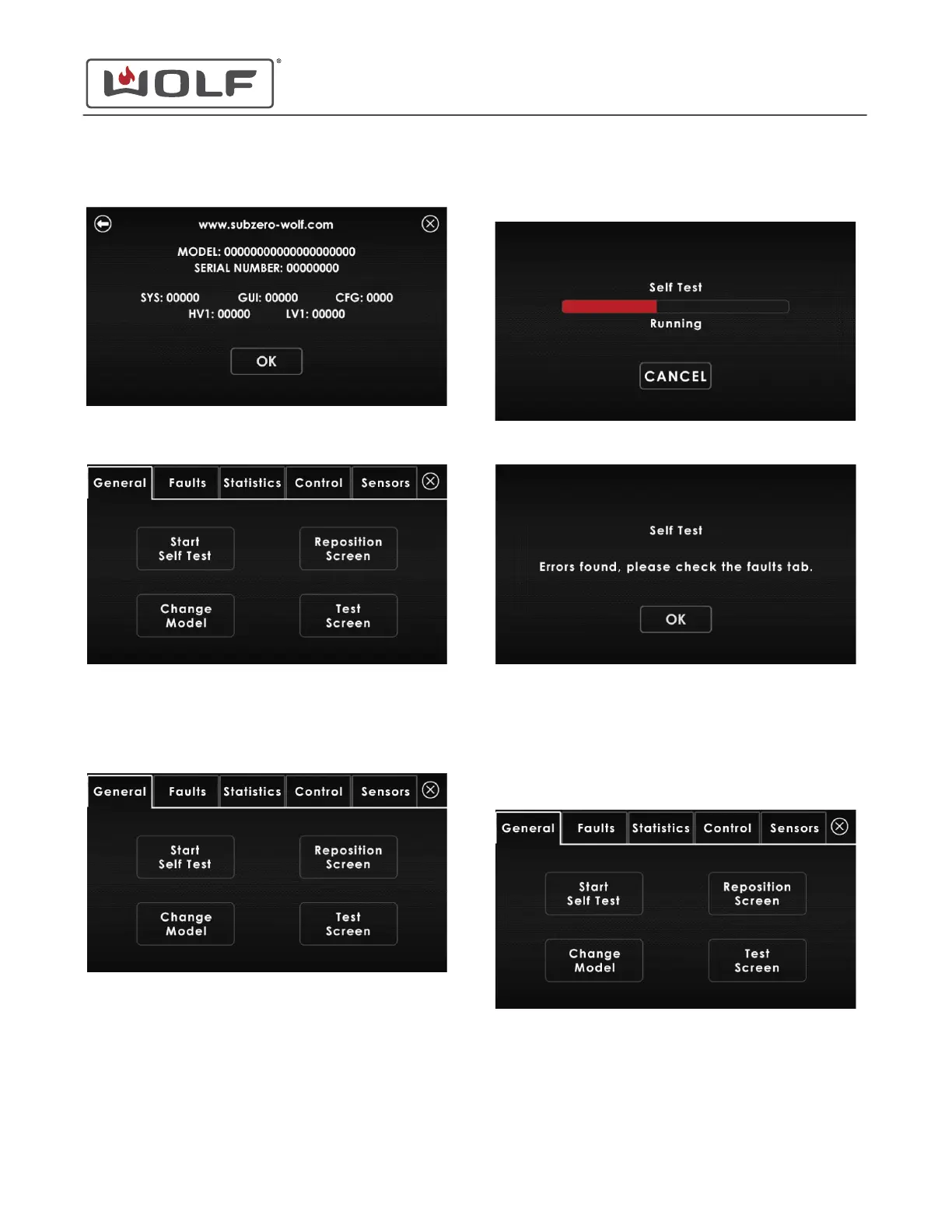
4 The About screen provides information on the unit.
5 Touch and hold OK for 5 seconds. The Diagnostics menu
appears.
Run Self-Test
1 On the Diagnostics menu, touch Start Self-Test. The Self-
Test Running screen appears.
2
The Self-Test Running screen shows the progress of the
self-test.
3 Once self-test is complete, the results appear.
4 Touch OK. The Diagnostics menu or Faults screen appears.
Change the Model
1 On the Diagnostics menu, touch Change Model. The
Choose Model screen appears.
30" and 36" Induction Range
Diagnostics
service.subzero.com
829191 REVA
32



 To Next Page