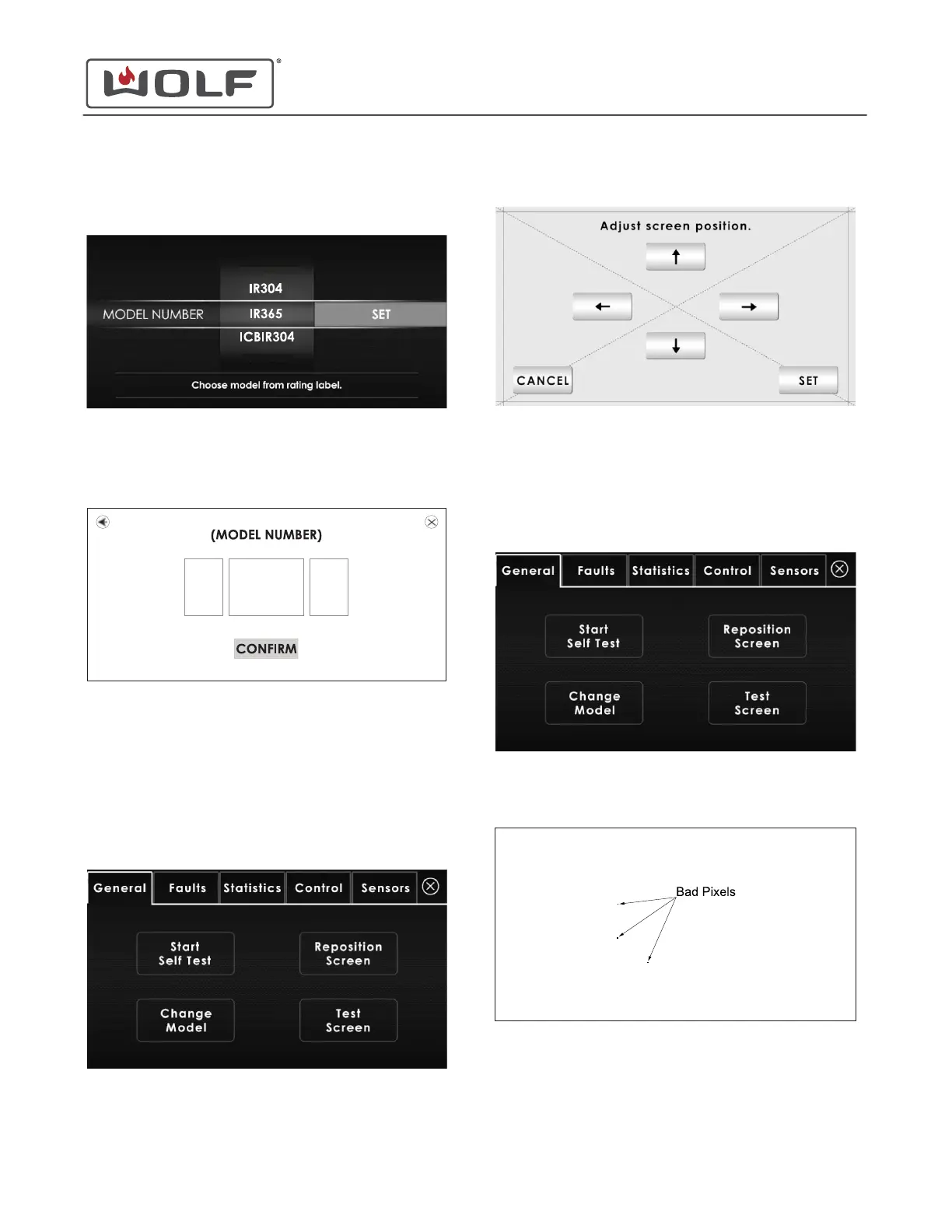
2 Scroll up or down to highlight the correct model number.
3 Touch Set. The top configuration screen appears.
4 If the top configuration is correct, touch Confirm. The
Diagnostics menu appears.
Reposition the Screen
1 On the Diagnostics menu, touch Reposition Screen. The
Adjust Screen Position screen appears.
2
Touch the arrows to adjust the screen position.
3 Touch Set. The Diagnostics menu appears.
Test Screen
1 On the Diagnostics menu, touch Test Screen. The Test
screen appears.
2 The Test screen is a series of screens (red, green, blue,
white, black, and checkered) that shows any bad pixels in
the UIM display.
30" and 36" Induction Range
Diagnostics
CHANGE THE MODEL (continued)
service.subzero.com
829191 REVA
33



 To Next Page