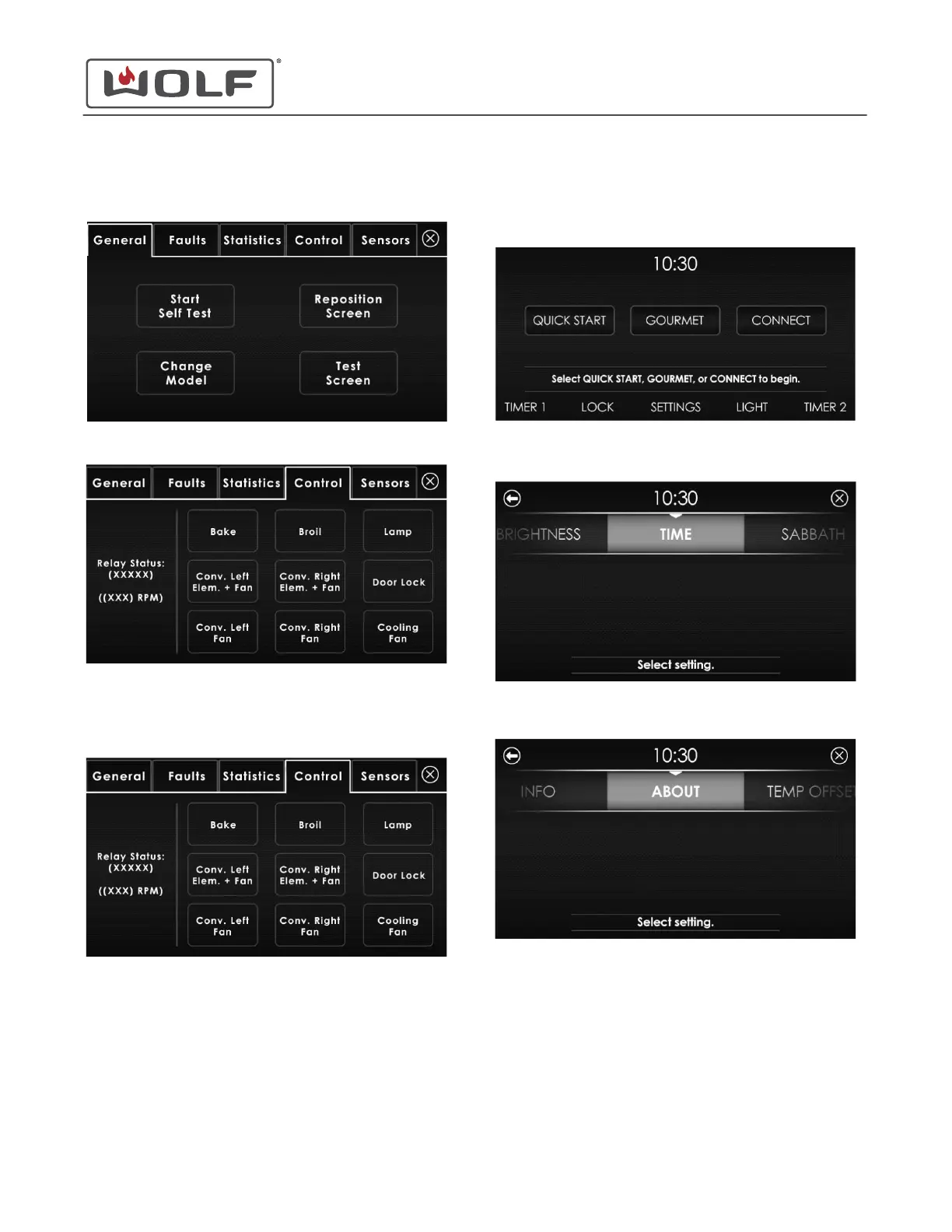
5 Touch and hold OK for 5 seconds. The Diagnostics menu
appears.
6 Touch the Control tab.
Control Tab
On the Control tab, touch the component to it turn on.
• The component turns off automatically after 30
seconds.
• Relay Status: When a relay closes, Active appears.
When the relay opens, Inactive appears.
• When the cooling fan relay is turned on, the cooling
fan RPM appears.
SENSORS
1 Touch the time on the display. The Home screen appears.
2 Touch Settings. The Settings screen appears.
3 Scroll to About on the UIM. Touch About. The About screen
appears.
30" and 36" Induction Range
Diagnostics
service.subzero.com
829191 REVA
37



 To Next Page