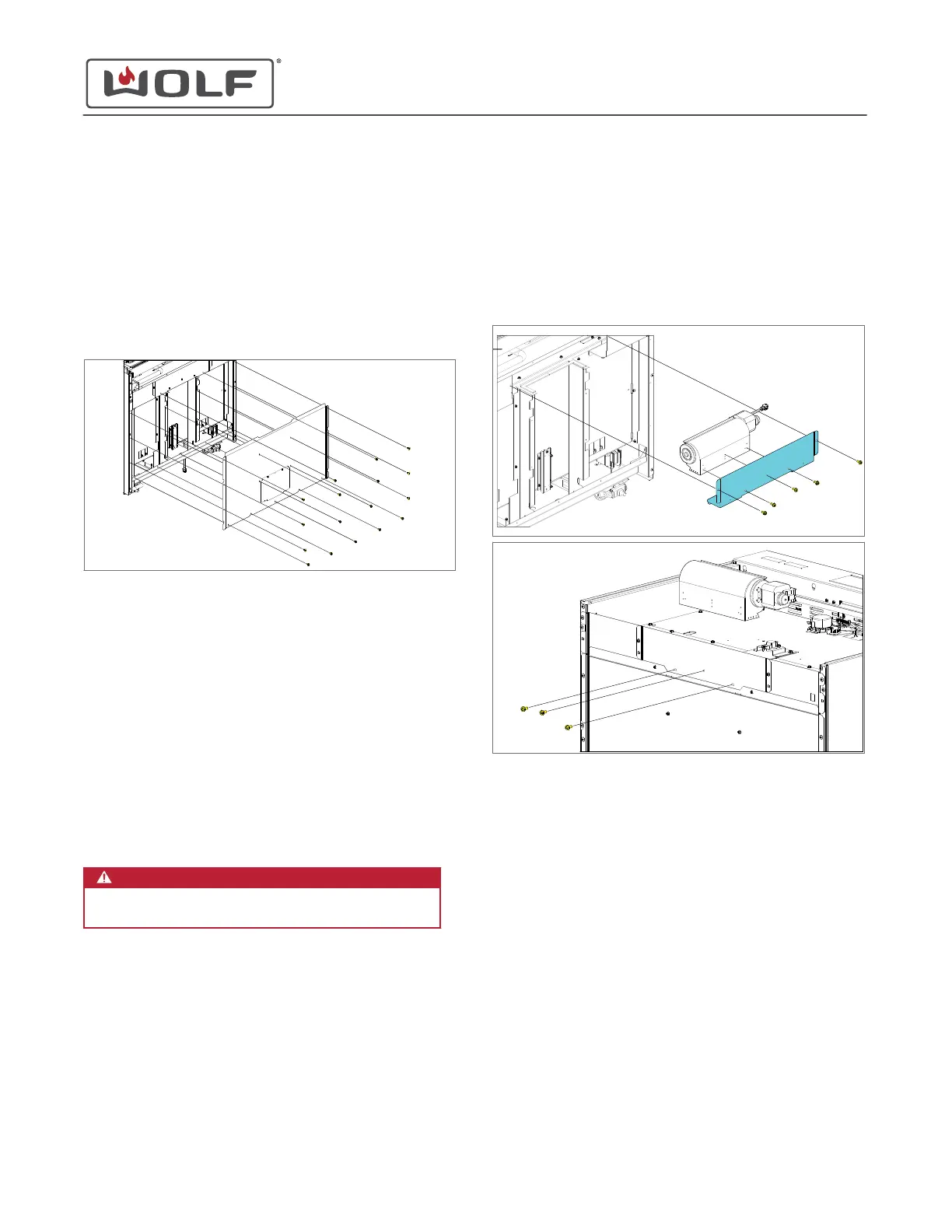
BACK PLATE REMOVAL
To remove the back plate, first
uninstall the unit
.
Remove the Back Plate
1 Use a T-20 Torx bit to remove the back plate screws.
2 Remove the back plate from the unit.
BACK PLATE INSTALLATION
After installing the back plate, then
install the unit
.
Install the Back Plate
1 Place the back plate onto the unit.
2 Use a T-20 Torx bit to install the back plate screws.
COOLING FAN REMOVAL
WARNING
Disconnect the product from the power source
before starting this procedure.
To remove the cooling fan, first
uninstall the unit
. Then remove:
1
Back plate
An alternate method to remove the cooling fan on the Induction
Range, is to first
uninstall the unit
. Then remove:
1
Cooktop
Remove the Cooling Fan
If doing the Induction Range alternate method, do only step 4,
then step 3.
1
Use a T-20 Torx bit to remove the two cooling fan bracket
mounting screws.
2 Remove the cooling fan with the cooling fan bracket from
the unit.
3 Disconnect the wire harnesses from the cooling fan.
4 Use a T-20 Torx bit to remove the cooling fan bracket
mounting screws from the cooling fan.
COOLING FAN INSTALLATION
After installing the cooling fan, install:
1
Back plate
Then
install the unit
.
For the Induction Range alternate method, after installing the
cooling fan, install:
1
Cooktop
Then
install the unit
.
Install the Cooling Fan
If doing the Induction Range alternate method, do only step 2,
then step 1.
1 Use a T-20 Torx bit to install the cooling fan bracket on to
the cooling fan.
30" and 36" Induction Range
Rear Component Removal and Installation
REAR COMPONENT REMOVAL AND INSTALLATION
service.subzero.com
829191 REVA
64



 To Next Page