5-2 How to Insert the Cartridge into the Printhead Rev AB
Wolke m600 touch Operator Manual
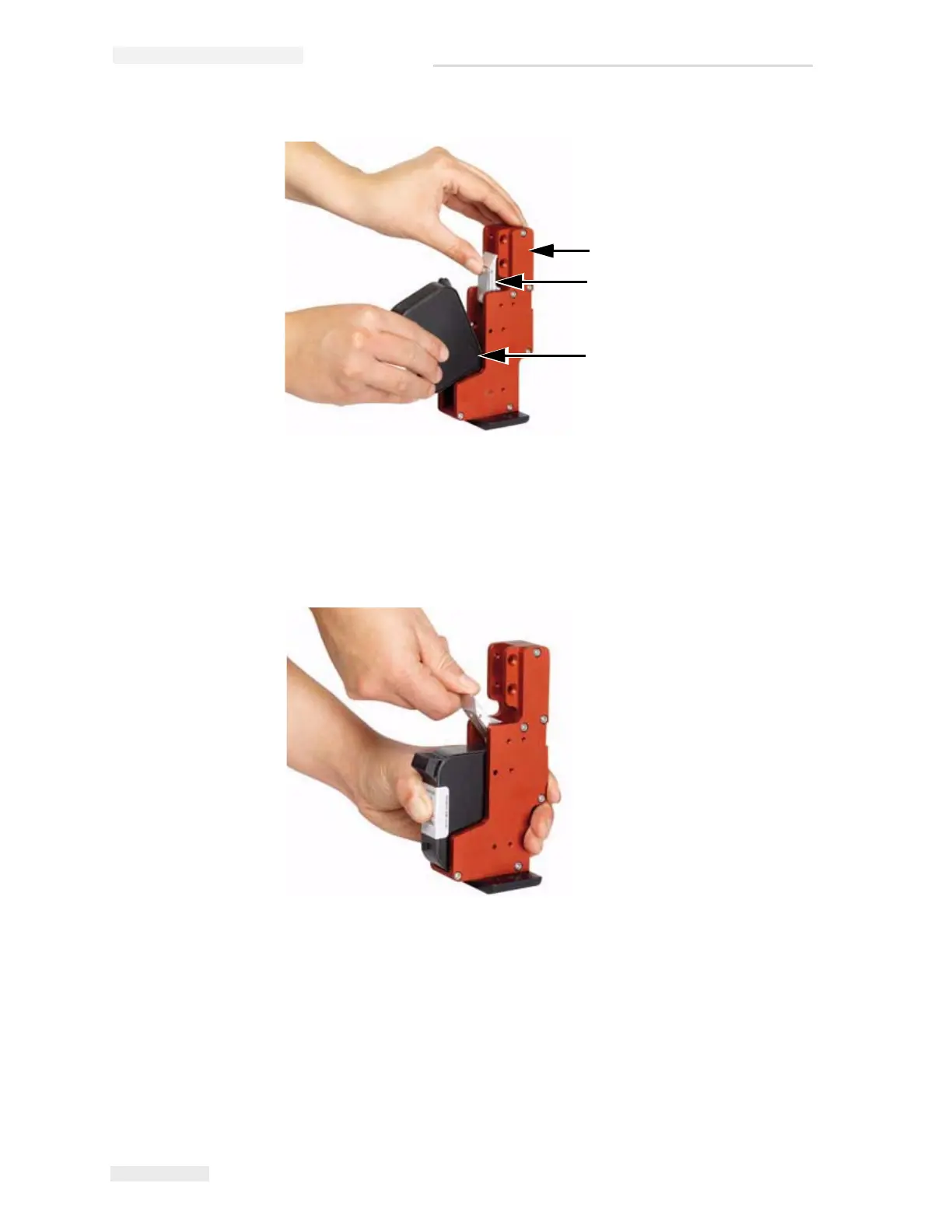
3 Press the cartridge inside towards the back in a straight line (see
Figure 5-2).
4 Secure the cartridge to the printhead by pressing the locking lever
down (see Figure 5-3 on page 5-3).
Figure 5-1: Insert Ink Cartridge
1
2
3
1. Printhead
2. Lock Lever
3. Cartridge
Figure 5-2: Fix Ink Cartridge



 To Next Page