EasyManua.ls Logo

Woodward ProTech TPS - User Manual

Woodward ProTech TPS
125 pages
Print Icon
To Next Page IconTo Next Page
Loading...
®
`
Product Manual 26710V1
(Revision D, 10/2016)
Original Instructions
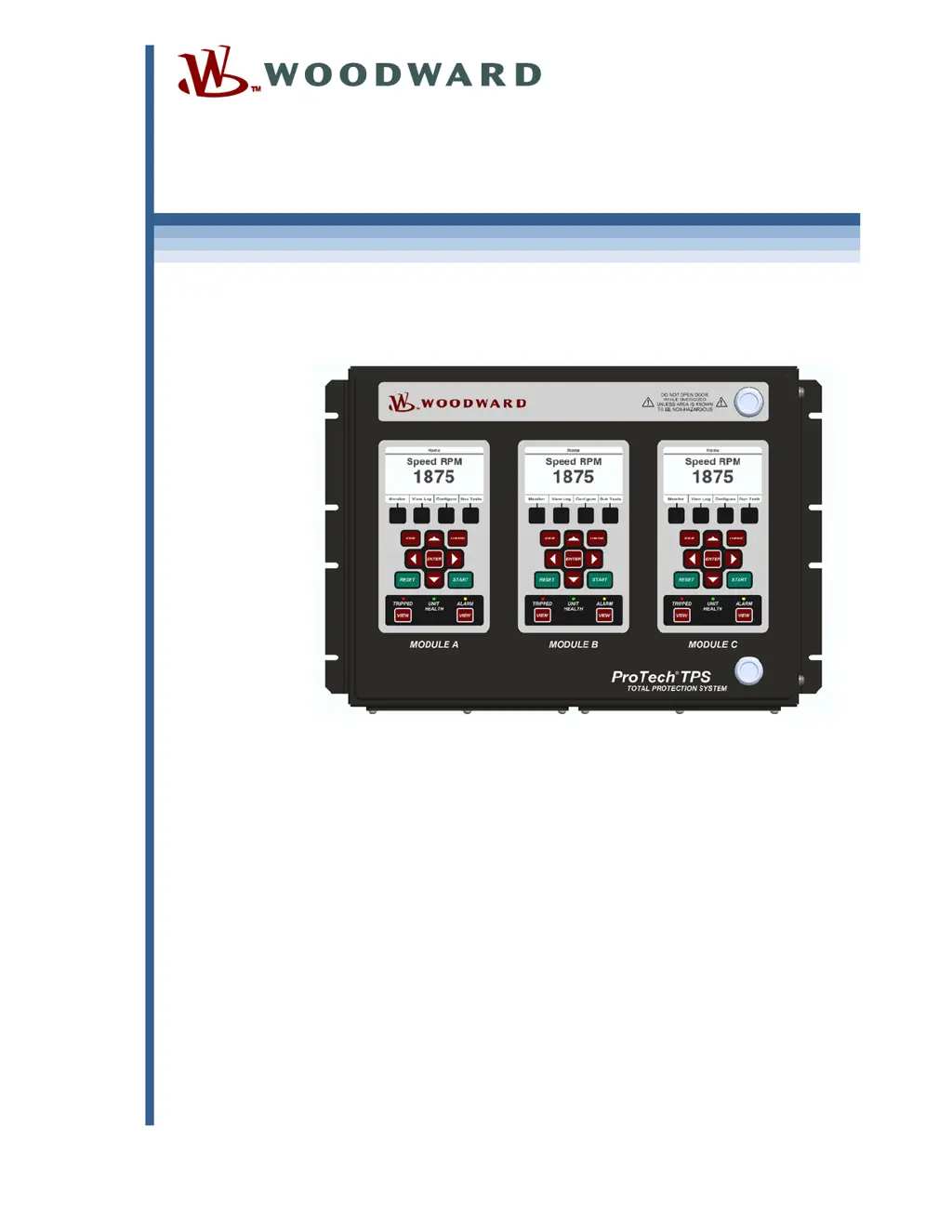
ProTechTPS
Total Protection System
With Voted Inputs
8237-1602, -1603, -1604, -1605, -1606, -1607, -1608, -1609
Manual 26710 consists of 2 volumes (26710V1 & 26710V2).
Volume 1—Installation and Operation

Table of Contents

Questions and Answers

  • S
    Sarah RussellSep 9, 2025
    What does it mean if my Woodward Power distribution unit displays a Parameter Error?
    • B
      Brandon NguyenSep 9, 2025
      If your Woodward Power distribution unit displays a Parameter Error, it indicates a non-volatile memory hardware fault or an internal fault. Reload the configuration settings using the PCT and cycle the input power. If the Parameter Error persists, return the unit to Woodward.
  • M
    Mrs. Stephanie MaciasAug 23, 2025
    What to do if the speed input is not working on my Woodward Power distribution unit?
    • A
      Amanda SullivanAug 23, 2025
      If the speed input on your Woodward Power distribution unit is not working, first check the wiring and terminal block connections to ensure they are secure. Next, on the front panel, check the Speed Input Configure Menu and verify all proper configuration options are selected. Ensure there are no alarms or faults that may indicate a setup problem, such as open wire trip, speed lost, or speed fail. Verify the input signal levels are within the electrical specifications and check the shield connections. If you're using an active probe, disconnect it and measure the voltage from terminals 69 to 71; it should be 24 V ±10%. Then, reattach the probe and measure again to verify it's not overloading the voltage provided by the ProTechTPS.
  • S
    Scott ReyesAug 25, 2025
    What to do if trip relays are not working in Woodward Power distribution unit?
    • D
      danny76Aug 25, 2025
      If the trip relays on your Woodward Power distribution unit are not working, start by verifying the wiring and terminal block connections. Then, using the Programming and Configuration Tool or the front panel, check to see if the trip configuration is set correctly; consider that energize to trip versus de-energize to trip will invert the polarity on the relays. Check the power supplies that provide voltage to the relay output. If you're using the 24 V EXT available from the ProTechTPS, measure the voltage between terminals 80 and 81 to verify it's 24 V ±10%. If it's not, remove the wiring from the 24 V EXT to unload the output and measure again to verify the voltage is not being overloaded.
  • D
    danielharrisAug 27, 2025
    Why is my Woodward Power distribution unit dedicated discrete input not working?
    • S
      Sandra PollardAug 27, 2025
      If a dedicated discrete input (Start, Reset, or Speed Fail Override) on your Woodward Power distribution unit isn't working, first verify the wiring and terminal block connections. On the front panel, check the Dedicated Discrete Inputs Monitor Menu and verify the logic state is correct. Check the signal level to ensure it's within the acceptable range per the electrical specifications. Measure the voltage from terminal 1 to terminal 81 and verify it is 23 V ±2 V. If it's out of range, return the unit to Woodward.
  • J
    Jillian MorrisAug 27, 2025
    How to troubleshoot a non-working configurable discrete input on a Woodward Power distribution unit?
    • D
      Donald PhelpsAug 27, 2025
      To troubleshoot a configurable discrete input that is not working on your Woodward Power distribution unit, first verify the wiring and terminal block connections. On the front panel, check the Configurable Inputs Monitor Menu and verify the logic state is correct. Using the Programming and Configuration Tool, verify the input is configured as a discrete input. Check the signal level and verify it is within the acceptable range per the electrical specifications. Measure the voltage from terminal 37 to terminal 38 and verify it is 24 V ±10%. If it is out of range, remove the wiring and measure again to verify the voltage source is not being overloaded.
  • J
    judy79Aug 29, 2025
    What causes MODBUS to not work on a Woodward Power distribution unit and how to fix it?
    • M
      Matthew BoyleAug 29, 2025
      If MODBUS is not working on your Woodward Power distribution unit, verify the wiring and terminal block connections. Ensure the HI and LO wires are terminated to the correct terminals for RS-485, and likewise for TXD and RXD for RS-232. Also, verify the termination jumpers are installed for RS-485 mode. Using the Programming and Configuration Tool or front panel, verify the correct settings are selected.
  • A
    Alyssa ContrerasSep 18, 2025
    What to do if Power Supply 1 Fault appears on Woodward Power distribution unit?
    • R
      Ryan AndersonSep 18, 2025
      If a Power Supply 1 Fault appears on your Woodward Power distribution unit, check the power source, breaker, fuse, and connections. Note that the module will continue to operate normally on power supply 2.
  • K
    Kayla YoungSep 18, 2025
    What to check if the Speed Fail Alarm occurs on Woodward Power distribution unit?
    • C
      Christine MarshSep 19, 2025
      If a Speed Fail Alarm occurs on your Woodward Power distribution unit (if the speed probe is used), check wiring continuity and probe integrity. Also, check the contact and wiring operation for the Speed Fail Override. Use PCT or front panel to verify proper configuration settings.
  • S
    samuel70Sep 7, 2025
    What causes a Power Up Trip on a Woodward Power distribution unit?
    • V
      Victor BurnsSep 7, 2025
      A Power Up Trip on a Woodward Power distribution unit (if configured for De-energize to trip) is caused by a power source fault or breaker reset. Verify the power source, breaker, fuse and wiring integrity. The Reset function will reset the module.
  • D
    Daniel SmithSep 4, 2025
    What causes the Programming and Configuration Tool to not work with my Woodward Power distribution unit?
    • J
      jessicabensonSep 5, 2025
      If the Programming and Configuration Tool is not working with your Woodward Power distribution unit, verify the cable plugged into the DB9 port is not a crossover cable; a straight-through cable is required. Check that power is applied to the ProTechTPS module and the service tool is connected. Verify the correct COM port is selected when establishing communications and that Auto Detection BAUD rate is selected.

Summary

General Safety and Usage Guidelines

General Precautions and Warnings

Read manual, follow safety instructions, ESD precautions, and translation verification.

Chapter 1. General Information

Description and Applications

Overview of the ProTechTPS system and its typical use cases.

Chapter 2. Installation

Installation Procedures

Steps for unpacking, system setup, and initial wiring.

Module Removal and Installation

Procedures for bulkhead and panel mount module replacement.

Chapter 3. Functionality

Speed, Acceleration, and Logic

Trip detection, redundancy managers, and custom logic functions.

Chapter 4. Modbus Communications

Chapter 5. Troubleshooting

I;O and Trip;Alarm Diagnosis

Diagnosing common input/output issues and trip/alarm causes.

Chapter 6. Safety Management

Safety Specifications and Data

SIL ratings, safe state configurations, and failure rates.

Chapter 8. Product Support and Service Options

Appendix. Modbus Ethernet Gateway Information

Woodward ProTech TPS Specifications

General IconGeneral
BrandWoodward
ModelProTech TPS
CategoryPower distribution unit
LanguageEnglish

Related product manuals