31
3.5 Firmwareupdate
Oncetheconnectionsettingshavebeensaved,thermwarecanbedownloadedtothedevice.Inordertodownload
thermware,itisessentialtoestablishaninternetconnection!
As mentioned above, data security is a top priority in communication. On one hand, this applies to communication bet-
weenthedeviceandavehicle,andontheotherhand,alsototheoperatingsystemofthedevice–thermware.
Andasthermwarecontainstheknow-howofthediagnosticdatabase,thismakesitparticularlyimportanttoprotectthe
data.Thatiswhythermwareisnotstoredlocallyonthecomputer,butprovidedindividuallyforeachdeviceviaanonline
service. Please ensure that the computer on which you are running the WOW! software “LOOQIT” is connected to the
internet.
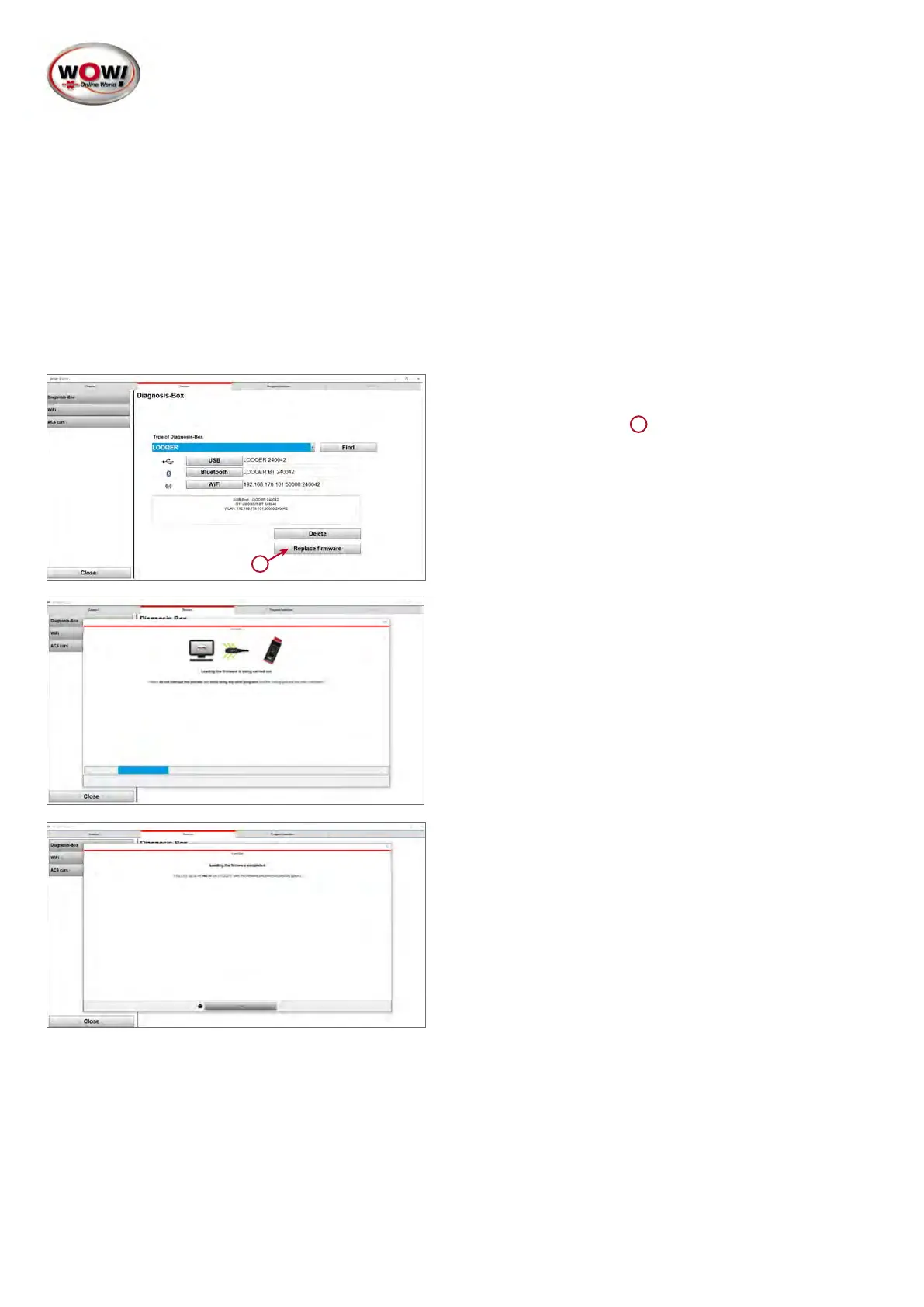
ConnectthedevicewiththecomputerusingtheUSB-Ccable!
1
1. Once the device is connected with the computer via the
USB-C cable, start the process by pressing the Repla-
cermware button
1
2. Thermwareissavedtothedeviceandwhereappli-
cable, replaces any already existing, older version
3. Depending on the data rate of your internet connection,
the process takes between 1 and 3 minutes. Do not
disconnect the device from the computer or use other
programsduringthistime.Whilethermwareisloa-
ding,theLEDlightringofthedeviceashesred.Once
loadingofthermwarehasbeencompleted,thecolour
of the LED light ring changes to white or blue (depen-
dingonthepowersupply)andthesoftwareconrms
that the process was successful.


 To Next Page
 Loading...