LG-2
M9540Low Profile, WSM
G GENERAL
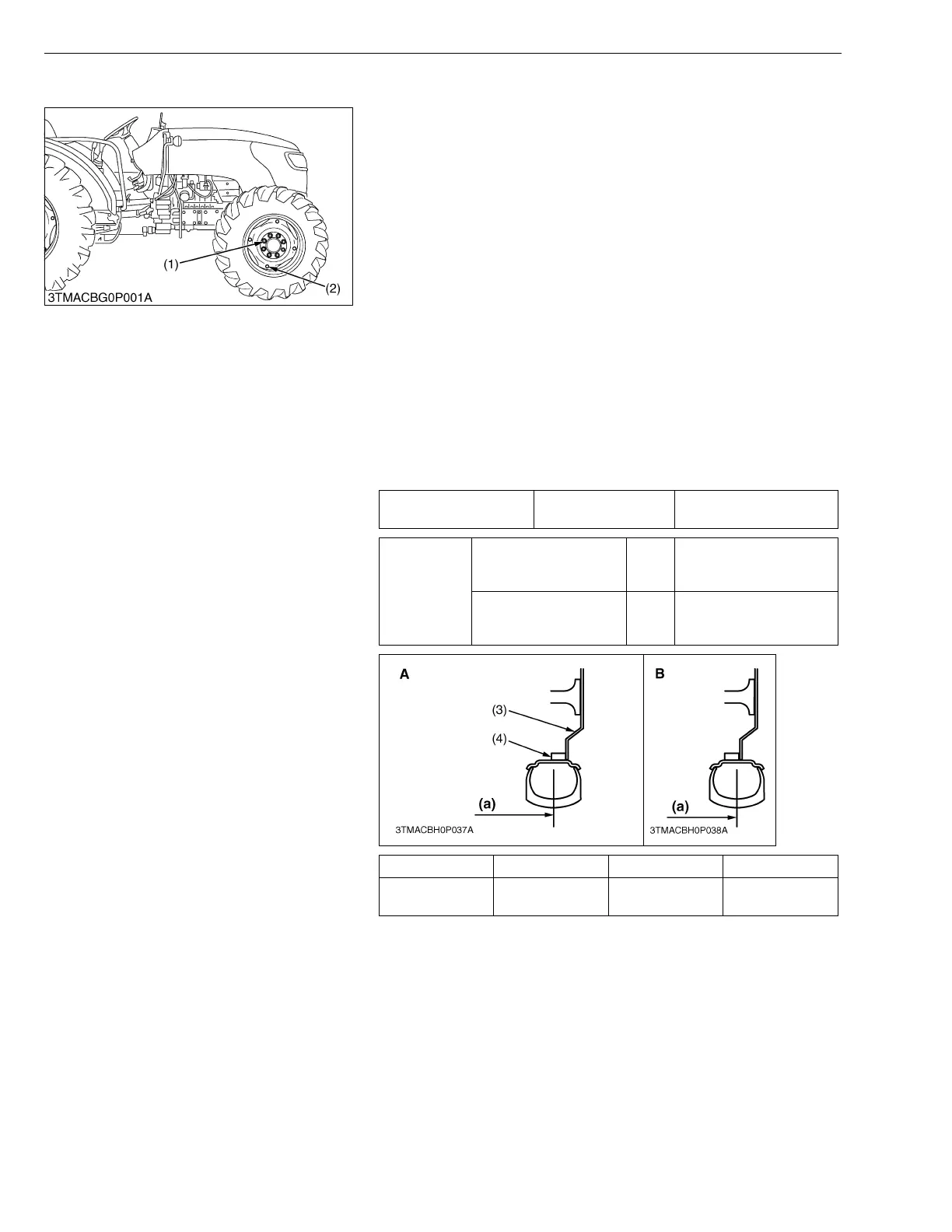
(1) Front Wheels
Front tread width can be adjusted as shown with the standard
equipped tires.
To change the tread width
1. Remove the wheel rim and disc mounting bolts.
2. Change the position of the rim and disc (right and left) to the
desired position, and tighten the bolts.
3. Adjust the toe-in. (Refer to “[5] CHECK POINTS OF EVERY
200 HOURS” at “7. CHECK AND MAINTENANCE”.)
IMPORTANTQ
• Always attach wheels as shown in the figure.
• If not attached as illustrated, transmission parts may be
damaged.
• When re-fitting or adjusting a wheel, tighten the bolts to the
following torques then recheck after driving the tractor 200
m (200 yards) and thereafter according to service interval.
(Refer to “[5] CHECK POINTS OF EVERY 50 HOURS” at
“7. CHECK AND MAINTENANCE”.)
NOTEQ
• Wheels with beveled or tapered holes: use the tapered side
of lug nut.
W1039833
Toe-in Factory spec.
2.0 to 8.0 mm
0.08 to 0.31 in.
Tightening
torque
Front wheel mounting
nut
M16
259.9 to 304.0 N·m
26.5 to 31.0 kgf·m
191.7 to 224.2 lbf·ft
Front disc mounting nut M16
259.9 to 304.0 N·m
26.5 to 31.0 kgf·m
191.7 to 224.2 lbf·ft
Tire A B
Tread (a) 360/70R20
1574 mm
61.97 in.
1634 mm
64.33 in.
(1) Front Wheel Mounting Nut
(2) Front Disc Mounting Nut
(3) Front Wheel Disc
(4) Front Wheel Rim
(a) Tread



 To Next Page