L9-S3
M9540Low Profile, WSM
ELECTRICAL SYSTEM
3. CHECKING AND ADJUSTING
CAUTION
• To avoid accidental short circuit, be sure to attach the positive cable to the positive terminal before the
negative cable is attached to the negative terminal.
• Never remove the battery cap while the engine is running.
• Keep electrolyte away from eyes, hands and clothes. If you are spattered with it, wash it away completely
with water immediately.
• Keep open sparks and flames away from the battery at all times. Hydrogen gas mixed with oxygen
becomes very explosive.
IMPORTANTQ
• If the machine is to be operated for a short time without battery (using a slave battery for starting), use
additional current (lights) while engine is running and insulate terminal of battery. If this advice is
disregarded, damage to alternator and regulator may result.
[1] METER PANEL
(1) Setting Mode (Entering Travel Speed Coefficient)
CAUTION
• To perform the meter panel, the operator must be seated on the tractor.
LCD Monitor Indication
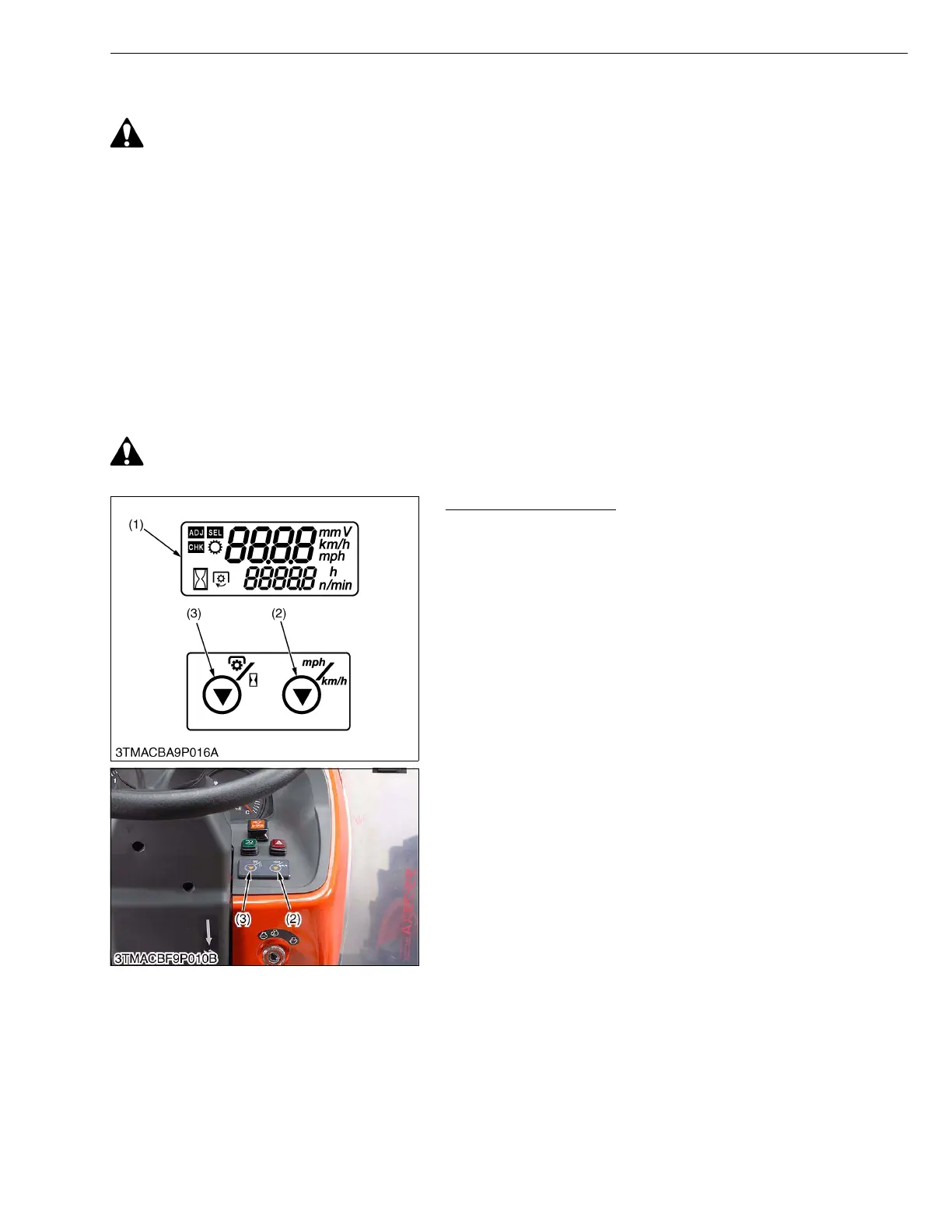
The following settings and checking can be done by using the
LCD monitor (1), PTO/Hour meter select switch (3) and traveling
speed select switch (2).
1. Setting Mode :
Input the various dates (PTO speed display mode switching,
entering the traveling speed coefficient and model select) to the
meter panel.
2. Checking Mode :
Check a voltage of various sensor (fuel unit sensor, coolant
temperature sensor and monitor voltage (battery voltage)) or
rotation of engine.
W1011998
(1) LCD Monitor
(2) Traveling Speed Select Switch
(3) PTO/Hour Meter Select Switch



 To Next Page