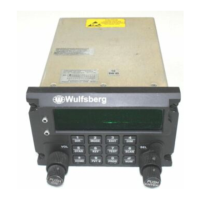
C-5000 Pilot’s Guide
Publication No. 150-041103 Page 13 of 51
Rev. C C-5000 Pilot’s Guide
Nov 2013
Radio 2
Place the cursor on the bottom line of the display.
Tune to a channel with activity on it or press the TEST button. This will unsquelch the radio, allowing
you to hear the current volume level.
Rotate the OUTER VOLUME knob clockwise to increase the volume level, or counterclockwise to
decrease the volume level.
Selecting a Preset Channel Using the Cursor/Value Knob
When the C-5000 first powers on, the selected channels will be set to those that were active when the
unit was powered down. To select a different preset channel, do one of the following:
Move the cursor under the least significant digit of the channel number you want to change. The
illustration below shows a user preparing to change the channel for radio 1.
1 1 2 3
A
W
1
2
. . 1
A
A
0 0 1
Turn the VALUE knob clockwise to select the next available channel with a higher number. Turn the
VALUE knob counterclockwise to select the next available channel with a lower number. Keep
turning the VALUE knob until the desired channel is selected.
You can also increment the channel number by 10’s and 100’s. You do this by placing the cursor under
the 10’s or 100’s digit and turning the VALUE knob as described above. The following illustration depicts
the cursor under the 10’s digit. The 100’s digit would be one to the left of the 10’s digit.
1 1 2 3
A
W
1
2
. . 1
A
A
0 0 1
Selecting a Channel Using the Keypad
Occasionally, it is desirable to select a preset channel by entering its number via the keypad, rather than
dialing it in with the cursor/value knobs. This can be performed as follows.
Place the cursor under any digit of the channel number you want to change.
Press the NUM button. The following illustration depicts the display after the NUM button has been
pressed while radio 1 was under cursor control.
1 C H A N
<
N
2
. . 1
A
A
0 0 1



 To Next Page
 Loading...