101
XAG AUSTRALIA
Manage Fields
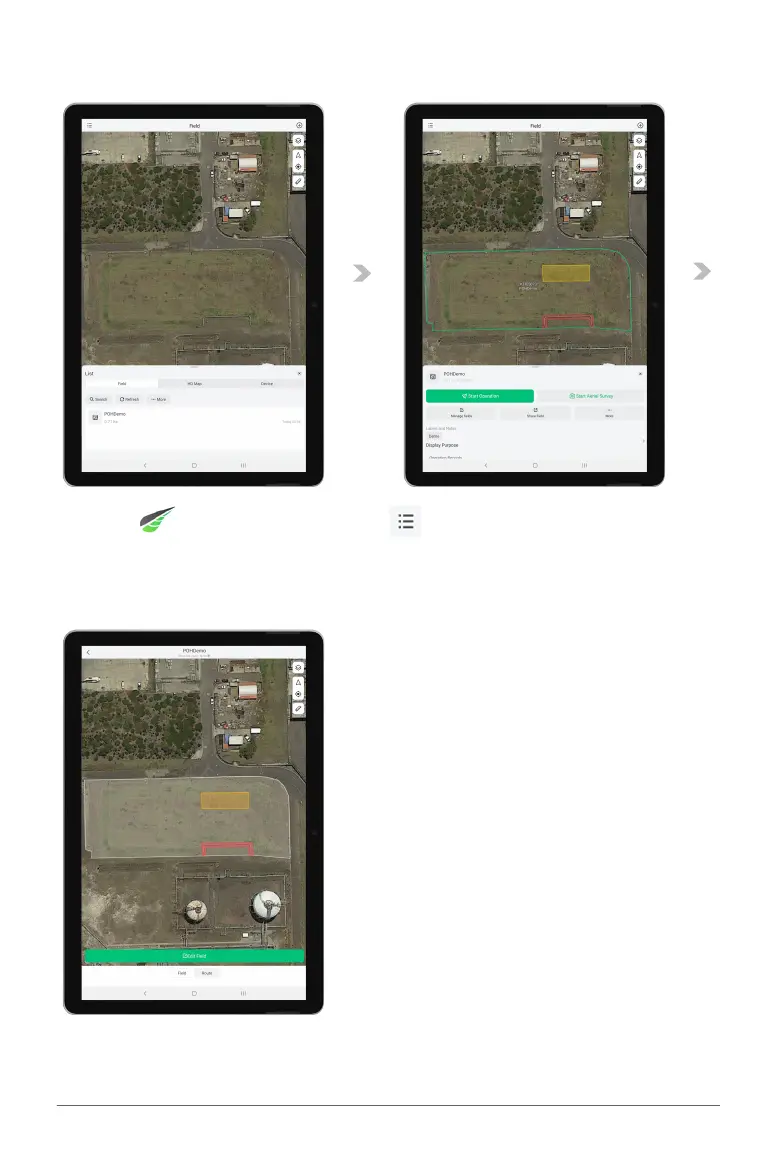
01. Open XAG One APP, and tap on the “ ” for the Listing.
02. Within the List of Fields, find and tap on the corresponding fields for additional options.
03. Additional options include Aerial Flight, Aerial Survey, Manage fields, Share Field and more…
04. Proceed to “Manage Fields” to edit or pre-plan the fields.
05. At the bottom of the screen, there are two available options.
Field: Modify field information
Route: Route Pre-Planning with Basic Flight Parameters



 To Next Page