37
XAG AUSTRALIA
Using the Remote Controller
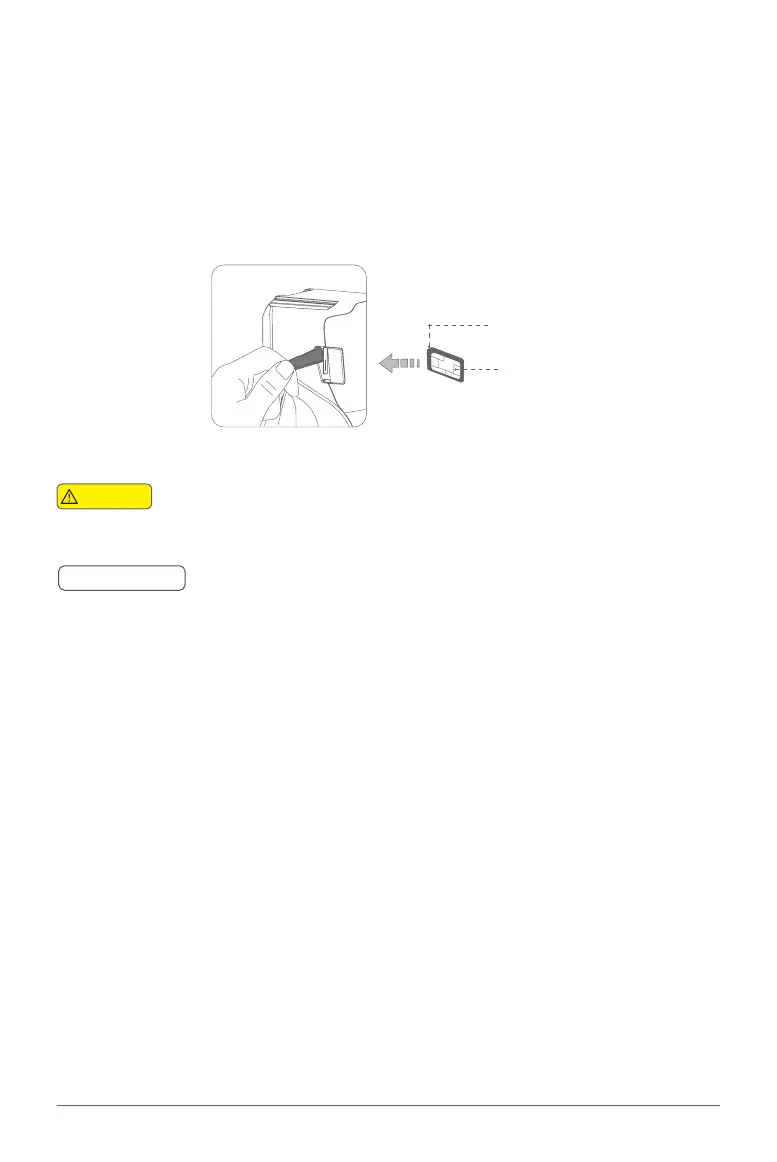
Inserting SIM Card
SIM Card Cut-Corner
Chip Side
01. Before inserting the nano-SIM Card, please ensure the remote controller is turn OFF.
02. Gently unplug the rubber plug on the left of the Remote Controller.
03. Insert the nano-SIM card in as the direction shown in the figure.
04. Close and Secure the Rubber Plug.
ACS2 uses a nano-SIM. Damages caused by the use of other specifications of SIM
will be beared by user
SIM Card is not necessary if operating with LNT
🧷
IMPORTANT
Warning



 To Next Page