XAG AUSTRALIA
Controls
If any of the button is released within 3 seconds, the command will
be cancelled
🧷
IMPORTANT
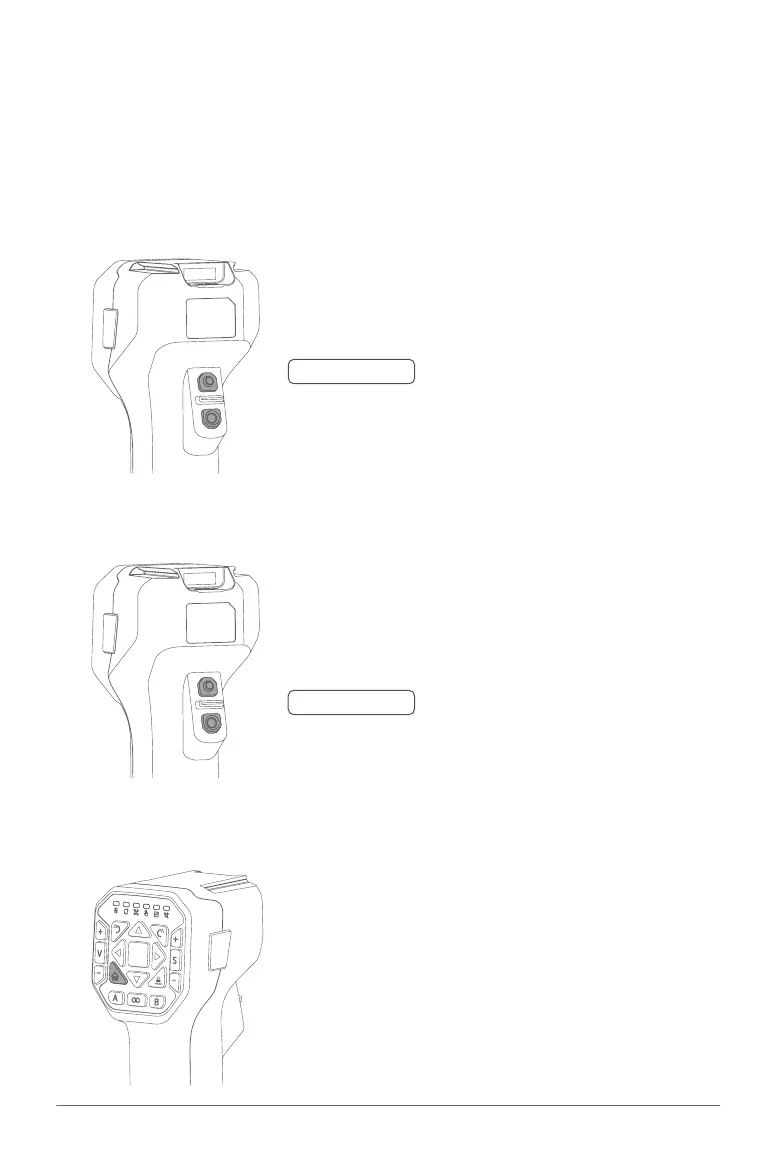
Press & Hold the Altitude + Button
Press & Hold the Altitude - Button
The minimum safety distance of the RPA in manual control is 2
meters above ground, RPA will not be able to descent once it
reaches the height of 2.5 meters above ground
🧷
IMPORTANT
TAKE-OFF: Press and Hold both Altitude Control
Buttons for 3 Seconds, the RPA will
automatically take off to a height of 2.5
meters and hover
LAND: Press and Hold both Altitude Control
Buttons to command the RPA to land
ACS2G Remote Controller has a maximum control distance of up to 800 meters. Try to keep the
Remote Controller vertically and the rear-facing the direction of the Aircraft for optimal performance.
Remote Pilot Aircraft (RPA)
• TAKE-OFF / LAND
• Altitude Control
• Return to Home (RTH)
RTH: Press and Hold the RTH Button to
command the RPA to return to Take-
off-Point



 To Next Page