35
XAG AUSTRALIA
Status Indicator Description
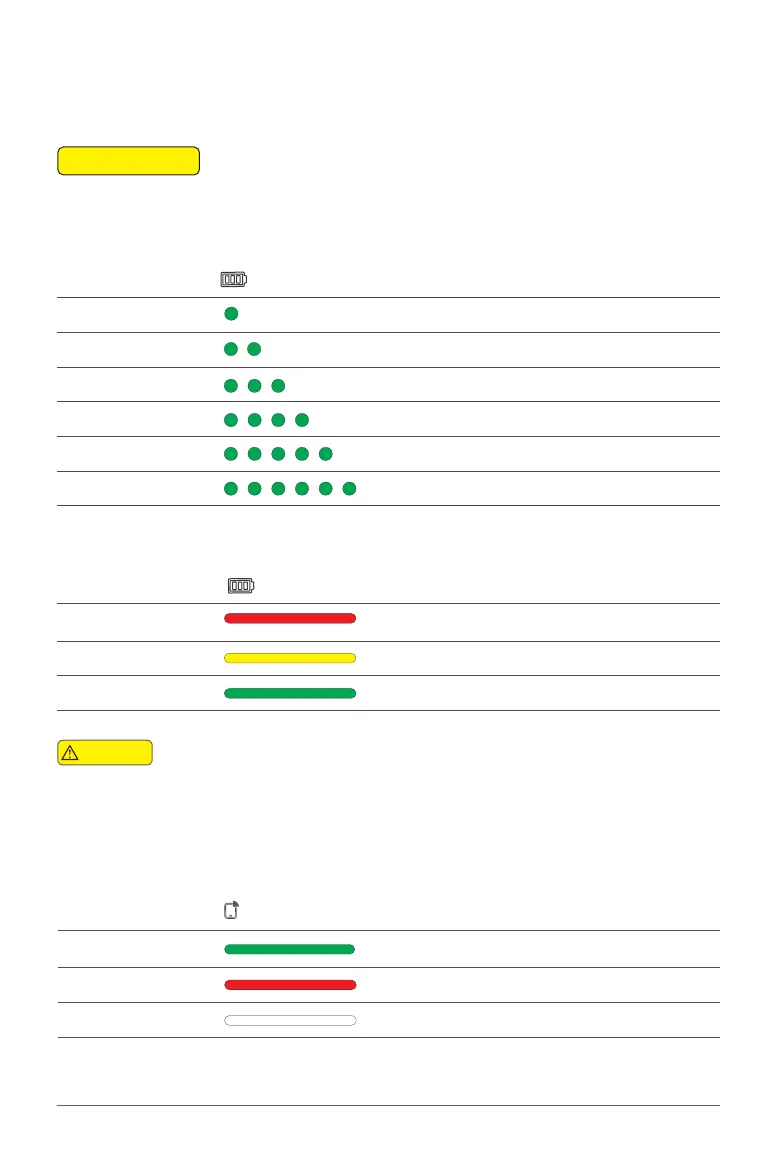
1 Solid Green 01% - 04%
2 Solid Green 05% - 19%
3 Solid Green 20% - 39%
4 Solid Green 40% - 59%
5 Solid Green 60% - 79%
6 Solid Green 80% - 100%
When ACS2G is OFF, press the power button once to display the battery level. The battery level is
indicated by the 6 Status Indicator.
📖
INSTRUCTION
Battery Description
Solid Red 01% - 29%
Solid Yellow 30% - 59%
Solid Green 60% - 100%
When ACS2G is ON, the battery level indicator display the current battery level.
ACS2G Remote Controller will broadcast “Low Battery” when the remaining power is
less than 5% and will automatically switch off after 60 seconds. Please command the
drone to return and land immediately before the remote controller is switched off.
Warning
Smart Device Description
Solid Green Smart Device Connection Normal
Solid Red Smart Device Connection Error
OFF Smart Device Not Connected
Status Indicator – Smart Device
Status Indicator
Status Indicator – Battery



 To Next Page