XAG AUSTRALIA
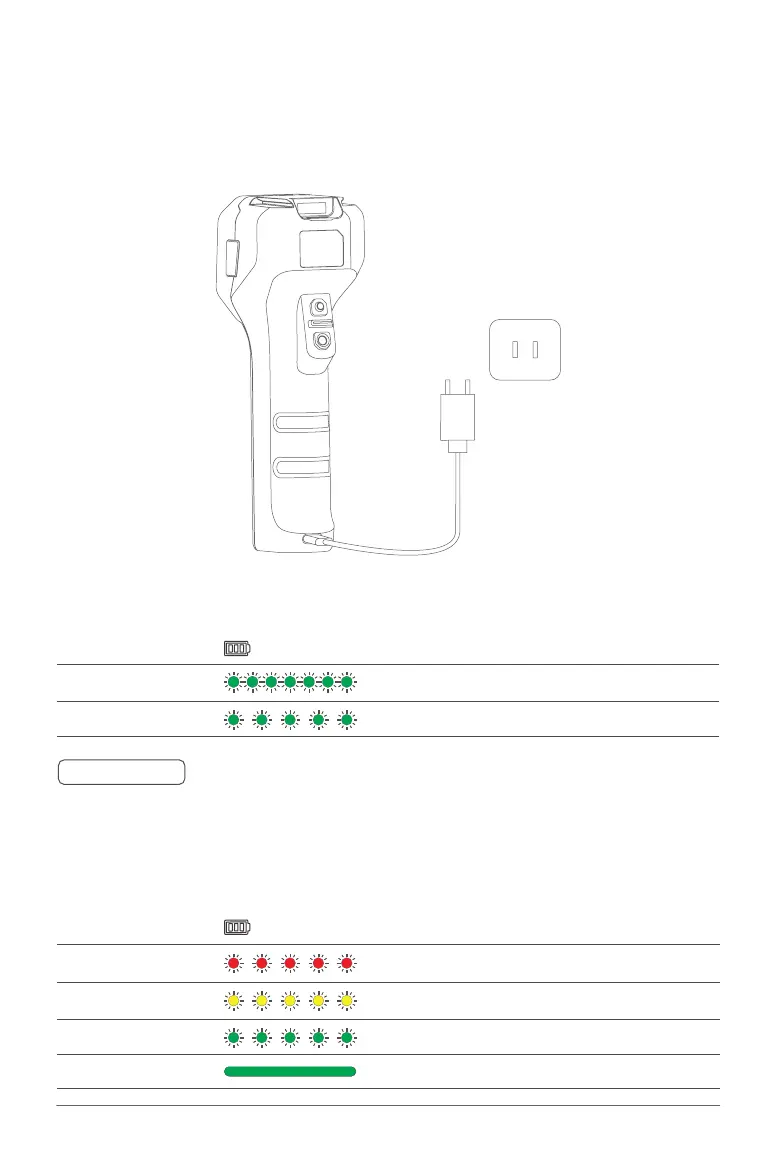
Charing the Remote Controller
Battery Description
Flashing – Red 01% - 29%
Flashing – Yellow 30% - 59%
Flashing – Green 60% - 99%
Solid Green 100%
Uses a Type-C USB Cable to connect the Charging Adapter and the Remote Controller Power Port.
The Battery Level and the mode of charging is indicated by the Battery Level Indicator.
Status Indicator - Battery Description
Quick Flash Quick Charging Mode
Slow Flash Standard Charging Mode
When the charging adapter is applicable with Quick Charging, ACS2G will have a Voice Prompt
indicating the Quick Charging Mode and the Indicator flashes more rapidly.
🧷
IMPORTANT
Charging Mode
Battery Level (Charging)



 To Next Page