87
XAG AUSTRALIA
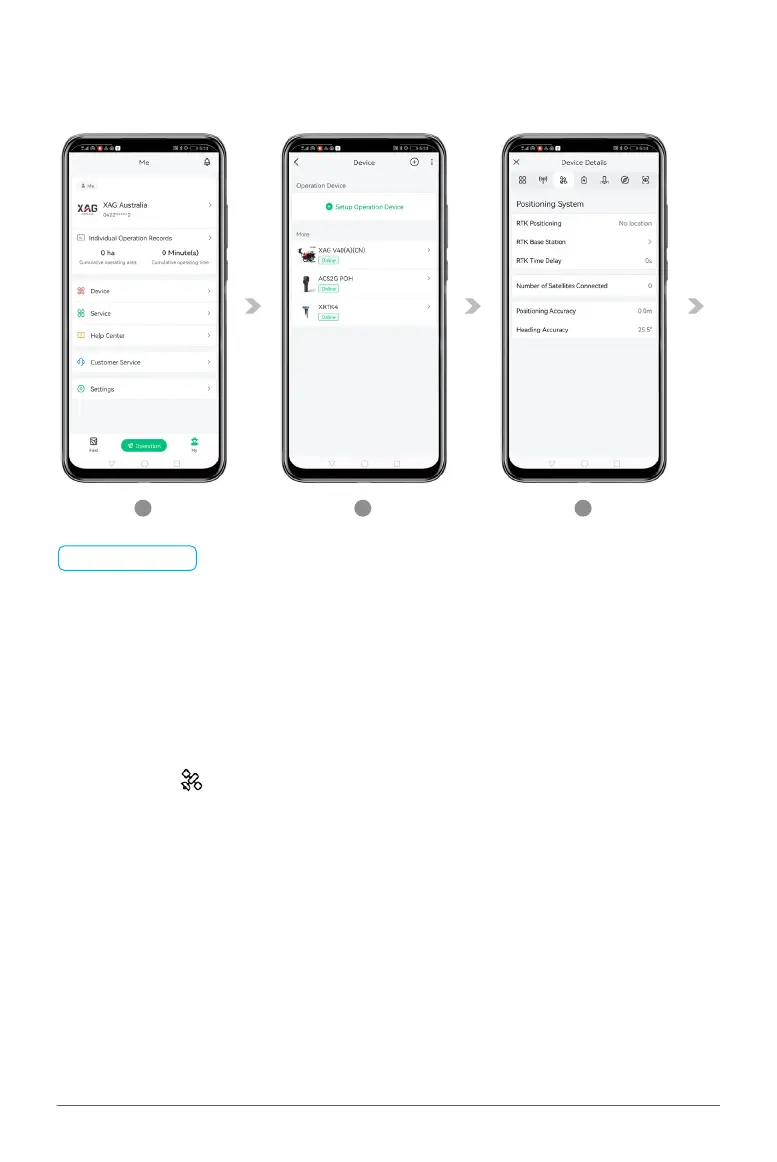
Pairing Aircraft with GNSS XRTK4 Mobile Station
01. On Accounts Menu, tap on “Device” to access the Device Menu.
02. Then tap on the corresponding Aircraft for Device Detail.
03. Tap on the “ ” for Positioning System, then taps on “RTK Base Station”.
1
2
3
LNT (Local Network Terminal) Wi-Fi Network had been set up & Connected
Device binding of GNSS XRTK4 Mobile Station had been set up & Connected
Device binding of Aircraft had been set up & Connected
Devices are ON and displaying as Online in Device Menu
📋
PREREQUISITE



 To Next Page