XAG AUSTRALIA
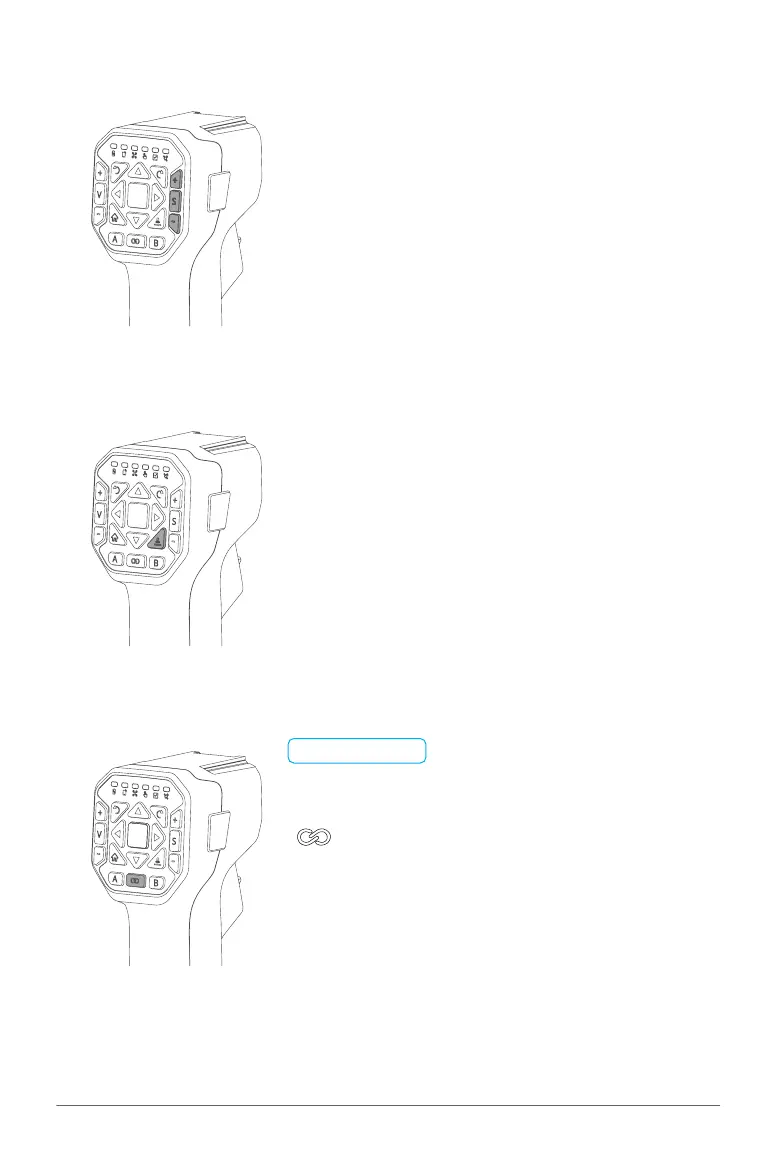
Enable/Disable: Press the Spray/Spread Button to turn
on/off the Spraying / Spreading
Increase Rate: Press the Spray/Spread + Button to
Increase the Dosage Rate of Spray/
Spread
Decrease Rate: Press the Spray/Spread + Button to
decrease the Dosage Rate of Spray/
Spread
Broadcast: Press the Terrain Button Once to
broadcast the current Mode (GPS Height
/ Terrain Follow)
Switch Mode: Quick press the Terrain Button Twice to
switch between GPS Height and Terrain
Follow
:
Enable / Disable Mapping Mode
A: Add Point
B: Undo previous Added Point
📋
PREREQUISITE
GNSS RTK Module had been attached
• Spray / Spread Control
• Terrain Button
• Mapping Mode



 To Next Page