65
XAG AUSTRALIA
10. Select the corresponding Options for setting
Ⓝ
Notes
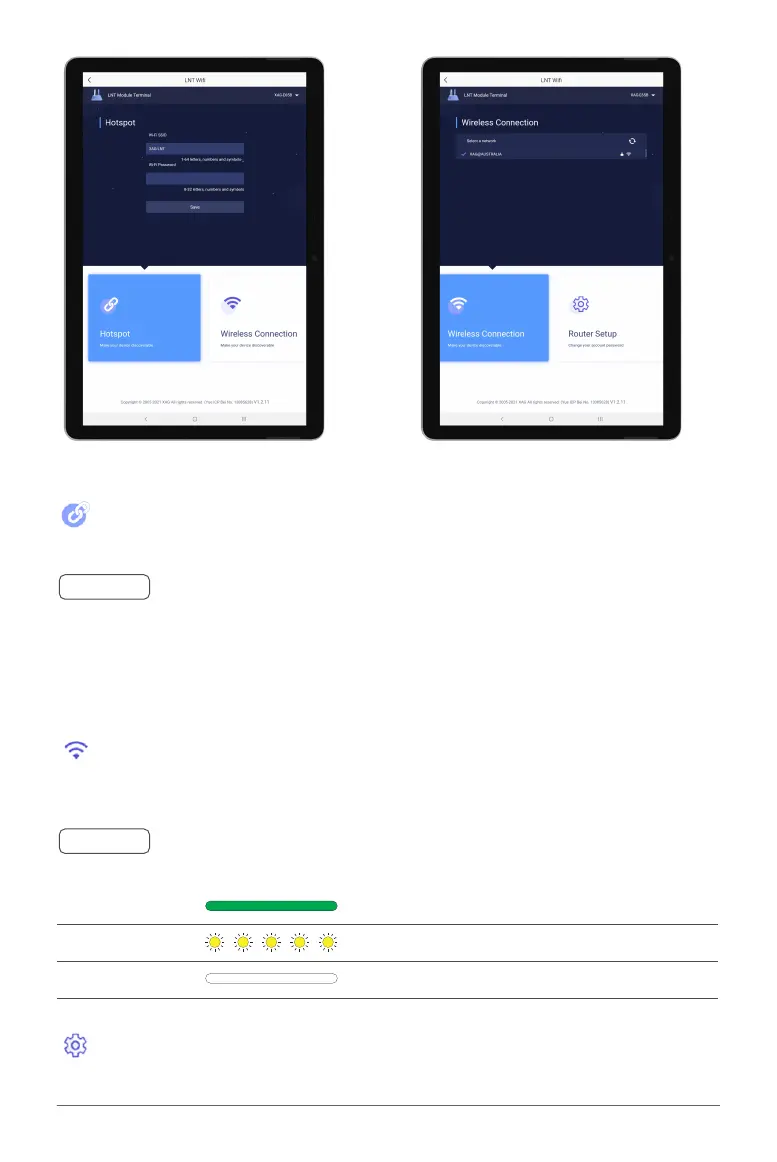
Hotspot
Settings for Hotspot to share the LNT’s Wi-Fi or Internet data
connection with nearby XAG devices. Connections can be shared
with up to XX devices.
Ⓝ
Notes
The connection Status of the External Wi-Fi is indicated by the WAN Indicators (3rd Indicator)
Router Setup
Administrator Settings for Local Network Terminal
Wireless Connection
Settings for External Wi-Fi to provide internet connectivity for the
LNT
Default LNT Wi-Fi Network: XAG-XXXX
(“XXXX” is the last 4 digit of the MAC Address on the top of the LNT)
Default LNT Password: 20070401
Solid Green Successful Connection with Internet Connectivity
Flashing Yellow Network Configuring
OFF
Unsuccessful Connection



 To Next Page