79
XAG AUSTRALIA
CHECK
Under Normal Circumstance, your Smart Device (Mobile / Tablet) should have automatically re-
connected to the LNT Wi-Fi. Check & Ensure the LNT Wi-Fi Network is connected.
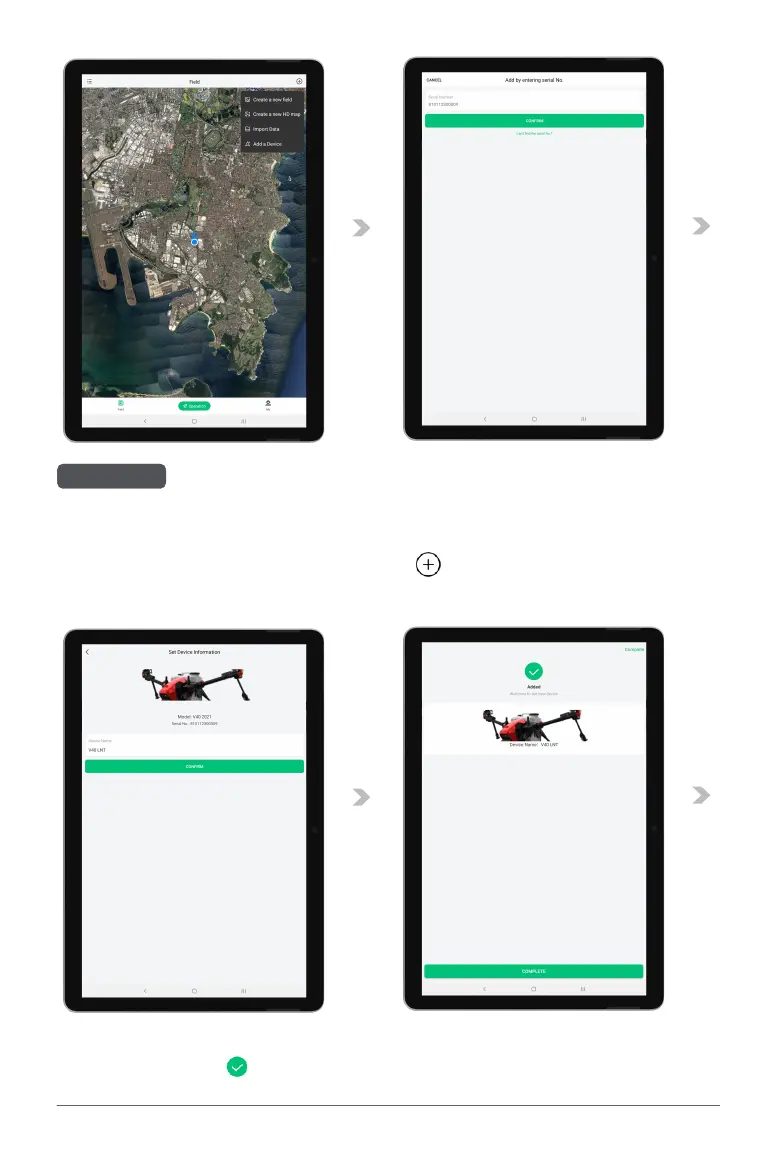
12. Return to the Main Page of the APP, Tap on the “ ” and select “Add a Device”
13. Add the Device by Scanning the QR Code on the Device or Enter the Device S/N Manually..
14. Rename the Aircraft, and Tap “Confirm” to Save.
15. If the APP display “ ”, the Device has been added successfully.



 To Next Page