XAG AUSTRALIA
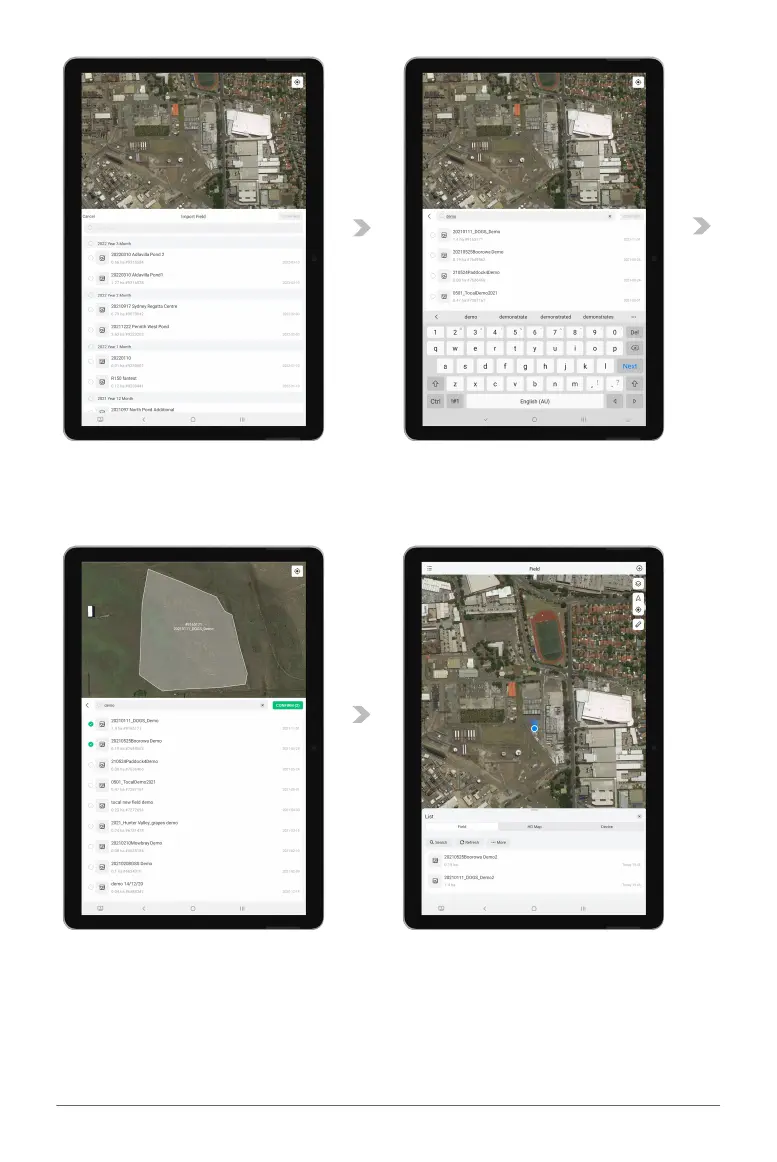
04. Previous records of Field that is available for import will be displayed.
05. Alternatively, the user may choose to search for the fields as well.
06. Select 1 or Several fields, then confirm to start importing the field to this Smart Device.
07. After the field is imported, please refresh the List and find the imported field is now available.



 To Next Page