CAMERA SYSTEM (LooksCAM) 11 www.xenosys.co.kr
④ LED Light Middle Phonejack Plug
Output port of recorded files to external device
Setting up remote controller pairing with control unit
Store recorded video files
If the possible recording time is less than 1 hour, one “beep”
warning signal
If the possible recording time is less than 30 minutes, one “beep”
warning signal
If the possible recording time is less than 10 minutes, “beep” warning
signal every 30 seconds
To download recorded video files
Connected to battery pack power supply charging port
WARNING:
Charging port is VERY weak at the external shock, so be careful in assembling the battery pack.
If the charging port is broken, the operation of LooksCAM may NOT be possible.
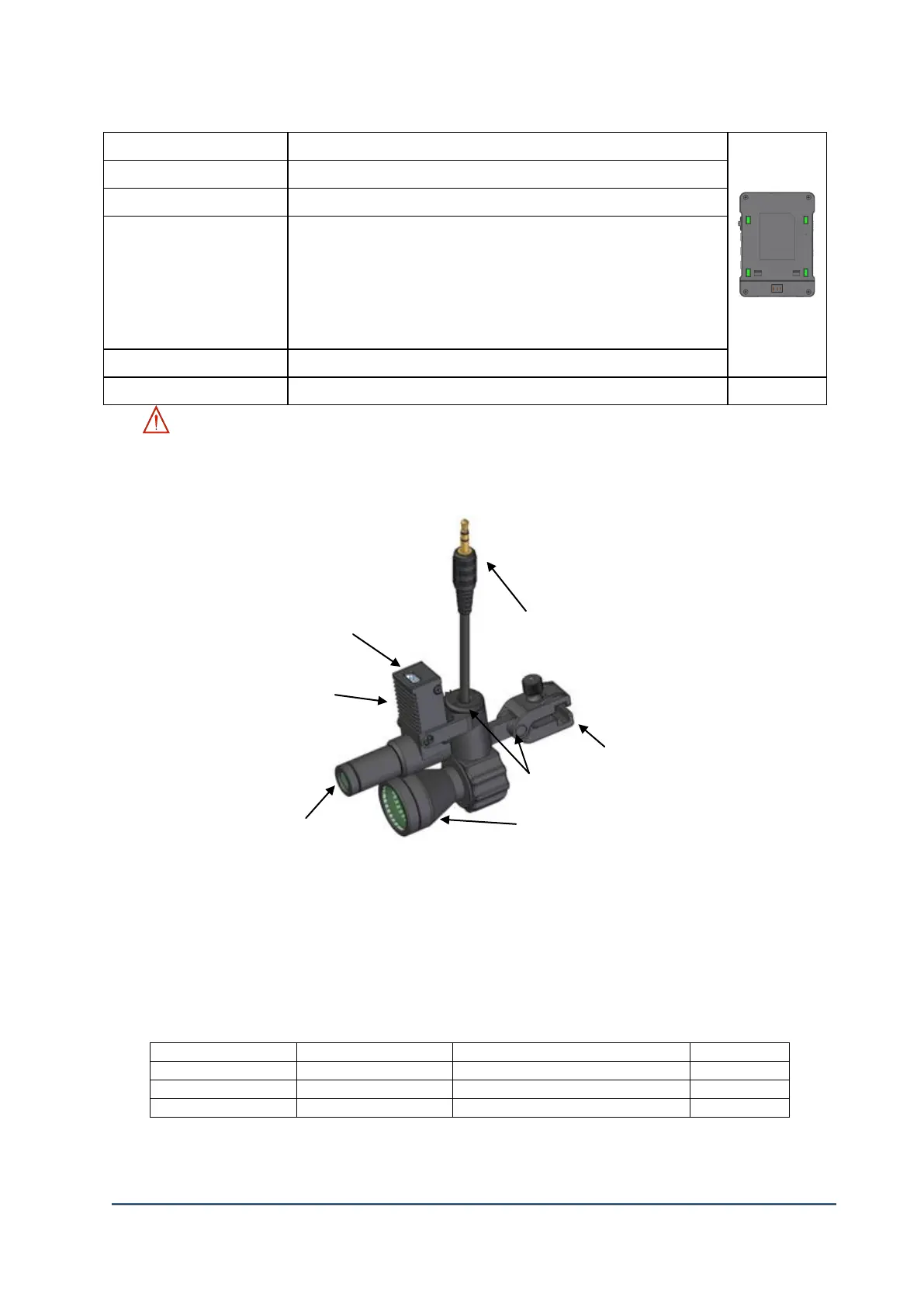
2. Head Assembly Unit
1) ①Microphone
2) ②Camera Sensor Port
3) ③Adjustment Link: Possible to move the head assembly to the direction of up, down, left, and right side
4) ④LED Light Middle Phone-jack Plug
5) ④Clamp
6) ⑥Camera Lens: Choose one type among f12mm, f18mm, and f25mm depending on the focal distance
7) ⑦There are three kinds of LED lens module and can choose one
Feature (Field of View Size)



 To Next Page