CAMERA SYSTEM (LooksCAM) 22 www.xenosys.co.kr
1) Install the driver / utillity file according to ipTIME N150UA user manual and connect ①Wireless LAN device to the
computer or laptop.
2) Search ②wireless LAN according to the user manual of ipTIME N150UA.
3) Select the wireless name (SSID) “ LooksCAM ” and press the icon of ③Connect wireless LAN.
4) When you see profile window, then press the icon of “ “ and type the first ④ password”1234567890”. The last step is
to press the icon “ “ again.
5) ⑤Refer to the screen of the completed wireless LAN connection.
6) If the laptop computer already contains wireless LAD card, you don’t need to install ipTIME N150UA.
WARNING:
- WIFI connection cannot be fluent according to nearby network circumstances.
(3) How to Change WIFI password & SSID
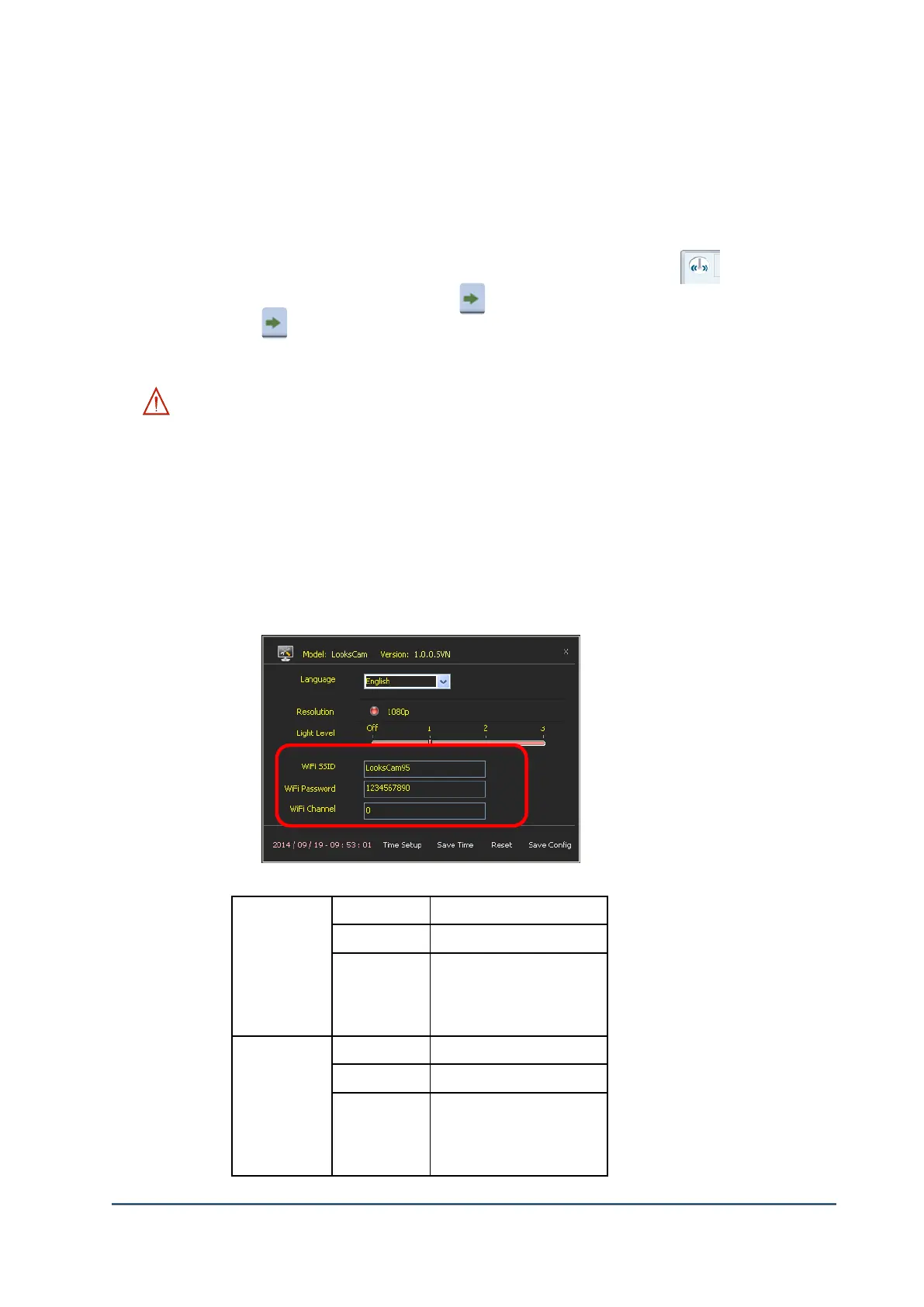
1) Execute config.exe file in CONFIG folder of SD card to change the password and SSID.
2) Execute config.exe file and change desired “WiFi SSID” & “WiFi Password”. You should store
by executing “Save Config”.
3) LooksCAM re-booting process should be done if you wish to use changed password & SSID.
4) Below table is the regulation to distinguish SSID and password.
English: a~z, A~Z
Number: 1~0
Special letters : '_',
English: a~z, A~Z
Number: 1~0
Special letters : '_',



 To Next Page