CAMERA SYSTEM (LooksCAM) 23 www.xenosys.co.kr
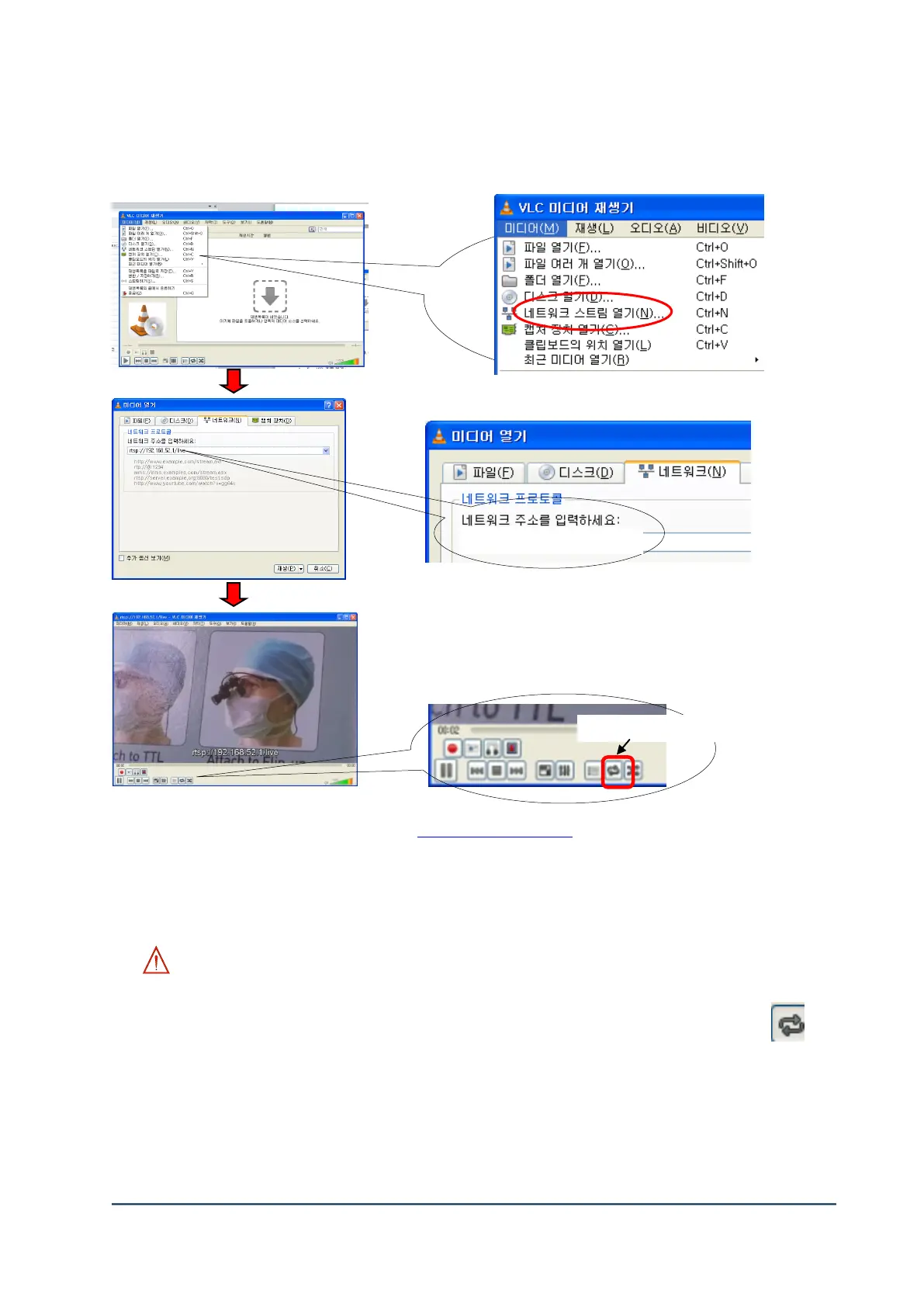
(4) Check Video with VLC Media Player
1) Install VLC program and run (VLC Installation -> http://www.videolan.org/vlc/)
Select Media (M) → Open the network stream (N)
2) Type “ rtsp://192.168.42.1/live “ at the network address and push the “play” button.
3) Complete the connection of WiFi video
WARNING:
If REC button is pressed under the REC waiting mode, WiFi connection will be terminated
automatically. If you press “play” button during recording or repeat play button ( ) is
pressed, the video size will be 432*240 on screen.
1) Open the network stream (N)
2) Type the network address



 To Next Page