CAMERA SYSTEM (LooksCAM) 21 www.xenosys.co.kr
4. Check Video with WiFi
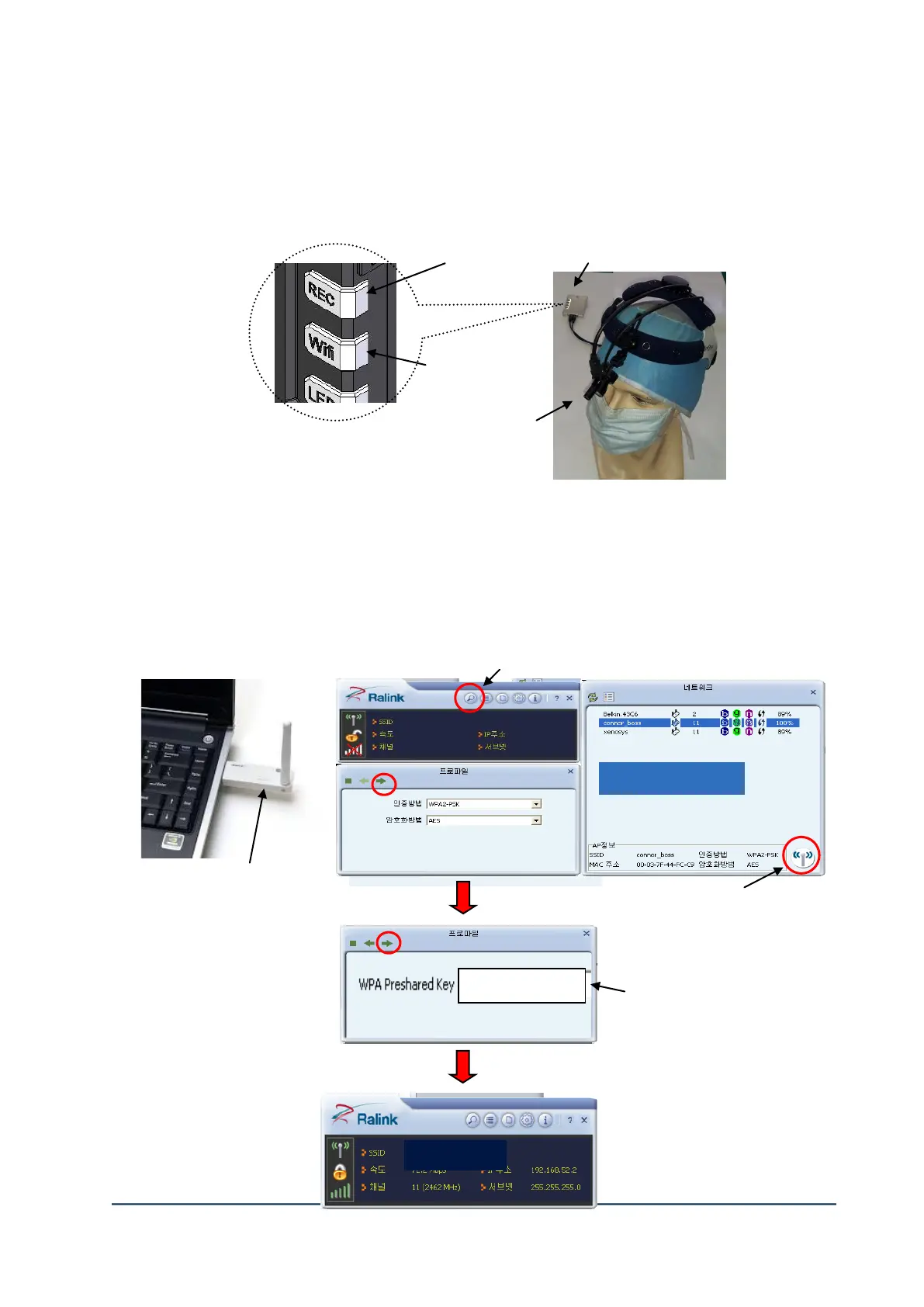
(1) Connect the Main Body
1) ① Connect the camera head assembly to the main body. Turn on the control unit with Micro SD card is inserted.
2) System booting process will begin when the battery is fully charged and turned on.
3) ②If the LED of [REC] button turns on, the system booting is now completed.
4) After the LED of ③[WiFi] button turns on, now it is ready to use LooksCAM.
(2) Connect Wireless LAN Device
⑤ Completion of wirelss LAN
완료
① Install the driver and
Connect LAN device
② Search the wireless LAN



 To Next Page