CAMERA SYSTEM (LooksCAM) 18 www.xenosys.co.kr
4) When you push REC button without Micro SD card, “Memory card is not detected” alarm
message will come.
5) UMS (USB Mass Storage) mode will be transferred automatically when you connect the main
body (OFF status) to personal computer by USB cable and then turn on the power switch of
main body. (File transfer is possible)
2. Video Record
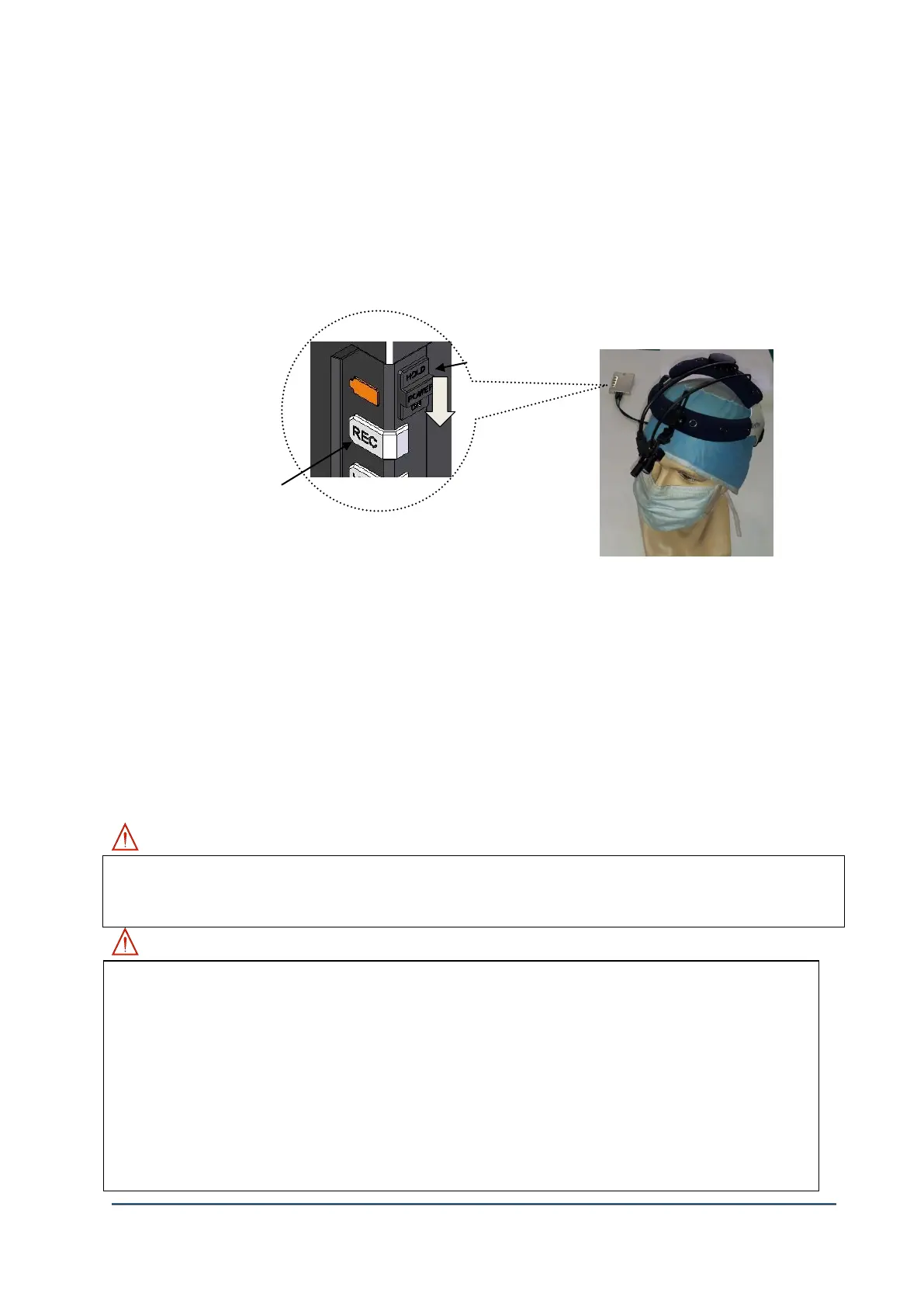
1) Connect the camera assembly unit to main body and turn on the power with Micro SD card
inserted. The system booting process will start when ①power switch turns on with fully
charged. LED sign of ②[REC] button means the system booting process completed.
2) Recording will not start automatically. Recording will start when you hold ②Record button
(about 1 second), then [REC] LED will be blinking. The voice message will come “ding-dong”,
“Recording starts” at the same time. You can use “snapshot” by pressing [REC] button
quickly. 3 seconds time is needed to do continuous snapshots.
3) Recording will stop when you push ②Record button, then [REC] will stop blinking. The voice
message will come “Recording stops”, “ding-dong”.
4) Microphone is turned on all the time and voices will be recorded in the file also.
WARNING: Recordable time alram
WARNING:
Make sure to always Micro SD card is inserted to record video.
Do not remove Micro SD card during the power on which cannot continue the recording
process. It may cause partially deleted recorded file or Micro SD card can be unusable.
Power will be turned OFF automatically when battery status is low – Red LED sign will be
blinking.
Recorded file will be generated every 50 minutes. (Time is fixed)
The location of recorded file is <sd card:d> d:/DCIM/100MEDIA.
File extension name is mp4 and the encoding mode is H.264.
Example of generated file name: MMDDhhmm_XXXX.mp4 (Month-Day-Hour-
Less than 1 hour: 1 time of “beep” sound
Less than 30 minutes: 1 time of “beep” sound
Less than 10 minutes: “beep” sound will continue every 30 seconds



 To Next Page