CAMERA SYSTEM (LooksCAM) 24 www.xenosys.co.kr
(5) How to Set Up the Time
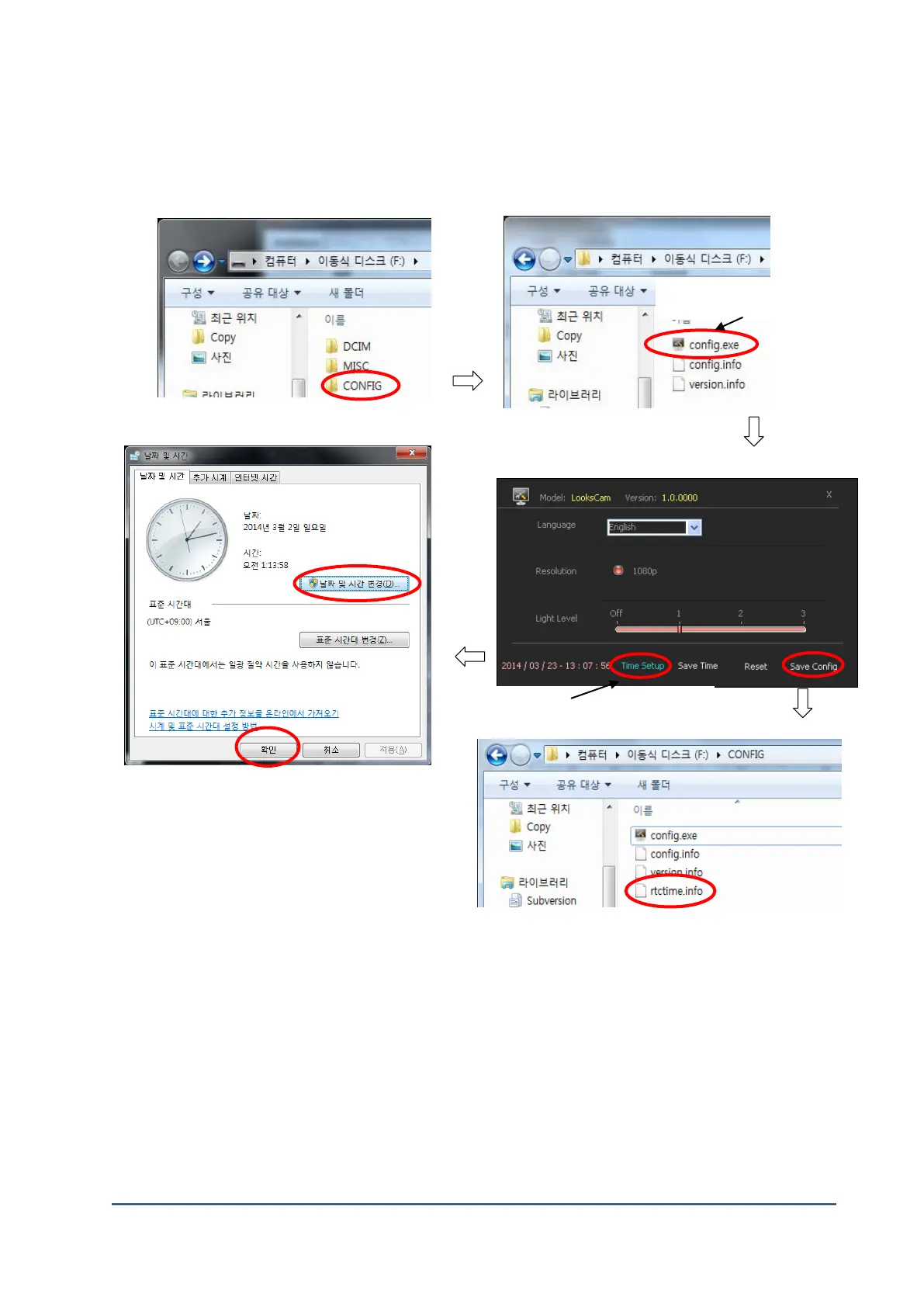
1) Turn on the main body after connecting USB cable to USB slot.
Click config.exe in the folder of <sd card:d> d:/CONFIG.
2) If you click “Time Setup“ in the bottom, ‘Time & Date” of Window program will start.
Press “Change Time & Date” to change desired time set up and click “confirm”.
3) Click “Save Config” to close and store the time set up.
4) If you see “rtctime.info” file, it means time set up is completed.
Picture after clicking Config.exe



 To Next Page