CAMERA SYSTEM (LooksCAM) 16 www.xenosys.co.kr
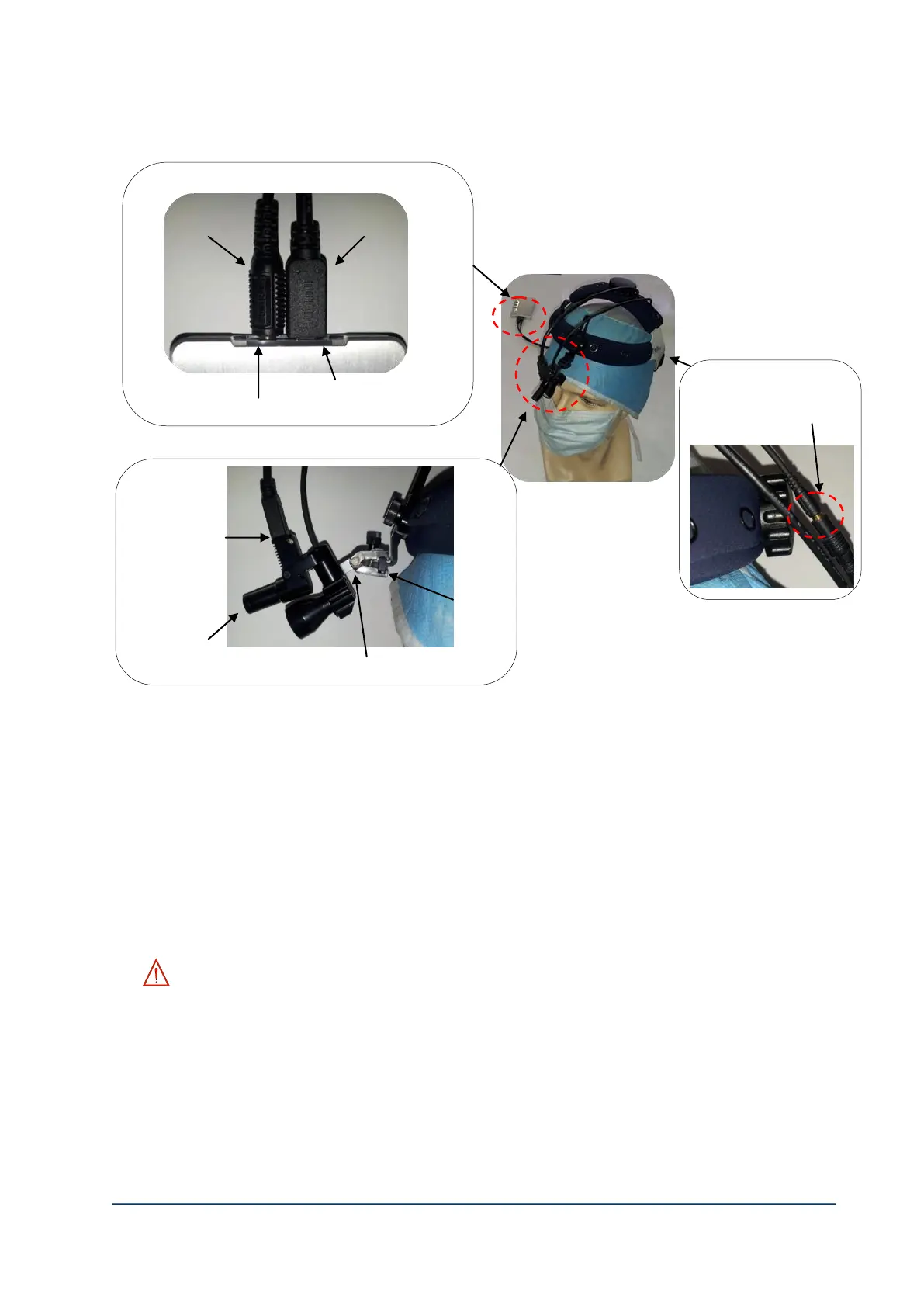
3. Assemble the Main Body and Head Assembly Unit
1) Connect LED light plug of head assembly cable to LED light port of ①Main Body (M.B).
2) Connect camera sensor plug of head assembly cable to camera sensor plug of ①Main Body.
3) Camera head can be adjusted up-down, left-right by moving the adjustable link after fixing the
camera to headband to ③clamp.
4) Connect the camera sensor plug to ④camera sensor port of head assembly unit.
5) Focal length can be changed by turning ⑤camera lens. Focal length will be shorter when
turning the lens to left side. Focal length will be longer when turning the lens to right side.
6) Connect LED light middle plug of head assembly unit to ⑥LED light middle jack of head
assembly cable.
WARNING:
- If the connection is bad on head assembly unit cable, the system booting process will
continue.
- If the connection is bad on head assembly unit cable, UMS mode (connecting to USB) may
not work well.
- If the camera sensor plug of head assembly cable is twisted or damaged by hard pull off,
HDMI cable can be severely damaged which will cause loose contact to image transfer.



 To Next Page