CAMERA SYSTEM (LooksCAM) 25 www.xenosys.co.kr
5. Turn On LED Light
1) Connect the camera assembly to the main body with Micro SD card inserted and turn on the
power. The system booting process will proceed, and the system booting is finished by the
sign of REC button LED turns on.
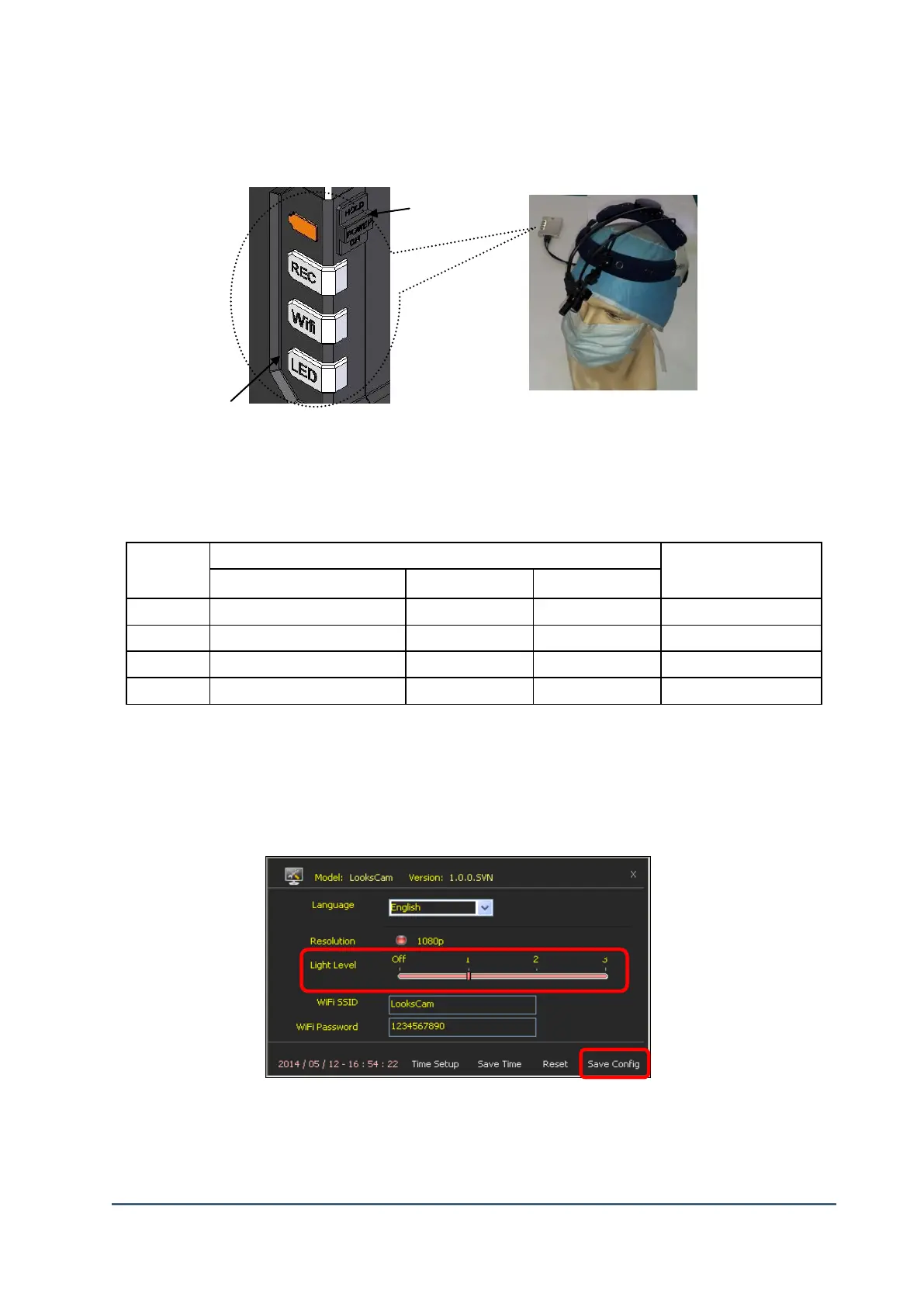
2) LED Light Button: LED Light intensity consists of 4 steps – 1, 2, 3, OFF.
3) Execute config.exe in CONFIG folder of SD card to change LED brightness.
4) After you execute config.exe file and change “Light Level” with desired value. Press “Save
Config” to store the setting.
5) LooksCAM re-booting process should be done to use changed value.



 To Next Page