CAMERA SYSTEM (LooksCAM) 17 www.xenosys.co.kr
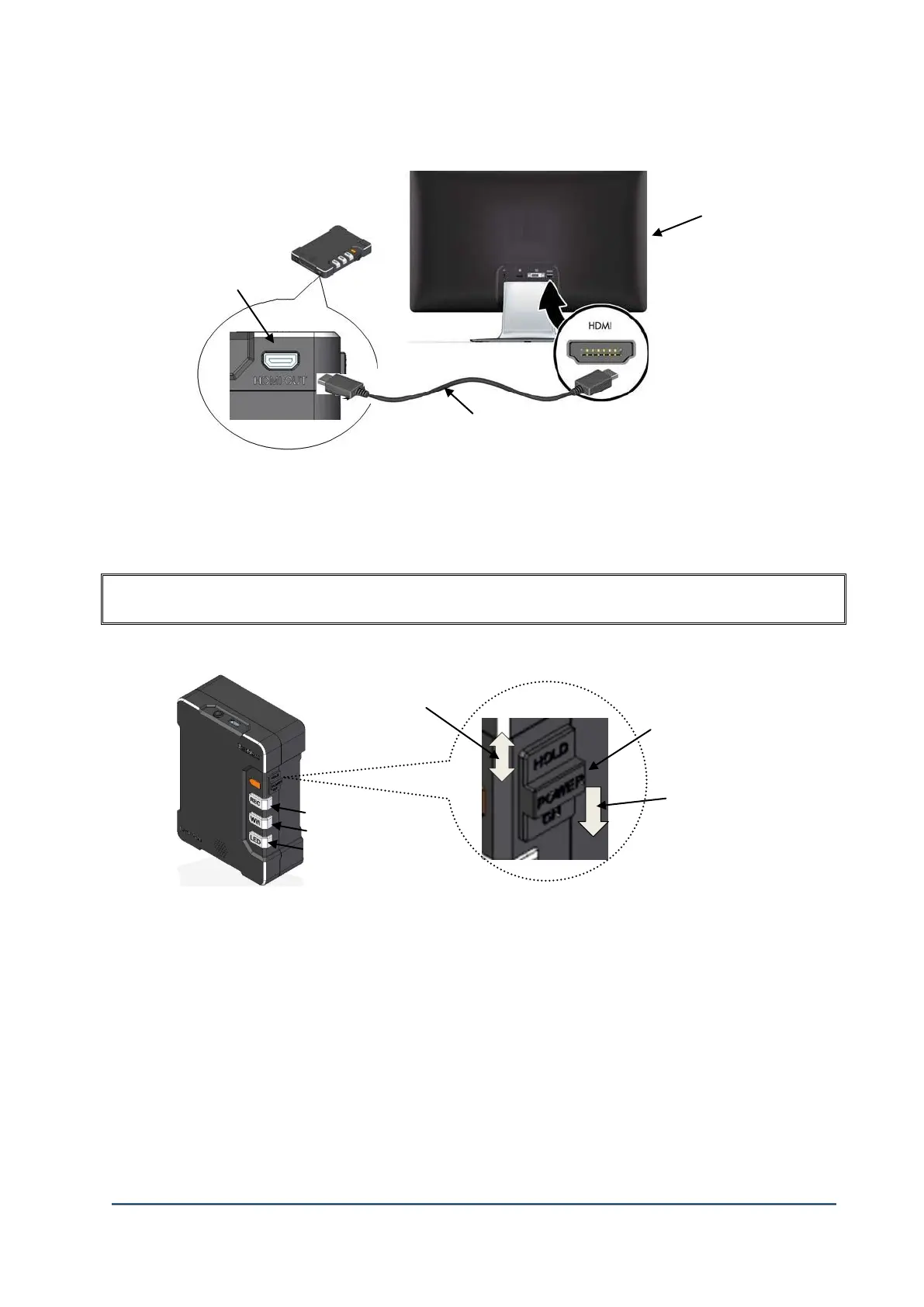
4. Connect Video-Out Port
1) Prepare ①TV which can be supported HD port.
2) Connect ②Video-Out port of Main body to ①TV HD port with Video-Out cable.
OPERATING INSTRUCTIONS
1. Power On/Off
1) ①Power ON: Push the power switch to downward will start the system booting process.
Power will start with “ding-dong-daeng” sound. After the system booting process is finished,
REC button LED sign will turn on and “ding-dong” sound will come. LED light intensity
consists of “step 1”, “step 2”, “step 3”, “OFF”.
2) ①Power OFF: Push the power switch to downward and hold 2 seconds.
3) ②Hold ON/OFF: When you push the power switch to upward after system booting process,
RED, WiFi, LED button will not operate, but “REC” and “LED” button will operate normally.
Hold function is to prevent any unexpected (unwanted) button touch which may cause
malfunction.
②Video-Out port of Main Body
REC button
WiFi button
LED button



 To Next Page